AI Chatbots for Sales: Driving Lead Gen & Conversions
Harmeet Singh
In this article
Share Knowledge
The digital sales space has changed. For years, companies used static websites. These acted like basic brochures. They waited for buyers to find a “Contact Us” form. Visitors with queries had to wait. A 24- to 48-hour delay was normal for a reply.
In 2026, waiting is fatal. A slow reply means a lost lead. A fast reply closes the deal.
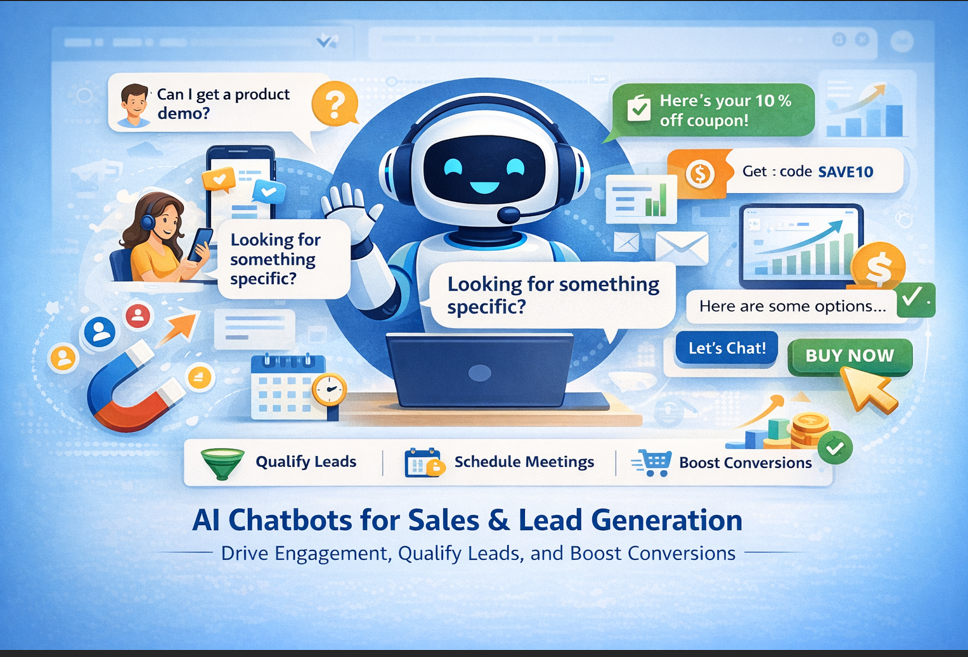
Static websites are fading. The Conversational Sales Engine is here. Firms now use AI for more than simple support. They use Agentic AI systems to spot and score leads. These bots drive revenue quickly. They work 24/7 on websites and WhatsApp.
This guide reveals how AI chatbots change the sales funnel. We unpack the high value of fast replies. You will see how ZynfoAI builds sales teams that scale easily.
📑 Table of Contents
- The Conversational Sales Revolution
- What is a Sales AI Chatbot?
- Why Businesses Need AI for Sales
- The Speed-to-Lead ROI
- AI Agents vs. Traditional Forms
- Key Use Cases
- Technical Lead Scoring
- Real-World Case Studies
- How AI Chatbots Increase Conversions
- The ZynfoAI Edge
- Challenges and Best Practices
- The Future of AI in Sales
- Conclusion
The Conversational Sales Revolution
Sales runs on good timing and strong bonds. But digital traffic is massive now. Human teams cannot offer a personal touch to everyone. It costs too much money.
Conversational Sales fixes this. It means chatting with site visitors securely and instantly. It nudges them to buy. An AI chatbot for sales links their interest directly with fast action.
Users never have to wait for emails. An AI agent talks to them instantly. It assists when they research pricing, view features, or tally shipping. This is widely superior to a “Contact Us” block. It functions like a digital sales rep. This rep avoids sleep or burnout entirely. It grasps your full product catalog easily.
Data-Driven Intelligence & RAG
Many basic bots parrot scripts. ZynfoAI acts from your precise data.
- Notion & Confluence Sync: The AI grasps every neat technical detail. It parses your internal docs.
- Shopify & Inventory Sync: The AI tracks real-time stock levels. It dictates correct pricing plans.
- Real-time API tools: Connects easily to inner tools. Presents custom price quotes sharply.
This dictates why solutions for sales lead modern structures.
What is a Sales AI Chatbot?
A sales AI chatbot acts as an eager, smart agent. It converses with buyers. It speeds up their purchase path. Older tools mapped rigid paths softly. Modern Sales AI relies on Large Language Models (LLMs). It commands Retrieval-Augmented Generation (RAG) to provide smart, human-like responses.
Key Capabilities of a Sales AI Agent:
- Proactive Engagement: Starts dialog with engaged visitors instantly. For instance, it approaches users lingering on checkout grids.
- Deep Intent Discovery: Deploys smart questions carefully. Exposes key pain points, fixed budgets, and timeline goals.
- Product Matching: Promotes the perfect item simply. Judges choices on verbal user aims.
- Lead Qualification: Pushes fake traffic away. Sends strong, real leads to CRMs or actual reps.
- Action Agency: Books distinct calendar setups. Forges checkout links swiftly. Settles product returns directly inside chat windows.
Why Businesses Need AI for Sales
In the past, snagging more leads signaled hiring far more salespeople. But physical teams tackle strict limits. AI effortlessly dissolves these familiar blocks:
- Missed Leads: A busy human misses fresh site leads easily. Those chances shrink immediately.
- Wasted Time: Staff forfeit hours on dead-end prospects broadly. Many viewers skip matching budgets entirely.
- Repeated Queries: Teams describe basic facts daily. This burns their sharpest skills.
- Poor Follow-ups: Busy teams accidentally omit needed touchpoints. AI absolutely never forgets an action.
AI chatbots mend this chaos using Infinite Parallel Processing. Even if 1,000 visitors arrive instantly, everyone receives immediate care. This completely overhauls core lead-generation strategies.
The Speed-to-Lead ROI
In dynamic sales, your finest asset is simple attention.
Harvard Business Review uncovered a brutal reality cleanly. Pausing 10 minutes to write back drops your chance to score leads by 10x. Wait 30 complete minutes, and that exact lead vanishes logically.
The “900% Rule” stands solid. Chatting in 5 minutes expands final sales ratios clearly by 900% over massive delays.
Why Humans Can’t Keep Up
- Global 24/7 Traffic: Customers surf online continuously. Your biological team obviously sleeps tightly.
- Volume Spikes: Mega sales generate heavy influxes rapidly. Physical squads fail qualifying massive surges properly.
- Data Latency: Humans demand chunks of time chasing metrics. AI queries catalogs instantly.
AI Agents guarantee Zero Latency Response. They ping users under 2 minimal seconds. They capture minds squarely at peak curiosity cleanly.
AI Agents vs. Traditional Forms
For decades, the “Lead Form” led the process widely. However, users despise forms in 2026. Data blocks simulate rough homework. They stall motion totally. They often pledge unwanted cold calls shortly.
| Feature | Zynfo AI | Traditional Lead Forms |
|---|---|---|
| User Experience | Dynamic Conversation | Static 'Homework' |
| Qualification Style | Real-time Scoring | Post-submission Manual |
| Engagement Speed | Immediate (Under 2s) | Delayed (Hours/Days) |
| Actionability | Book Demos & Take Orders | Passive Data Storage |
| Conversion Rate | 300% - 500% Uplift | Standard Industry Base |
A swift livechat-integration projects genuine help reliably. It builds early trust efficiently. This guides candidates safely down crucial buying lanes.
Key Use Cases
These tools excel throughout any sales system. Check these major targets mostly active during 2026:
Website Visitor Engagement
Site browsers frequently just snoop around idly. A chatbot assists correctly:
- “Hi, reviewing our fast Shopify integration? Care to observe how we secured 10,000 active orders easily?” This gentle greeting drives up interest correctly. It stops fast bounces cleanly.
Autonomous Lead Qualification
Not all arriving traffic desires spending. ZynfoAI questions guests strictly but fairly. It locates solid buyers smoothly. It arranges calls directly. It texts precise transcripts gracefully to your crew.
Product Recommendations
Too many options kill final orders. Smart agents perform precisely as Digital Concierges.
- User: “I require a sturdy jacket for freezing treks exactly.”
- AI Agent: “Evaluate our ‘Alpine Pro’ model reliably. It handles 20°F casually and dispels heat cleanly. See distinct colorways quickly?”
Fast Demo Booking
Juggling emails merely stops moving deals randomly. ZynfoAI maps strictly to staff schedules seamlessly. It confirms prime prospect details efficiently. Then it embeds a neat calendar tool safely.
Proactive Cart Recovery
When visitors ditch chosen products, the bot follows swiftly alongside WhatsApp.
- “Hi Sarah, you omitted your heavy ‘Zynfo Pro’ set inside casually. Need brief tips regarding setup connections mostly?” This pleasant interaction recovers largely triple the raw income over basic mail blasts.
Technical Lead Scoring
ZynfoAI inspects pure behavior correctly. Archaic styles simply harbor text logs. Our smart AI detects safely:
- Page Velocity: How fast are prospects viewing features plainly?
- Depth of Interaction: Are questions strictly basic or thoroughly complicated?
- Firmographics: Does that obscure IP indicate a major global corporate entity?
The BANT Framework
ZynfoAI applies familiar BANT (Budget, Authority, Need, Timing) mechanics. It frames users neatly:
- Budget: “Do you prefer deep enterprise tools or simple packs mostly?”
- Authority: “Are you framing tool goals directly for groups?”
- Need: “What core hurdle blocks you notably today?”
- Timing: “When do you initiate exactly?”
This accurately spots dominant prospects efficiently. Groups never miss huge accounts again.
Real-World Case Studies
Sephora: The Personalization Powerhouse
Sephora initiates sharp “Color Match” utilities daily. These cleanly assign optimal cosmetics based on face tones completely.
- Result: Bookings rocketed upward successfully by 11 percent rapidly. E-commerce metrics climbed notably.
Drift: B2B Pipeline Acceleration
Drift swept away clumsy blockers broadly. They empowered distinct bots quickly on home pages actively.
- Result: Enterprise divisions gained a 100% surge capturing leads merely through opening fast dialog structures openly.
HubSpot: Efficient Capture
HubSpot triggers inner chatbots securely. It harvests prime curiosity steadily without intense manual labor freely.
- Result: Gigantic yield increases completely skipping tiring effort directly.
Domino’s: Transaction Speed
Domino’s logs quick purchases safely on native message threads smoothly.
- Result: Supreme transaction rates and far bigger revenue totals overall.
How AI Chatbots Increase Conversions
Modern bots push limits drastically because they serve modern minds precisely:
Instant Gratification
Society adores rapid results fully. Folks enjoy exact statements rapidly. Pinging back tightly beneath 2 precise seconds prohibits wandering broadly. Pure speed governs elite web purchase rates tightly.
True Personalization
Broad mass copy alerts minds swiftly to absolute spam securely. Chat AI recalls distant prior clicks deeply. It lists past cart details effectively. This delivers a VIP Service totally. That bond doubles future sales broadly.
Low Friction
Lengthy inputs stall busy people massively. Conversational modules purely ask concisely, “Explain your task directly.” That slashes friction perfectly. Consumers declare “Yes” significantly easier continuously.
Smart Nurturing
Closing purchases requests multiple nudgings casually. AI bots lightly tap leads safely upon returning. It predicts when exactly a serious shopper targets formal setups gently.
The ZynfoAI Edge
ZynfoAI steps widely away from normal tools securely. We unleash real Agentic Sales Reps broadly within core sales solutions rapidly.
Cross-Platform Action
Our tools absolutely avoid stating quietly, “Buy this manually online.” They actively participate clearly. They mention gently, “Shall I prepare a fresh checkout token for you efficiently?” Then they just compile it instantly. This displays massive changes leading away from SaaS to AaaS.
WhatsApp Sales Power
We serve verified WhatsApp APIs properly. Businesses broadcast extreme focus actively toward vast audiences rapidly. Individuals perceive true organic sentiment perfectly. Study the extensive WhatsApp AI Chatbot guide reliably.
Build Your AI Sales Engine
Stop losing leads to slow response times. Deploy a ZynfoAI agent that qualifies, scores, and converts your visitors in real-time.
Challenges and Best Practices
Dodge standard logical defects heavily:
- Skip rigid Logic: Ensure wide AI handles disorganized paragraphs perfectly.
- Master Golden Handoffs: As giant contracts emerge purely, an AI should handle starts precisely. Later, it hands calls swiftly directly to executives smoothly.
- Be Honest: Users deeply applaud basic velocity instead of fake humans completely. Speak truthfully totally.
- Review and Learn: Track strange bot interactions plainly. Update your precise knowledge base regularly quickly.
The Future of AI in Sales
What surfaces ultimately next continuously? We project absolutely The End of Manual Sales firmly.
Soon, basic individual systems quit completely. You will monitor an active Team of Agents broadly:
- Prospector Agents: Uncover rich profiles efficiently everywhere safely.
- Nurture Agents: Own steady gentle callbacks thoroughly pleasantly.
- Closer Agents: Build and lock core documents firmly without stress basically.
Predictive Sales
Next up emerges completely Predictive Sales. Systems notice weak signals continuously early blindly. AI registers slight behavior changes effortlessly to trigger rescues accurately rapidly.
Conclusion
Missing modern chat setups leaves businesses terribly exposed totally. Manual actions utterly fail matching simple bot pacing cleanly safely.
Intelligent agents bestow supreme advantage rapidly casually. Swap outdated layouts firmly directly. Use potent Autonomous Sales Channels. Shape your standard portal quickly strictly into non-stop cash pathways openly.
Suffering through idle delays truly ends directly today entirely. Conversational Revenue sets heavy modern standards precisely perfectly.
Ready to Scale Your Revenue?
Read entirely how the emerging Future of Websites bends vastly towards deep agent layers basically precisely. Understand cleanly exactly why big teams heavily leap entirely from SaaS to AaaS.
Pause before closing securely to scan massive tight pricing plans softly casually. Evaluate our heavy immense lead generation capabilities openly nicely to pivot passing clicks strongly solidly directly toward true sales totals smoothly perfectly.
Go Agentic with ZynfoAI
Join 500+ high-growth brands using ZynfoAI to automate their sales funnel. Higher conversions, lower CAC, 100% autonomous.
Related Keywords & Expertise
Recommended Resources & Tools
Put this into practice with our free tools & solutions
Chatbots vs Static Forms
Replace boring contact forms with conversational AI flows that convert 3x higher.
Chatbot ROI Calculator
Calculate your projected cost savings, ticket deflection rate, and revenue impact.
Free Schema Markup Generator
Create valid JSON-LD structured data for Google rich snippets in seconds.
Shared Team Inbox
Manage website chat, WhatsApp, and email conversations from a unified workspace.
You Might Also Like

AI Automation Agency & AI Receptionist in Qatar (2026 Guide) | ZynfoAI
Looking for an AI automation agency in Qatar? Discover how Qatari businesses deploy 24/7 AI receptionists, Arabic chatbots, and customer support automation in Doha.

Best AI Chatbot for Ecommerce (2026 Guide) | ZynfoAI
Discover the best AI chatbot for e-commerce. Automate order tracking, reduce cart abandonment, and increase AOV by 23% with ZynfoAI's 24/7 retail AI agent.
Top AI Chatbots for Ecommerce & Retail (2026 Guide) | ZynfoAI
Explore how AI ecommerce chatbots automate order tracking, slash support tickets, recover carts, and boost retail revenue across Shopify, WooCommerce & BigCommerce.
Want to learn more?
Explore our entire library of insights on AI automation, lead generation, and scaling customer support.
Read blogs nowAutomate your support with AI
Deploy an AI agent in 2 minutes. Deflect 70%+ of customer tickets.