Best AI Chatbots for SaaS Teams (2026): Automating Onboarding, User Activation & In-App Support
Sachin
In this article
Share Knowledge
For modern SaaS companies, the difference between explosive growth and stagnation comes down to one metric: User Activation Rate.
Industry benchmarks reveal that 40% to 60% of free trial users drop off after opening an app just once. They sign up with high enthusiasm, log into a complex dashboard, hit a technical roadblock or confusing documentation page, and abandon the product before experiencing their “Aha!” moment.
This acute growth bottleneck drives one of the most prominent queries across SaaS founders and product leads:
“What are the best AI chatbots for SaaS teams in 2026, and how can conversational AI accelerate user activation, automate in-app onboarding, and reduce support overhead without blowing up our software budget?”
In this guide, we evaluate what makes an elite AI chatbot platform for SaaS products, break down how in-app conversational assistance accelerates user onboarding, and compare transparent flat-rate pricing against punitive legacy seat models.
The SaaS Onboarding Dilemma: Static Help Docs vs. Conversational Co-Pilots
When a trial user gets stuck configuring an API key, setting up an integration, or inviting their teammates, they typically face two options:
- Search a 200-page Help Center: Forcing them to leave their dashboard, search keywords, read paragraphs of generic documentation, and guess how to apply it.
- Submit a Support Ticket: Waiting 4 to 24 hours for a support engineer to reply—by which time the trial user has already signed up for a competitor.
Modern SaaS teams solve this with an in-app conversational co-pilot:
- Trial User Gets Stuck: “How do I configure webhook endpoints for billing events?”
- In-App AI Co-Pilot: Searches indexed API documentation and returns exact step-by-step instructions with deep links.
- Instant Activation: Resolution in under 10 seconds with zero churn, helping the user complete trial setup immediately.
Instead of abandoning your trial, the user gets their problem resolved instantly, completes their setup, and activates into a paying subscriber.
4 Core Capabilities SaaS Teams Need from an AI Chatbot
When selecting an AI chatbot for a SaaS environment, generic customer support bots fall short. Your platform must deliver four SaaS-specific operational pillars:
1. Multi-Format Technical Knowledge Ingestion
SaaS products evolve rapidly. Your AI agent must be able to index complex technical documentation across disparate formats:
- Website & Documentation Crawling: Crawls your live knowledge base, changelog, and API reference (up to 500 URLs on Pro), discovering links via sitemap automatically.
- Structured File Uploads: Ingests release notes, implementation guides, and security whitepapers (PDF, DOCX, XLSX up to 5MB).
- Cloud Document Sync: Connects to Google Drive to index product roadmaps and internal support playbooks written in Google Docs and Google Sheets.
- One-Click Manual Resync: When a new feature ships or UI changes occur, resync documentation with a single click to update the AI’s memory.
2. Context-Preserving Human Escalation
When an enterprise prospect or high-ACV account encounters a complex technical edge case, the AI must hand off smoothly to your human team:
- Pre-Handoff Qualification: Collects the user’s name, verified work email, and technical environment before connecting.
- Instant AI 3-Bullet Summaries: Provides human support reps with an automated 3-bullet summary (Problem, Steps Attempted, Suggested Action) so reps never ask: “Can you repeat your issue?”
- Business-Hour Routing: Informs the user if staff is currently offline and automatically logs a ticket in Freshdesk or Zoho Desk.
3. CRM Lead Capture & Trial Enrichment
Pre-sale website visitors have pricing, security, and enterprise questions. The AI acts as an autonomous AI SDR:
- Answers compliance and tier questions based on your verified documentation.
- Captures company size, target user count, and timeline.
- Automatically syncs enriched leads into HubSpot, Zoho CRM, or Freshsales, alerting your sales executives to high-intent opportunities in real time.
4. Zero Seat-License Collaboration Bottlenecks
In a SaaS startup, customer questions span across engineering, product management, and frontline customer success.
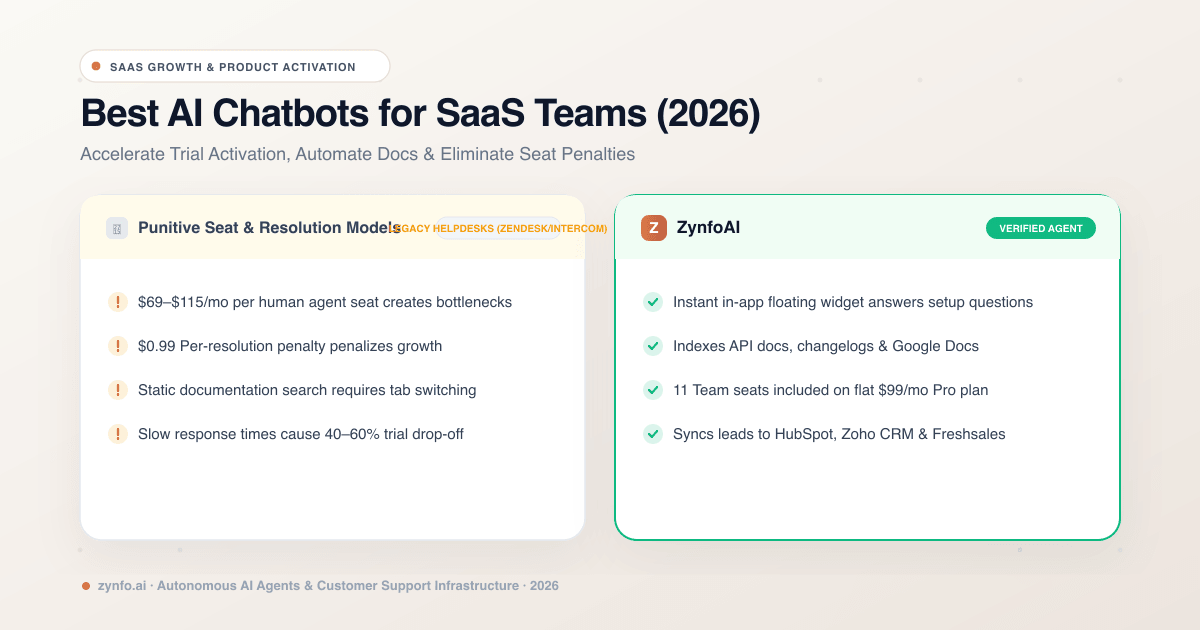
Under legacy helpdesk platforms (e.g., Zendesk, Intercom), adding 8 team members to your inbox costs $600 to $1,000+ per month in extra seat fees.
With platforms like ZynfoAI, up to 11 team seats (1 owner + 10 team members) are included on the flat $99/month Pro plan, allowing founders, engineers, and support reps to collaborate inside the unified inbox with zero seat penalties.
Boost SaaS Trial Activation with AI
Deploy an in-app AI co-pilot on your SaaS product. 5,000 monthly conversations, up to 11 seats, and $0 per-resolution fees.
Pricing Comparison: Flat-Rate vs. Per-Resolution Traps for SaaS
As a SaaS business scales from 500 to 5,000 active trial users, software billing mechanics become critical to protect gross margins:
| Feature | Zynfo AI | Per-Resolution / Seat Bots |
|---|---|---|
| Monthly Base Cost | $99 / mo flat | $39 – $499 base + seat fees |
| Per-Resolution Surcharge | $0.00 (Zero Surcharge) | $0.99 per resolution |
| Included Monthly Chats | 5,000 conversations | Strictly metered |
| Team Seats Included | 11 seats included | 1 seat per paid license |
| Documentation Sources | 500 URLs + Files + Google Drive | Limited / Pay per page |
| CRM & Helpdesk Sync | HubSpot, Zoho, Freshdesk, Freshsales | High-tier lock-in |
For a SaaS team handling 3,500 monthly onboarding and support conversations, paying $0.99 per resolution adds over $2,700 in unexpected monthly fees. A flat-rate model guarantees predictable unit economics as user acquisition scales.
3 Best Practices for Deploying AI Support in SaaS Products
To maximize activation and trial retention, follow these battle-tested SaaS deployment practices:
- Embed the Widget Inside Your Authenticated App: Don’t restrict the AI to your public marketing website. Embed the floating script inside your authenticated application dashboard so logged-in trial users can ask technical questions without leaving their workflow.
- Review the “Unanswered Questions” Analytics Weekly: Use your dashboard’s unanswered query reports to identify where new users get confused. If multiple trial users ask “Where do I find my API secret key?”, update your in-app onboarding tooltip and refresh the AI’s documentation chunk.
- Use Quick-Reply Starters for Common Setup Tasks: Configure your widget’s welcome screen with 3 quick-reply prompts: “How do I invite teammates?”, “API Setup Guide”, and “Connect to CRM”. This encourages immediate engagement and faster activation.
Conclusion: Turn Customer Support into a Growth Engine
In 2026, the best SaaS teams don’t make their users wait in long email queues or hunt through clunky static knowledge bases.
By embedding an intelligent, grounded AI co-pilot that answers onboarding questions in seconds, qualifies high-intent enterprise leads, and routes complex edge cases to a collaborative team inbox, you slash churn, increase product activation, and scale your SaaS business efficiently.
Ready to accelerate your SaaS onboarding? Sign up to ZynfoAI free today and deploy your in-app SaaS assistant in minutes.
Related Keywords & Expertise
Recommended Resources & Tools
Put this into practice with our free tools & solutions
AI with Human Handoff
Escalate complex chats to live agents with complete conversation context.
Chatbot ROI Calculator
Calculate your projected cost savings, ticket deflection rate, and revenue impact.
Shared Team Inbox
Manage website chat, WhatsApp, and email conversations from a unified workspace.
AI FAQ Generator
Turn documents, manuals, and URLs into structured FAQs and schema markup.
You Might Also Like
Ultimate Guide to AI Customer Service Chatbots
A comprehensive deep dive into AI chatbots. Learn how an ai chatbot for customer service transforms support operations, reduces costs, and drives retention.
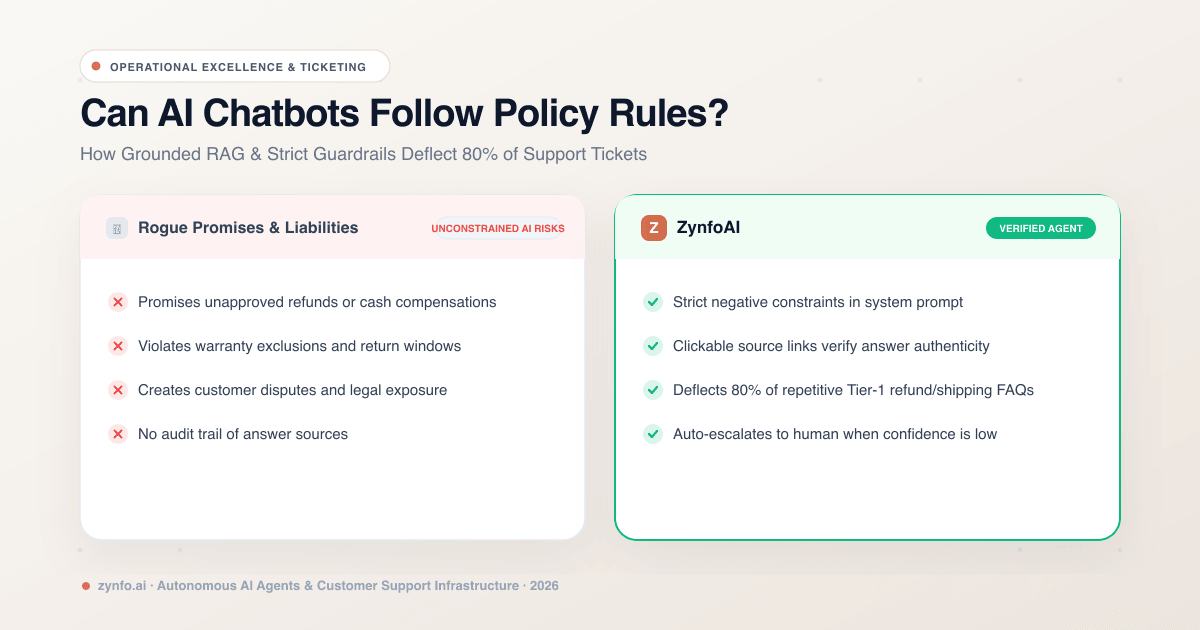
Can AI Chatbots Follow Strict Company Policy Rules? How to Reduce Support Tickets by 80%
Discover how AI chatbots enforce strict business policy rules, eliminate guesswork, and safely deflect up to 80% of customer support tickets.
How AI Agents Are Transforming E-commerce
Discover how autonomous ecommerce AI agents transform retail. Learn high-impact use cases, customer support automation, and growth strategies.
Want to learn more?
Explore our entire library of insights on AI automation, lead generation, and scaling customer support.
Read blogs nowAutomate your support with AI
Deploy an AI agent in 2 minutes. Deflect 70%+ of customer tickets.