Can AI Chatbots Follow Strict Company Policy Rules? How to Reduce Support Tickets by 80%
Sachin
In this article
Share Knowledge
When operations leaders and customer support managers evaluate automated customer service, their greatest anxiety can be summarized in one recurring search query:
“Can an AI chatbot actually follow our strict company policy rules, or will it promise unapproved refunds, violate our warranty terms, and create legal headaches for our business?”
It is a legitimate worry. In 2024, headlines circulated about airline and automotive chatbots making unauthorized promises to customers because their underlying AI models were given free rein without strict deterministic boundaries.
If an AI chatbot cannot reliably enforce your return windows, exchange criteria, and escalation protocols, it is a liability rather than an asset.
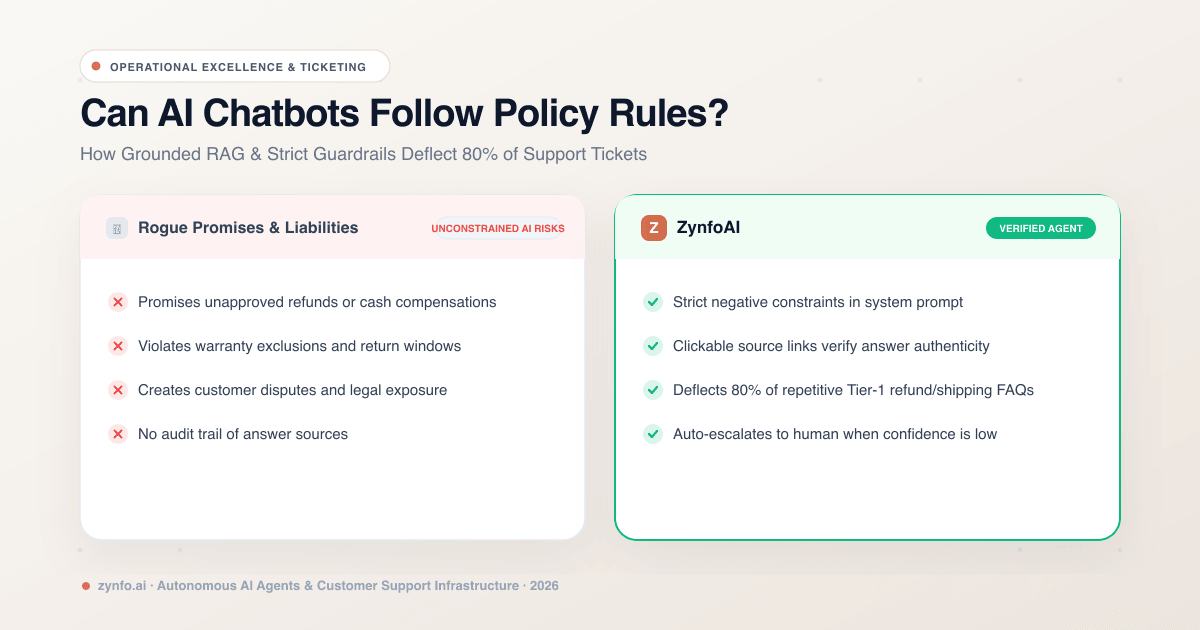
In this guide, we examine how modern enterprise AI architectures constrain large language models to follow strict operational policy rules, how Grounded RAG eliminates rogue responses, and how companies safely deflect up to 80% of incoming support tickets without sacrificing policy compliance.
The Policy Dilemma: Deterministic Rules vs. Probabilistic AI
Traditional software (like rule-based decision trees) is deterministic: if a customer clicks button A, show message B. It is 100% predictable, but terrible at understanding nuanced human language.
Conversely, raw generative AI (like base ChatGPT) is probabilistic: it guesses the most likely sequence of words based on general training data. It understands conversational nuances brilliantly, but can easily wander outside your company’s official boundaries if unconstrained.
To build an AI customer support agent that follows company policy without fail, modern architectures combine natural language understanding with deterministic policy boundaries:
- Natural Language Input (Probabilistic Understanding): The user asks in natural language: “I bought these headphones 3 weeks ago on sale, can I get my money back?”
- Knowledge Retrieval & Guardrails (Deterministic Policy Enforcement): The system matches the exact policy chunk (“Sale items eligible for store credit only within 30 days”), applies the system negative constraint forbidding cash refunds on sale items, and validates a 94% grounded confidence score.
- Verified Customer Response (Compliant Policy Answer): “Because your headphones were purchased on sale, they are eligible for store credit or exchange within our 30-day window, but cannot be refunded to the original payment method.” Accompanied by a direct clickable citation to your Return & Refund Policy.
4 Guardrail Mechanisms That Guarantee Policy Adherence
Enterprise platforms like ZynfoAI enforce policy compliance through four discrete architectural guardrails:
1. The Triad of Agent Behavior (Role, Goal & System Instructions)
When configuring your AI support agent, you define three immutable behavioral parameters:
- Role / Job Title: Defines identity (e.g., “Tier-1 Support Specialist for Acme Brands”).
- Primary Goal: Sets overarching objective (e.g., “Provide accurate, friendly answers strictly based on verified company policy documentation”).
- System Instructions: Explicit negative constraints that forbid specific actions (e.g., “Never promise refunds over $50 without human agent approval. Never offer custom discounts. Never speculate on future product release dates.”).
2. Grounded Retrieval-Augmented Generation (RAG)
The AI agent is architecturally blocked from answering queries using public web knowledge. It is mathematically restricted to the vector embeddings generated from your verified company sources:
- Your crawled website sitemap (up to 500 URLs on Pro)
- Uploaded policy handbooks, SLAs, and warranty sheets (PDF, DOCX, XLSX up to 5MB)
- Selected Google Docs and Google Sheets from your connected Google Drive workspace
- Live Shopify or WooCommerce catalog data
3. Clickable Source Attributions
On every generated answer, the AI displays 1 to 3 explicit source citations.
Customers can click the source link to inspect the exact policy page on your website where the answer originated. This builds transparency and reassures customers that the response is official company policy.
4. Confidence Thresholds & Automated Fallback
What happens when a customer asks a question that is ambiguous, contested, or completely absent from your documentation?
Rather than guessing, the platform evaluates the semantic confidence score of the retrieved chunks. If the confidence score drops below your configured threshold:
- The AI triggers a customized fallback response: “I don’t have enough verified information to answer that specific policy question. Let me connect you directly with our support team.”
- During business hours, it routes the conversation to a live agent in your unified team inbox.
- Outside business hours, it automatically logs an open ticket in Freshdesk or Zoho Desk.
Enforce Policy Rules with Zero-Hallucination AI
Ground your customer support agent in your verified documentation. Deflect 80% of tickets with 100% policy compliance.
How Grounded Policy AI Deflects 80% of Support Tickets
When your AI strictly enforces your business rules, what types of customer tickets can you safely automate?
In most support operations, Tier-1 repetitive questions account for up to 80% of total queue volume:
| Feature | Zynfo AI | Ungrounded Generic Bots |
|---|---|---|
| Return & Exchange Rules | Cites exact condition rules from refund policy | Guesses rules or offers unapproved refunds |
| Shipping Timelines | Queries shipping table for exact business days | Vague generic estimates |
| Warranty & RMA Terms | Cites official warranty exclusions accurately | Makes unauthorized warranty promises |
| Account Management | Provides step-by-step links from portal guide | Sends broken or fabricated URLs |
| Order Status (WISMO) | Live authenticated carrier milestones from Shopify | Cannot access live order database |
Because the AI handles these routine policy checks in seconds, your human support staff is freed from mundane copy-pasting to focus on complex, high-touch customer relationships.
Continuous Improvement: The “Unanswered Questions” Feedback Loop
Deploying a policy-compliant AI is not a set-it-and-forget-it project. Your business policies evolve, seasonal promotions launch, and edge cases emerge.
To keep your knowledge base comprehensive, modern platforms provide specialized analytics:
- Unanswered Questions Report: Highlights queries where the AI’s confidence score dipped below the threshold, showing you exactly what documentation gaps exist.
- Trending Topics: Identifies emerging customer pain points (e.g., a sudden surge in questions about a specific software release or shipping carrier delay).
- Session Ratings & CSAT: Tracks customer satisfaction metrics to ensure answer quality remains exceptionally high.
When you spot a new trend or documentation gap, simply update your Google Doc or upload a revised FAQ file. With one-click manual resync, your AI incorporates the new policy instantly.
Summary: Safety and Scalability in Harmony
You don’t have to choose between the efficiency of AI and the safety of strict company policy rules.
By utilizing Grounded RAG architecture, explicit system prompt constraints, confidence threshold fallbacks, and transparent source citations, your business can confidently automate up to 80% of incoming inquiries while guaranteeing that your company’s official policies are respected 100% of the time.
Ready to see how a policy-grounded AI agent protects your brand? Sign up to ZynfoAI free today and deploy your policy-compliant support agent in minutes.
Related Keywords & Expertise
Recommended Resources & Tools
Put this into practice with our free tools & solutions
AI with Human Handoff
Escalate complex chats to live agents with complete conversation context.
Chatbot ROI Calculator
Calculate your projected cost savings, ticket deflection rate, and revenue impact.
Shared Team Inbox
Manage website chat, WhatsApp, and email conversations from a unified workspace.
AI FAQ Generator
Turn documents, manuals, and URLs into structured FAQs and schema markup.
You Might Also Like
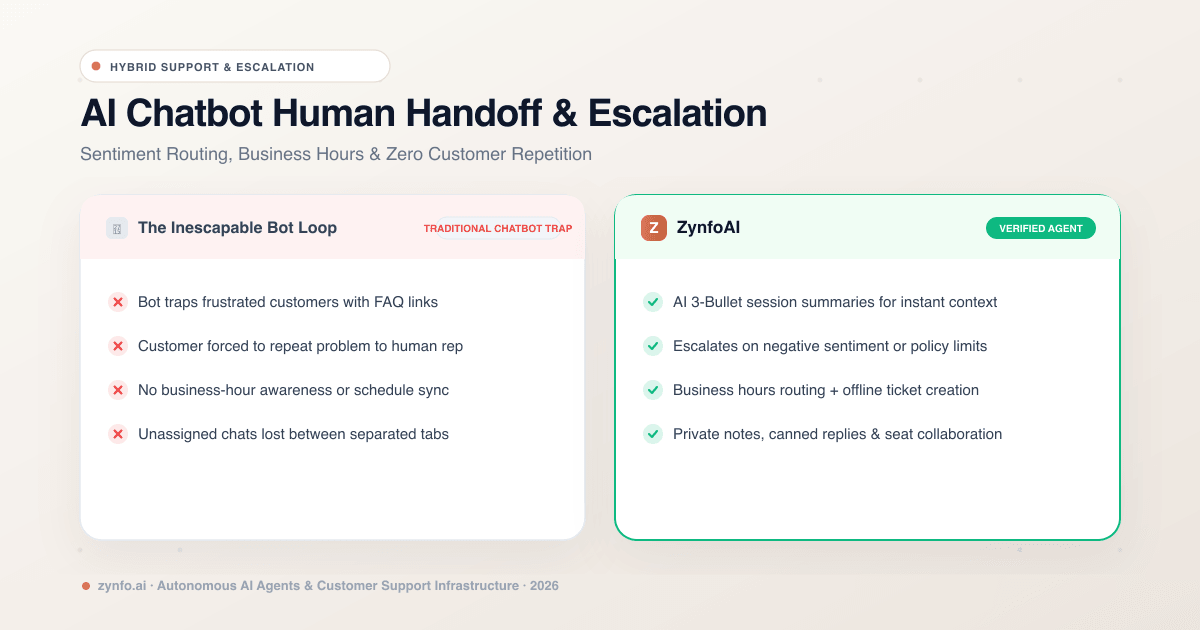
AI Chatbot Human Handoff: How Intelligent Escalation, Agent Inboxes & Sentiment Routing Work
Discover how human handoff works in AI chatbots. Learn how sentiment routing, business hour schedules, unified inboxes, and AI session summaries streamline escalation.
Ultimate Guide to AI Customer Service Chatbots
A comprehensive deep dive into AI chatbots. Learn how an ai chatbot for customer service transforms support operations, reduces costs, and drives retention.

Best AI Knowledge Base Tools & FAQ Software 2026 | ZynfoAI
Discover the best AI knowledge base tools for 2026. Learn how AI FAQ software automates customer support and internal company knowledge.
Want to learn more?
Explore our entire library of insights on AI automation, lead generation, and scaling customer support.
Read blogs nowAutomate your support with AI
Deploy an AI agent in 2 minutes. Deflect 70%+ of customer tickets.