Shopify 8 min read
Shopify Size Guide Chatbot: Fit Questions Before Checkout
Last updated: 4 November 2026.
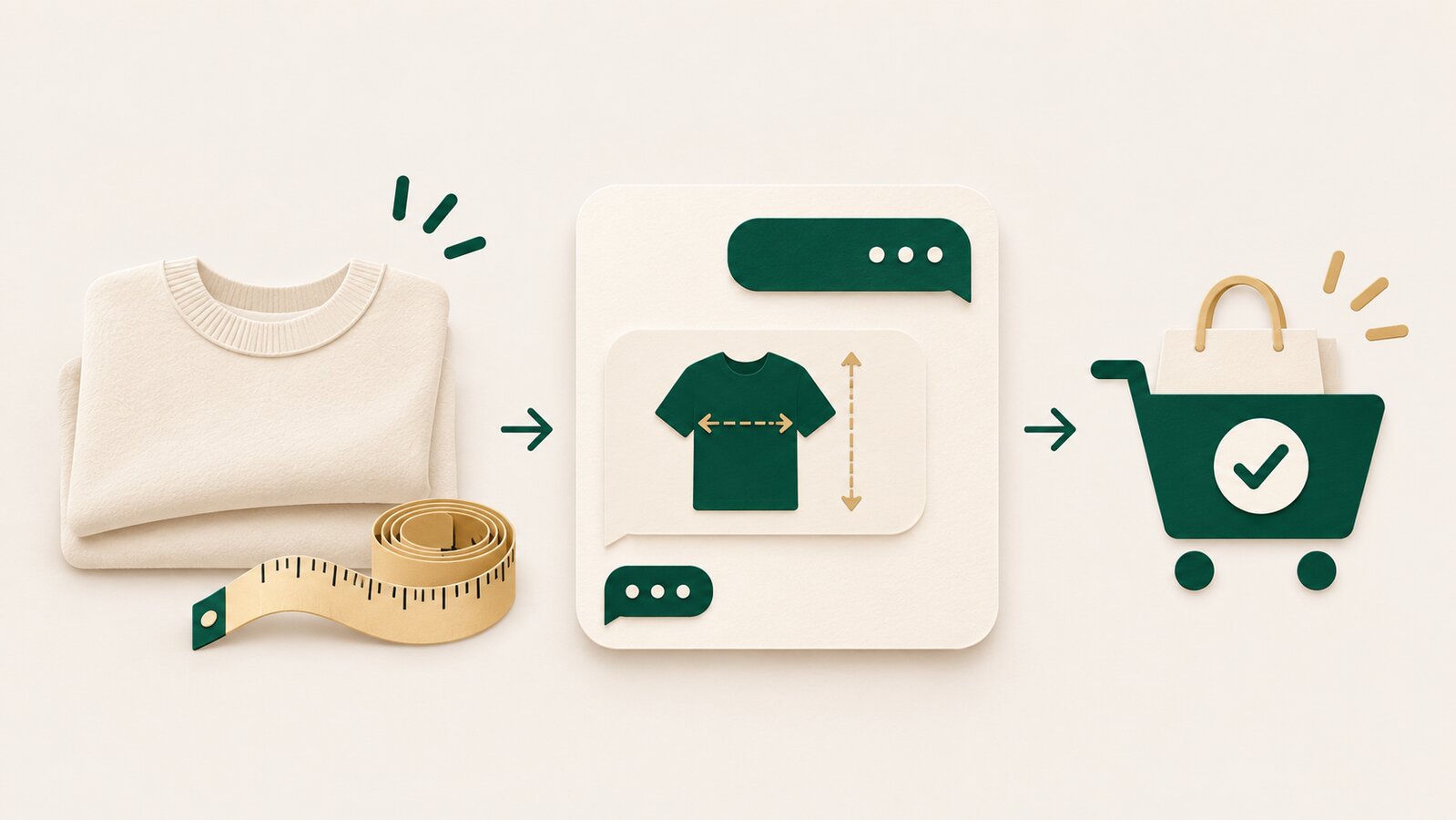
A Shopify size guide chatbot helps shoppers find the right chart, understand the measurements your store publishes, and get a clear next step before they check out. It should not pretend to know someone’s fit from a vague message or guarantee that a size will fit.
For apparel, footwear and accessories stores, size questions arrive at the worst moment: just before a shopper buys. “I am between medium and large.” “Will this fit a 34-inch waist?” “Is this oversized?” A size chart may already exist, but customers do not always find it—or know how to use it.
The practical role of a chatbot is simple: answer from the product’s published size information, ask for the one measurement that matters, and hand off anything that needs judgement. ZynfoAI can use your website, documents and Shopify catalog as knowledge sources to answer product questions on website chat and WhatsApp Business. For broader product discovery, see AI customer support for product recommendations.
What should a Shopify size guide chatbot actually do?
A useful size guide chatbot does not replace your size chart. It makes the chart easier to use in the conversation where the question arrives.
It should be able to:
- Link to the right product’s size guide
- Explain whether a measurement is for the garment or the body
- Repeat the fit notes you have published, such as regular, slim or oversized
- Ask for a relevant measurement when the shopper has provided none
- Explain your stated exchange policy
- Send uncertain cases to a person
It should not invent a recommendation from a customer’s height, weight or a photo unless your business has a reliable, published method for doing that. A confident wrong answer creates the kind of return conversation nobody wants.
Why size charts still create support tickets
A chart is useful only when a shopper can connect it to their question. Many product pages leave out the details shoppers actually need:
| Shopper question | What is often missing | What the chatbot should point to |
|---|---|---|
| “Will medium fit me?” | The body or garment measurement to compare | The relevant size chart and how to measure |
| “Is this a loose fit?” | A plain-language fit note | Your fit description and model notes |
| “Should I size up?” | A stated rule for this product | Your published sizing guidance, or a person |
| “Can I exchange it?” | The store’s exchange conditions | The exchange policy and the next step |
The fix is not a longer chatbot script. It is clearer product information, surfaced at the moment the shopper asks.
Build the size-guide flow before you automate it
Start with the information your support team already uses when they answer fit questions by hand.
1. Standardise each product’s size information
For each product type, make sure the chart shows the unit, the measurements and whether those measurements describe the garment or the body. Add a short fit note where it matters: “true to size,” “relaxed fit,” or “choose one size up for a looser fit.”
If two products fit differently, do not reuse one generic chart. The chatbot can only give a dependable answer when the product page is specific.
2. Decide the one question that unlocks the answer
Do not ask customers for everything at once. For a T-shirt, chest may be enough. For trousers, waist and inseam might matter. For shoes, the relevant input may be foot length.
A good conversation is short:
I can help you find the chart for this style. Which size do you usually wear, and what is your chest measurement?
If your published guide does not support a recommendation from that answer, say so. Point the shopper to the chart and offer a human handoff instead of guessing.
3. Write an honest uncertainty rule
Some messages cannot be solved from a chart. A customer may be between sizes, shopping for a gift, or asking about a body shape your guide does not cover.
Define a clear boundary: the chatbot explains the information that exists; a person handles any recommendation that needs judgement. That protects the customer and your returns team.
For the handoff itself, use the same principle as any support conversation: pass the context and do not make the shopper repeat their details. See how WhatsApp chatbot takeover should work.
A simple size-guide conversation
Here is a safe way to handle a shopper who asks, “I am between medium and large. Which should I buy?”
- Confirm the product they mean.
- Share the product-specific chart.
- Ask for the measurement the chart uses.
- Explain the published fit note.
- If the answer remains unclear, hand the conversation to a person.
The chatbot could say:
This style has a regular fit. The chart lists garment chest measurements. If you share your chest measurement, I can point you to the closest row in the chart. If you are between sizes or prefer a particular fit, our team can help before you order.
Notice what it does not say: “Buy large.” That is a recommendation the store may not be able to support.
What to add to your Shopify product pages
Your chatbot becomes more useful when every product page has the same minimum information:
- A visible size chart close to the size selector
- Units clearly labelled as centimetres or inches
- A note explaining whether the chart is for body or garment measurements
- Product-specific fit notes
- A link to your exchange policy
- Accurate variant names that match the chart
The goal is not to make every page longer. It is to remove the ambiguity that creates a chat in the first place.
For questions about products beyond fit, the Shopify AI customer support evaluation guide covers what to test before you choose a tool.
When should a size question go to a person?
Send the conversation to a person when the shopper asks for a judgement your source material cannot support.
| Situation | Why a person should take over |
|---|---|
| The shopper is between sizes | The best choice can depend on preference and product cut |
| The chart is missing or contradictory | The store needs to fix the source before answering |
| The customer asks about a previous order | The team may need order details |
| The product has special fit requirements | A generic chart may be misleading |
| The shopper is already unhappy about fit | A person can resolve it with care |
That is not a failure of automation. It is the line between clear information and a decision that affects a customer’s purchase.
How size-guide support can reduce avoidable returns
Not every return is avoidable, and a chatbot should never promise that it is. But a shopper who understands the chart, fit note and exchange policy before checkout has a clearer basis for choosing.
The work starts before the chat. Review the questions your team receives each week. If customers keep asking whether a fabric stretches, whether a silhouette runs large or whether a chart shows body measurements, add the answer to the product page and your knowledge source.
If the question comes after delivery, move from sizing guidance to a clear exchange process. The WhatsApp chatbot guide for Shopify returns covers how to explain policy and route exceptions without claiming that a return is already approved.
FAQ
What is a Shopify size guide chatbot?
It is a chat assistant that uses your published product sizing information to help shoppers find the right chart, understand the measurements and get the next step. It should rely on the information your store provides rather than inventing a fit recommendation.
Can a chatbot tell customers which size to buy?
It can point customers to the closest row in a published size guide and explain stated fit notes. If a choice needs judgement, such as between two sizes or for a specific fit preference, the chatbot should offer a human handoff rather than make a guarantee.
What information should I add to a size guide?
Include the unit, the relevant measurements, whether those measurements are for the body or garment, and a product-specific fit note. Keep the size names consistent with the product variants in Shopify.
Can I use a size guide chatbot on WhatsApp?
Yes, if your support system connects to WhatsApp Business and has access to the same published size information. The chatbot can answer the repeat questions and send uncertain cases to your team with the context collected.
Will a size guide chatbot eliminate returns?
No. It can make sizing information easier to find and understand before checkout, but fit still depends on the product and the customer. Keep your exchange policy clear and send exceptions to a person.
Topics
Tools and guides
Put this into practice
AI Chatbot for E-commerce
Recover abandoned carts, automate order tracking, and boost online store sales.
Free ToolChatbot ROI Calculator
Calculate your projected cost savings, ticket deflection rate, and revenue impact.
Free ToolAI WhatsApp Reply Generator
Generate high-converting, professional WhatsApp sales and support replies with AI.
FeatureAI with Human Handoff
Escalate complex chats to live agents with complete conversation context.