Shopify 14 min read
Best Shopify AI Support Tools for Order Lookup
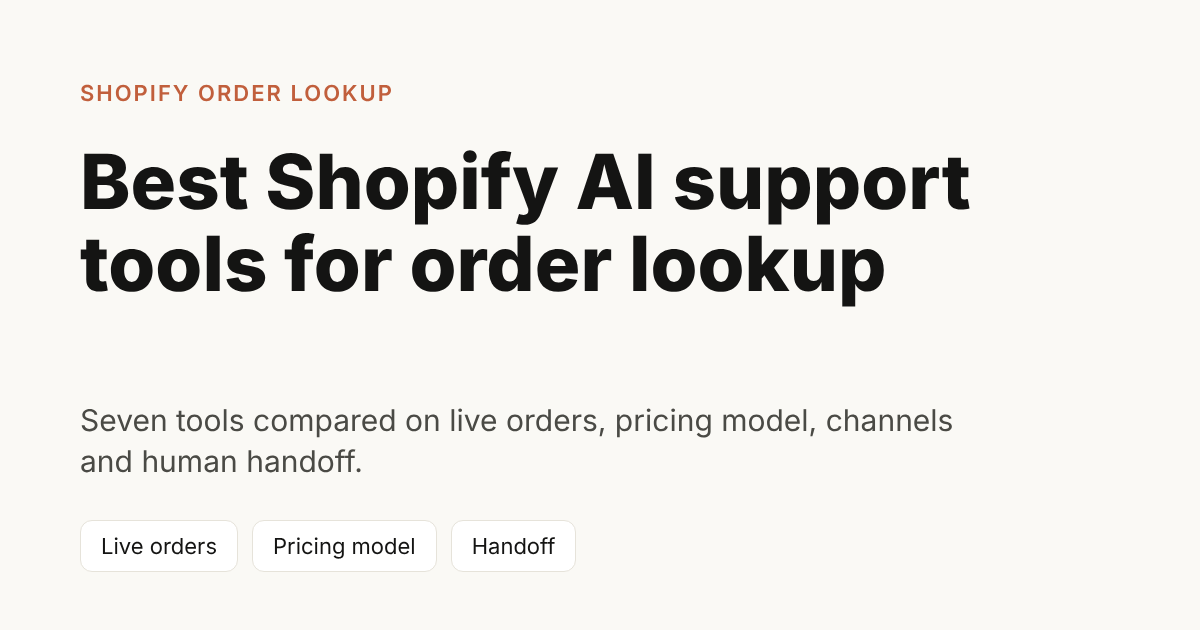
The best Shopify AI support tool for order lookup is the one that reads the live order, hands the hard chats to a person, and charges in a way you can predict. Seven Shopify AI support tools are compared below on exactly those points: Fin, Gorgias, Tidio, Zipchat, Richpanel, Chatbase and ZynfoAI. Every competitor fact comes from the vendor’s own page, opened on 14 October 2026, and each row links to it.
Last updated: 23 October 2026.
This post is for Shopify store owners who answer customers themselves, or with one or two people, on WhatsApp, website chat and email. The question you get most is “where is my order?”. ZynfoAI is our product, so it is one row in the table, with a plain “not for” line next to its “best for”. Prices change often. Treat the numbers here as a snapshot and check the linked page before you buy.
Which Shopify AI support tools handle order lookup?
Seven tools are worth a look for a small Shopify store. The table shows who each one suits, the channels, the pricing model and how a chat reaches a person. “Not stated” means the vendor’s pricing page did not say, so ask them before you buy.
| Tool | Best for | Channels | Pricing model | Human handoff |
|---|---|---|---|---|
| ZynfoAI | Small teams that want flat pricing on website chat and WhatsApp | Website chat, WhatsApp Business; email on the Pro plan | From $39/month, no per-resolution fees | Unanswered questions become help-desk tickets; live chat handoff on the Pro plan |
| Fin | Teams that want to pay only per outcome | Live chat, email, WhatsApp and more | $0.99 per outcome, with a 50-outcome monthly minimum on the helpdesk-agnostic plan | Transfers to agents in your inbox; a configured handoff Procedure costs $0.99 |
| Gorgias | Shopify stores that want a full helpdesk with AI on top | Email, live chat, social and more; WhatsApp not listed on the pricing page | Helpdesk priced by monthly ticket volume; AI Agent $0.90 per automated interaction on annual plans, $1.00 on monthly | Not described on the pricing page |
| Tidio | Small shops that want a low entry price | WhatsApp, email and social channels on every plan | Plans from $24.17 a month for 100 billable conversations; Lyro AI Agent from $32.50 a month for 50 AI conversations | Listed as a Lyro feature |
| Zipchat | Stores that want a Shopify-focused AI agent with reply-based plans | Website chat, WhatsApp, email and social DMs | From $64 a month on annual billing for 750 AI replies; extra packs $49 per 250 replies | Human escalation on all plans |
| Richpanel | Stores that want a helpdesk and metered AI together | Email, chat, social, text messages, WhatsApp | Helpdesk $99 per seat a month on annual billing; AI from $200 a month | Agents work “with human handoff” |
| Chatbase | Teams that want to train an agent on their content and embed it | Chat, email, voice; WhatsApp named in integrations | Hobby $40, Standard $150, Pro $500 a month, by message credits | Not described on the pricing page |
ZynfoAI is a good fit for small teams that want one flat price on website chat and WhatsApp. It is not for large enterprises that need a full ticketing suite with deep reporting and a long list of integrations. If you are in that group, a dedicated helpdesk will serve you better.
Each of these tools sells a different idea of “AI support”. A helpdesk with AI added (Gorgias, Richpanel) starts from tickets. An AI agent first (Fin, Zipchat, ZynfoAI, Tidio’s Lyro) starts from the conversation. Chatbase is a general agent builder that you shape yourself. Pick the idea that matches how your store already works.
What does order lookup mean for a Shopify store?
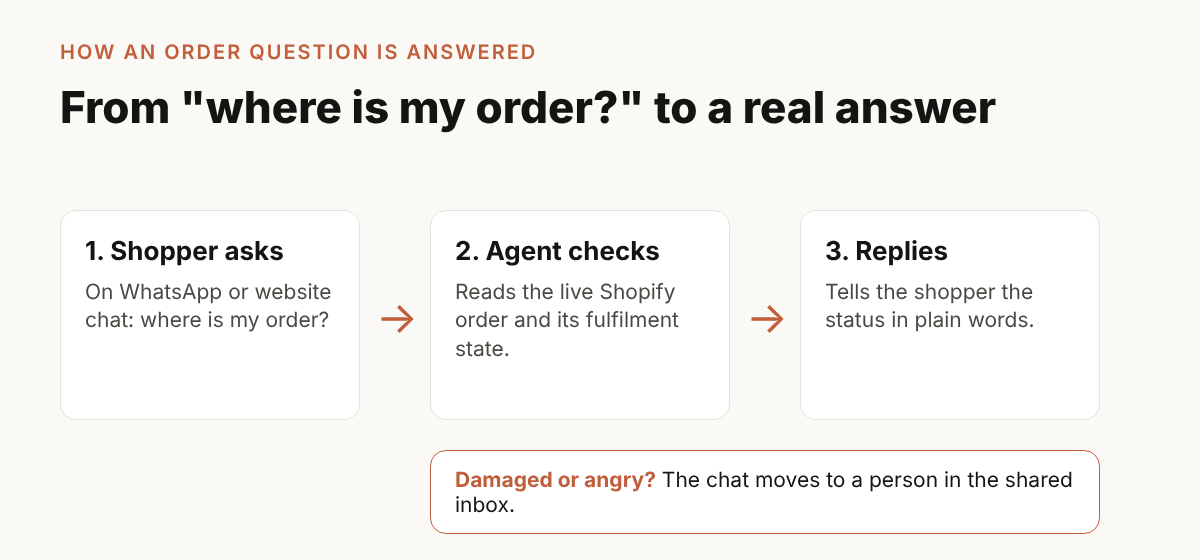
Order lookup means the tool reads the live order from Shopify and tells the shopper the real status in plain words. It does not quote your FAQ. A tool that cannot see the order cannot answer “where is my parcel?”, which is the question that fills most small-store inboxes.
Shopify keeps an order’s fulfilment state as a value such as unfulfilled, partially fulfilled, in progress, on hold or fulfilled (Shopify developer docs, OrderDisplayFulfillmentStatus, 2025-10 API version). A good support tool turns those values into a sentence the shopper understands: “Your order has shipped” or “Part of your order has shipped and the rest is being packed”.
Shoppers can also follow an order on Shopify’s own order status page after checkout (Shopify Help Center, order status page). An AI agent does not replace that page. It answers the shopper who asks in a chat instead of opening the page, and it works on WhatsApp, where many Indian, Gulf and UK shoppers write first.
Shopify’s own guide to AI chatbots for stores says to confirm that a tool pulls order status and shipping details live from Shopify, not from a static file, and that it passes cases such as lost or damaged deliveries and upset shoppers to a person (Shopify, “AI Chatbot for Shopify: Tools Compared”). Use that as your test.
How does each tool handle Shopify orders?
Here is what each vendor’s own pricing page says about Shopify and orders today. Where the page says nothing, we say so instead of guessing.
- ZynfoAI connects to Shopify. It can check order status, and it syncs your product catalog so it can help shoppers find products. See the order tracking feature.
- Fin: the pricing page lists helpdesk integrations such as HubSpot, Zoho and Front. It does not mention Shopify, so confirm the Shopify order connection with the vendor.
- Gorgias says its AI Agent automates “actions like returns, order tracking, and more” and lists Shopify among supported platforms. The page does not describe how order lookup works in detail.
- Tidio lists “Native Shopify actions” from the Growth plan upward. The page does not say whether that includes order tracking.
- Zipchat says it “can pull real-time order data” and includes a Shopify integration on all plans. It links to an “Automate WISMO” capability (WISMO means “where is my order”).
- Richpanel says its AI agents handle order and subscription updates and that its Self-Service Portal lets customers track orders. The page does not mention Shopify order lookup by name.
- Chatbase lists Shopify in its integrations table but does not say which plans include it, and does not describe order lookups.
The honest reading: only some pages are specific about live Shopify orders. Before you pay anyone, ask for a demo on a real test order from your own store.
Which pricing model fits a small store?
Four pricing models appear in this list: flat monthly, per outcome, per reply and per seat plus metered AI. The right one is the one whose bill you can predict in your busiest month. Compare them with your own volume, not with the entry price on the page.
| Model | Tools | What grows your bill |
|---|---|---|
| Flat monthly | ZynfoAI | Nothing, until the plan’s AI reply limit |
| Per outcome or interaction | Fin, Gorgias | Every resolved conversation |
| Per AI reply, in plan bundles | Zipchat | Replies, then extra reply packs |
| Per seat plus metered AI | Richpanel | Team size and AI conversations |
| Monthly base plus conversation or credit limits | Tidio, Chatbase | Conversations or message credits |
ZynfoAI costs from $39/month, with no per-resolution fees. Starter includes 1,000 AI replies a month and 3 team seats. Replies your team sends do not count toward the allowance. See the pricing page for the current plans.
What does it cost in a busy month?
Here is a made-up store to show the method. It is an example, not a customer story. A store that sells candles gets 1,000 order and policy chats in a Diwali month, and the AI takes about three replies to settle each one, so 3,000 AI replies.
| Tool | How the maths works | Rough monthly software cost |
|---|---|---|
| ZynfoAI | 3,000 replies is more than the 1,000 included on Starter, so this volume needs a bigger plan | Flat; see the pricing page |
| Fin | 1,000 chats × $0.99, if every chat counts as an outcome | $990 |
| Gorgias AI Agent | 1,000 interactions × $1.00 on monthly billing, before the helpdesk plan | $1,000 plus the helpdesk plan |
| Zipchat | 3,000 replies needs the Pro plan (3,000 replies) at $240 on annual billing | $240 |
Two cautions. First, “outcome” and “automated interaction” are the vendors’ own definitions, so a real month may count fewer chats than 1,000. Second, Tidio, Richpanel and Chatbase depend on seats, conversation counts or credits that vary with your setup, so we do not put a single figure on them. Use the same method with your own numbers. Our post on flat rate versus resolution fees walks through it.
Which channels matter for order questions?
Shoppers ask about orders where they already chat. For many Indian, Gulf and UK stores that is WhatsApp first and website chat second. Check the channel list for each tool in the table, and check that every channel lands in one inbox, so your team does not run three tabs.
Of the seven, Tidio and Zipchat state WhatsApp on their pricing pages as included on every plan. Fin and Richpanel list it as a supported channel. Gorgias does not list WhatsApp on its pricing page. Chatbase names it only in the integrations list. ZynfoAI answers on a website chat widget and on WhatsApp Business through the official API, and both land in one shared inbox.
WhatsApp message charges from Meta are separate from any support tool. They depend on country and message type, so add them to your budget. Our guide to WhatsApp Business API pricing shows what changed on 1 October.
What happens when the AI should not answer?
A good tool hands a chat to a person when a refund is large, a parcel arrives damaged or a customer is upset. It sends the whole conversation, so the shopper does not repeat themselves, and the AI stops replying once a person takes over.
Ask each vendor three things:
- Which cases go to a person, and who sets the rule?
- Does the person see the full chat history?
- Does a handoff cost extra? (On Fin’s page, a configured handoff Procedure is billed at $0.99.)
In ZynfoAI, live chat handoff is on the Pro plan: the chat moves to the shared team inbox, and on WhatsApp the AI pauses while a person handles the chat. On Starter, questions the AI agent cannot answer become help-desk tickets. Read more on the human handoff feature page, or the longer guide to handoff and escalation.
How do you test an order lookup tool before paying?
Test with a real order from your own store and your own messages. A vendor demo uses a store with perfect pages. Your store has a half-shipped order, a typo in a phone number and a return page written two years ago.
- Place a test order on your store with two items.
- Ask the tool “where is my order?” before it ships.
- Ship one item, then ask again. The answer should say that part has shipped.
- Ask for an order that does not exist. It should say it cannot find it, not invent a status.
- Ask a question your pages do not answer, such as a custom bulk price. It should hand over, not guess.
- Write down the monthly price at double your normal volume.
- Repeat the test on WhatsApp if that is where your shoppers write.
Pass the tool only if it reads the real order, never invents a policy and shows a price you can plan around. For a wider checklist, read our guide on how to evaluate Shopify AI customer support. To cut the number of order chats before you buy anything, see how to reduce “where is my order” tickets on Shopify.
When should you choose each tool?
Choose by your size and your main channel. These are simple rules, not rankings.
- Choose ZynfoAI if you are a small team, you want one flat price, and your shoppers write on website chat and WhatsApp. Do not choose it if you need a full enterprise ticketing suite.
- Choose Fin if you want to pay only when a conversation reaches an outcome and you already run a supported helpdesk.
- Choose Gorgias if you want a Shopify-focused helpdesk and are happy to pay by ticket volume.
- Choose Tidio if a low entry price and WhatsApp on every plan matter most.
- Choose Zipchat if you want a Shopify-first agent with plans measured in AI replies.
- Choose Richpanel if you want a helpdesk with per-seat pricing and metered AI.
- Choose Chatbase if you want to build and tune an agent on your own content.
You can also read the side-by-side alternatives page and the WhatsApp and web chat comparison. Both use the same rule: facts from the vendor’s own page, with a link.
Checklist: what to confirm before you choose
- The tool reads live Shopify orders, shown on a test order from your store.
- It tells a part-shipped order from a fully shipped one.
- It says “I cannot find that order” when it cannot, and does not guess.
- The monthly price at double your volume is written down.
- You know what counts as a billable unit: outcome, interaction, reply or conversation.
- Every channel you use lands in one inbox.
- A person can take over, with the full chat, and the AI stops.
- You know what you pay Meta for WhatsApp on top.
- You tested a question your pages do not answer.
FAQ
Which Shopify AI support tool is best for order lookup?
There is no single winner. Pick a tool that reads live Shopify orders, hands difficult chats to a person and has pricing you can predict. ZynfoAI suits small teams that want flat pricing on website chat and WhatsApp. Other tools in the table suit different sizes and budgets.
Does ZynfoAI look up Shopify orders?
Yes. ZynfoAI connects to Shopify and checks order status. It answers on website chat and WhatsApp Business. Test it on a real order during the 7-day free trial.
How much does ZynfoAI cost?
ZynfoAI costs from $39/month, with no per-resolution fees. Starter includes 1,000 AI replies a month and 3 team seats. There is a 7-day free trial with no card and a 15-day money-back guarantee. See the pricing page.
What is the difference between per-resolution and flat pricing?
Per-resolution pricing charges for every conversation the AI settles, so the bill grows with your orders. Flat pricing charges one monthly fee up to a stated limit. Flat pricing is easier to plan around. Check the limit, and what happens when you reach it.
Can an AI agent cancel or refund an order?
It depends on the tool, so ask. ZynfoAI checks order status and turns requests it cannot handle into help-desk tickets for your team. Ask every vendor which actions the agent can take on a Shopify order, and which it hands to a person.
How do I test order lookup before paying?
Place a test order, ask where it is before and after it ships, and ask about an order that does not exist. A good tool answers from the live order and admits when it cannot find one. Run the same test on WhatsApp if your shoppers write there.
Tools and guides
Put this into practice
AI Chatbot for E-commerce
Recover abandoned carts, automate order tracking, and boost online store sales.
Free ToolChatbot ROI Calculator
Calculate your projected cost savings, ticket deflection rate, and revenue impact.
Free ToolAI WhatsApp Reply Generator
Generate high-converting, professional WhatsApp sales and support replies with AI.
FeatureAI with Human Handoff
Escalate complex chats to live agents with complete conversation context.