Shopify 15 min read
Shopify AI Customer Support: How to Evaluate It
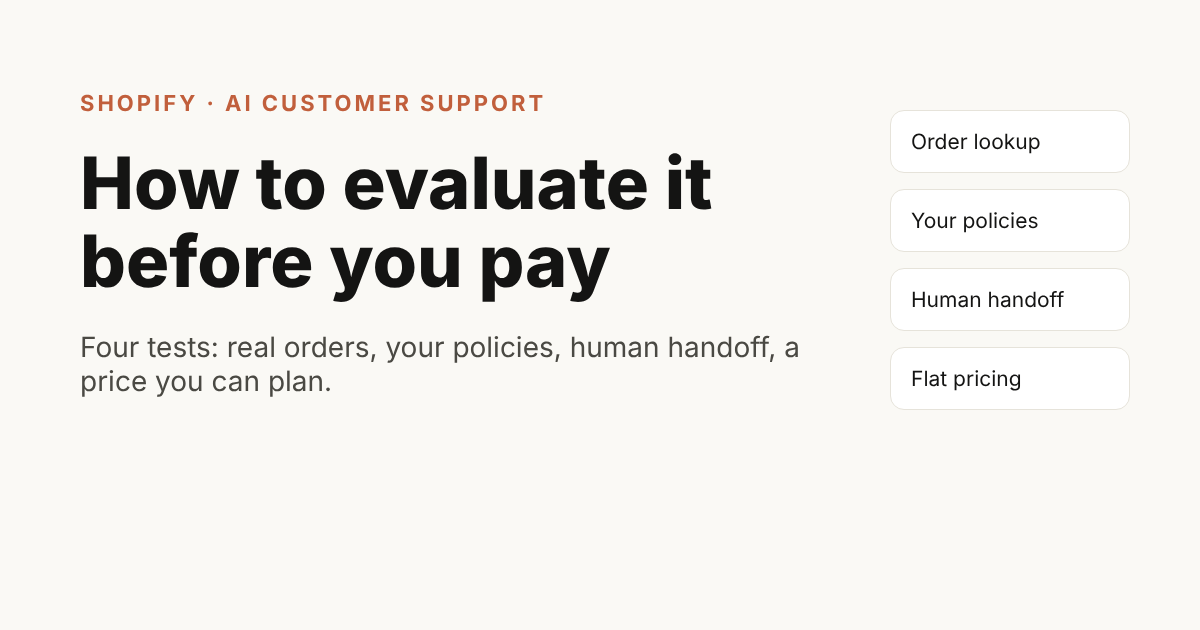
Good Shopify AI customer support does four things: it looks up the real order, answers from your own policies, passes what it cannot answer to your team, and costs the same amount in a busy month as in a quiet one. Judge every tool on those four points, test it on last week’s real messages, and ignore the demo.
Last updated: 23 October 2026.
ZynfoAI is an AI customer service agent for Shopify stores that answers customers on WhatsApp Business and website chat. It costs from $39 a month, with no per-resolution or per-seat fees, and a 7-day free trial with no card.
This guide is for Shopify store owners who answer customers themselves, or with one or two people, on WhatsApp and email. The same questions arrive all day: where is my order, do you ship to my city, what is the return policy. You will see the questions to ask any vendor, what a sensible answer looks like, a worked example from a small store, and a checklist at the end. ZynfoAI is our product, so we say plainly where it fits and where it does not.
What does Shopify AI customer support actually mean?
Shopify AI customer support is software that answers shoppers for your store using your own data: your product catalog, your policy pages and your live orders. It replies on your website chat and on WhatsApp, and passes the conversation to your team when a person is needed. It is not a fixed menu of buttons.
The difference matters because many tools called “chatbots” only show a menu or a canned FAQ. An AI agent reads your pages and catalog, understands a question written in the shopper’s own words, and can act on a Shopify order. If you want the longer comparison, read AI agent vs chatbot. If you want the install steps, jump to how to add an AI agent to your Shopify store.
Shopify’s own guide to AI chatbots for stores lists the same buying questions: ease of use without code, total cost of ownership, data privacy, integrations, the channels supported and the need for human escalation (Shopify, “AI Chatbot for Shopify: Tools Compared”, 2026). The rest of this post turns those into questions you can ask a vendor today.
Can it look up the real order, not just guess?
The first test is the one shoppers care about most. A tool that only quotes your FAQ cannot say where a parcel is. Ask whether it reads the live order from Shopify, and whether it shows the answer the shopper expects: status, items, and what has shipped.
A good answer is yes, with a demo on a real test order. Shopify itself tracks an order’s state across values such as unfulfilled, partially fulfilled, in progress, on hold and fulfilled (Shopify developer docs, order fulfillment status, 2025-10 API version). Your support tool should turn those states into a plain sentence, such as “Your order has shipped” or “Part of your order has shipped; the rest is being packed”.
Ask three follow-up questions:
- Does it check the order the shopper names, or does it only read a pasted order number?
- Can it tell a partly shipped order from a fully shipped one?
- What does it say when it cannot find the order?
ZynfoAI connects to Shopify and looks up the order the shopper names, then shows its status in the chat. See the order tracking feature for how it looks to the shopper.
Does it use your policies, or invent them?
Your return window, shipping zones and delivery times are rules. A support tool must repeat your rules, not improvise. Ask where each answer comes from. The right design reads your website pages and documents, can show the source link, and says “I am not sure” when the rule is missing.
A sensible answer to this question is “it only answers from what you gave it”. Ask to see what happens with a question you did not cover. If it replies with a confident guess, that is a risk for refunds and returns. If it admits it does not know and passes the question to you, that is the behaviour you want.
Before you test, make sure your policy pages are clear. Shopify’s order status page already lets shoppers follow shipping progress once tracking numbers are added, without contacting you (Shopify Help Center, order status page). Your AI tool works best when that page, your shipping page and your returns page are clear and current, because they are what it reads.
ZynfoAI learns from your website, documents and Shopify catalog. It does not refresh on its own: you run a resync when your pages change, so build that into your routine after every price or policy update.
What happens when the AI cannot or should not answer?
Every store has chats an AI should not close: an angry customer, a damaged parcel, a refund above your usual limit. Ask what happens to those. The question should reach a person with the full conversation, so the customer does not repeat themselves.
Here is what to look for:
- A clear rule for when it stops and passes the question on (the customer asks for a person, or the topic is on your list).
- Your team sees the whole history, not just the last message.
- Nothing is lost outside your working hours: the question waits for your team with the details.
- If you want a teammate to take over the live chat, check which plan includes that.
Our guide to human handoff and escalation goes through these in more depth. In ZynfoAI, questions the AI agent cannot answer become help-desk tickets for your team, with the conversation attached. Live chat handoff to a teammate is on the Pro plan; see the human handoff feature page.
How is it priced, and what happens in a busy month?
Pricing decides whether you can afford the tool in November. Ask for the full monthly cost at your volume, and ask whether you pay per conversation, per resolved ticket or per seat. A low entry price with a charge on every resolution can grow faster than your sales.
Ask these four questions:
- What is the monthly price, and what is included?
- Is there a fee for each resolved conversation or AI reply above the plan?
- How many team members can use the inbox?
- What does WhatsApp itself cost on top?
ZynfoAI is from $39/month, no per-resolution fees and no per-seat fees. Replies your team sends do not count toward the monthly AI reply allowance. See the pricing page for what each plan includes.
WhatsApp message charges from Meta are separate from any support tool, and depend on country and message type. Our post on flat rate vs resolution fees shows how to compare the two models on your own numbers.
Which channels does it cover?
Shoppers write where they already are. For many Indian, Gulf and UK stores that means WhatsApp first and a website chat second. Ask which channels the tool covers today, not which are “coming soon”, and whether they share one inbox.
ZynfoAI answers on a website chat widget and on WhatsApp Business through the official API. One AI agent answers both, and questions it cannot answer become help-desk tickets for your team. If your shoppers mostly message you somewhere else, confirm that with the vendor in writing before you buy.
Can it help shoppers choose products?
Support questions often turn into sales questions: “Which one is better for dry skin?” or “Do you have this in black?” A tool that can read your catalog can answer those and suggest items. Ask to try three product questions on your own store.
ZynfoAI learns your Shopify product catalog and helps shoppers find products in the chat. Keep expectations honest: it recommends from what is in your catalog and descriptions. It does not know your stock levels unless the answer is in what it has read. See the product recommendations feature.
How long does setup take, and who does it?
Setup is where small teams give up. Ask what you must do yourself: install an app, connect the store, add your pages, test, then publish. Ask who helps if something is wrong. A good tool lets you test answers in a playground before any shopper sees them.
For ZynfoAI the steps are below. There is a 7-day free trial with every Pro feature on and no card, so you can run the test further down on real questions before paying.
Is Shopify Inbox enough for your store?
Shopify’s own Shopify Inbox is free and describes itself as “an AI-powered sales associate on your storefront”. If you mostly need pre-sale product answers on your storefront, start there.
You will want a separate AI agent if you need any of these:
- Order status answered in the chat from your Shopify orders
- The same AI agent answering on WhatsApp and on your website
- Answers from PDFs and documents as well as store pages
- Questions the AI cannot answer turned into help-desk tickets for your team
Our comparison of ecommerce chatbots covers Shopify Inbox, Tidio, Gorgias and others side by side.
How do you add an AI agent to your Shopify store?
- Connect the store. In ZynfoAI, open Integrations, choose Shopify and approve the app in your Shopify admin. The agent reads your product catalog, so it can help shoppers find products.
- Add what Shopify does not hold. Your catalog does not explain your returns window or how the linen washes. Add your shipping and returns pages, size guides and care PDFs as sources.
- Write the rules. In the AI Agent instructions, write rules such as “Always ask for the order number before looking anything up” and “Never promise a delivery date”.
- Decide what reaches your team. Damaged items, refund exceptions and order changes need a person. Questions the agent cannot answer become help-desk tickets, so name who works the ticket queue.
- Test, then turn on the widget. In the Playground, ask the questions that trip bots up: a sold-out size, an order that has shipped, a return after the window, a product you do not sell. When the answers hold up, turn on the chat widget from the app and connect WhatsApp.
On the storefront it looks like this:
Shopper: Where is my order #1042?
AI agent: Order #1042 has shipped and is on its way. (order card: In transit · 2 items)
Shopper: Do you have the linen shirt in medium?
AI agent: Yes, the Linen Shirt is in stock in medium. (product card: Linen Shirt)
A worked example: a small store and a typical Monday
This example is made up to show the method. It is not a customer story.
Take a store that sells handmade candles and ships across India. The owner and one helper answer about 40 messages every Monday, after the weekend. Most of them fall into five groups:
| Message | Best handled by |
|---|---|
| ”Where is my order?” | AI agent, from the live Shopify order |
| ”Do you ship to Pune? How long?” | AI agent, from the shipping page |
| ”What is your return policy?” | AI agent, from the returns page |
| ”My candle arrived cracked.” | A person, with the photo |
| ”Can I get a bulk price for a wedding?” | A person, after the AI collects the details |
The owner runs the evaluation like this. She opens last Monday’s messages and copies twenty into a sheet. She tests each tool on those twenty. She marks every answer as correct, wrong or “handed over properly”. She also checks what the tool would cost at the volume she expects in the Diwali season, which she expects to be much busier than a normal month.
A tool that gets order questions right, passes the cracked candle to her with the full chat and keeps the same price in October as in a quiet March is the one she keeps. The test costs an afternoon and uses her own data. That is the point: your own messages beat any demo.
How do you test a tool before you pay?
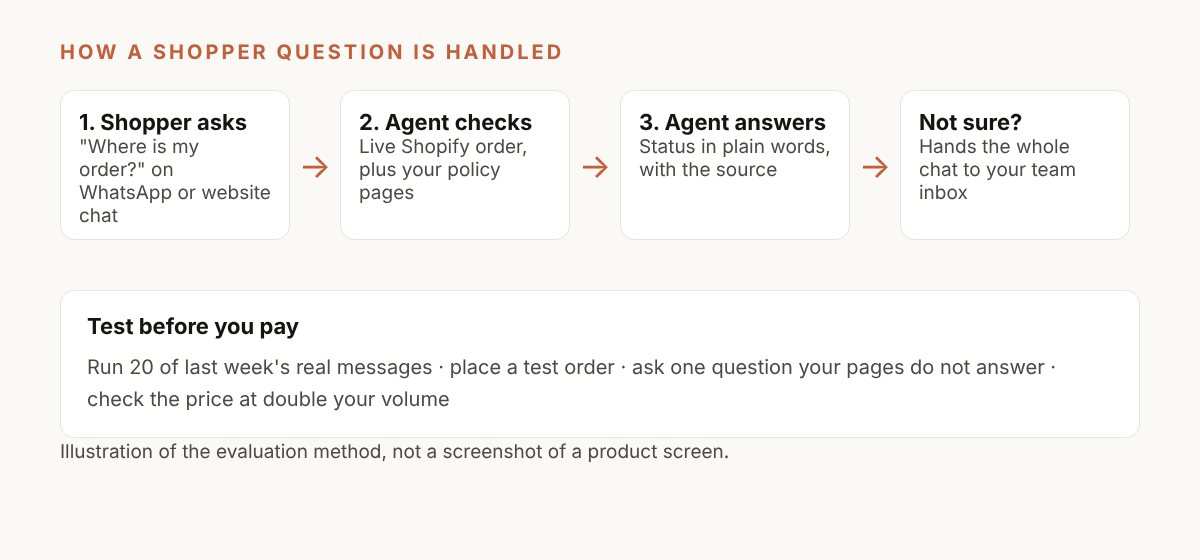
Test with your own questions, on your own store, using a short fixed routine. This takes one afternoon and gives you a score you can compare across tools.
- Collect 20 real messages from the last two weeks, including three awkward ones.
- Add your website, policy pages and catalog to the tool.
- Ask each message in the tool’s test chat and record the answer.
- Mark each as correct, wrong, or properly handed over.
- Place a test order, then ask where it is, before and after shipping.
- Ask one question your pages do not answer, and watch what it does.
- Check the cost at your busiest month’s volume.
Pass the tool only if it never invents a policy, hands over the awkward ones and shows a price you can plan around. Some wrong answers at first are common. Wrong answers usually mean a missing or unclear page on your store. Fix the page, resync and test again.
Which mistakes do store owners make when choosing?
Four mistakes come up again and again.
- Judging on a demo. A vendor demo uses a store with perfect pages. Use yours.
- Ignoring the busy month. A plan that fits in March can break the budget in November. Ask for the price at double your volume.
- No plan for handoff. If nobody is named to take over a chat, the customer waits, whatever the AI does.
- Expecting zero setup. The tool reads what you have published. If your return page is vague, the answer will be vague.
Our post on reducing “where is my order” tickets on Shopify covers the first fix most stores should make, and best e-commerce chatbots compares options if you want a wider list.
Who is ZynfoAI not for?
ZynfoAI suits small teams that want flat pricing on a website chat and WhatsApp, with help-desk tickets for the questions the AI agent cannot answer. It is not the right fit if you need a full ticketing and field-service suite, deep custom workflows across many systems, or channels we do not support. In that case, choose a larger helpdesk and use AI inside it.
If you are comparing us with a named tool, read the comparison pages from the alternatives page. Check the date on each page, because vendors change their plans.
A checklist for evaluating Shopify AI customer support
- It reads live Shopify orders and tells partly shipped from fully shipped.
- It answers from my own policy pages and shows its source.
- It says “I am not sure” and hands over, instead of guessing.
- A person takes over with the full chat, and the AI stops replying.
- I know the monthly price at double my normal volume.
- There is no fee per resolved conversation, or I have priced it in.
- It covers the channels my shoppers use: website chat and WhatsApp.
- I can test answers before shoppers see them.
- My returns, shipping and FAQ pages are clear and current.
- I named who takes over each handed-over chat, and when.
- I tested 20 real messages and scored them.
You can try ZynfoAI against this list without paying first. There is a 7-day free trial with every Pro feature on and no card, a 15-day money-back guarantee after you pay, and you can cancel anytime. Start from the pricing page or read about the Shopify integration.
Frequently asked questions
What is the best Shopify AI customer support tool for a small store? The best one is the one that passes your own test: correct order answers, safe handoff and a price you can plan. For small teams that want flat pricing on website chat and WhatsApp, ZynfoAI is one option to test.
Can an AI agent track Shopify orders? Yes, if it is connected to your store. ZynfoAI looks up the Shopify order the shopper names and answers with its status.
Will it answer return and shipping questions correctly? It answers from your pages and documents. If a rule is not written down, it should say so and pass the question to you. Clear policy pages give the best answers.
How much does ZynfoAI cost? From $39/month, no per-resolution fees and no per-seat fees.
Is there a free trial? Yes. A 7-day free trial with every Pro feature on and no card. After paying there is a 15-day money-back guarantee, and you can cancel anytime.
Does it work on WhatsApp as well as my website? Yes. ZynfoAI answers on a website chat widget and on WhatsApp Business through the official API.
Tools and guides
Put this into practice
AI Chatbot for E-commerce
Recover abandoned carts, automate order tracking, and boost online store sales.
Free ToolChatbot ROI Calculator
Calculate your projected cost savings, ticket deflection rate, and revenue impact.
Free ToolAI WhatsApp Reply Generator
Generate high-converting, professional WhatsApp sales and support replies with AI.
FeatureAI with Human Handoff
Escalate complex chats to live agents with complete conversation context.