WhatsApp Automation 13 min read
WhatsApp Business App vs API for Shopify Stores in India
Last updated: 23 October 2026.
The WhatsApp Business app vs API choice comes down to who answers your customers and how many questions repeat. The app suits a store where the owner replies by hand. The API, which you reach through a partner tool, suits a store that wants an AI agent, a shared team inbox and approved message templates. This post explains where the line sits for an Indian Shopify store.
ZynfoAI is an AI customer service agent for Shopify stores that answers customers on WhatsApp Business and website chat. It costs from $39 a month, with no per-resolution or per-seat fees, and a 7-day free trial with no card. For the full picture of one AI agent on a store’s WhatsApp, see the WhatsApp AI agent for Shopify stores guide.
The facts about WhatsApp come from Meta’s own pages, read on 18 October 2026, and each one is linked where it is used. The store in the examples, Rangoli Pantry, is made up. It sells small-batch snacks and festive hampers and gets about 600 orders a month.
What is the difference between the WhatsApp Business app and the API?
The WhatsApp Business app is the tool Meta describes as “built with the small business owner in mind”, with a business profile, greeting messages and away messages. The WhatsApp Business Platform, the API, is for automated conversation flows and is reached through a partner or built directly by developers. Most Shopify stores use a partner.
Here is how Meta’s own pages describe the two:
| WhatsApp Business app | WhatsApp Business Platform (API) | |
|---|---|---|
| Built for | ”The small business owner” (Meta) | Businesses that want to automate and scale customer conversations (Meta) |
| How you get it | Download the app | Through a partner’s embedded signup, or directly if you have developers |
| Automation | Greeting and away messages | ”Automated conversational flows” for high volumes of inbound requests |
| Routing to people | You read and answer the chats yourself | Chats can be routed to a person “only when live agent support is needed” |
| Messages outside 24 hours | Not described on Meta’s app page | Only approved template messages |
I could not open a Meta page that states how many phones or people can use one app account, so this post makes no claim about that limit. Check WhatsApp’s help centre for the current number before you plan around it.
When is the WhatsApp Business app enough for a Shopify store?
The app is enough while one person can read every chat and the questions are different each time. If Rangoli Pantry received 30 orders a month, the owner could answer every message from a phone, use the profile to show products and set an away message for the night. Nothing needs automating at that size.
Signs the app still fits:
- One person answers every WhatsApp chat, and no chat waits longer than a few hours.
- Most messages are one-off questions, not the same five questions repeated.
- You do not send WhatsApp messages to customers who have not messaged you first.
- You are not planning a festive sale with a large jump in orders.
If all four are true, stay on the app. A tool you do not need only adds a bill.
When does a Shopify store need the WhatsApp Business API?
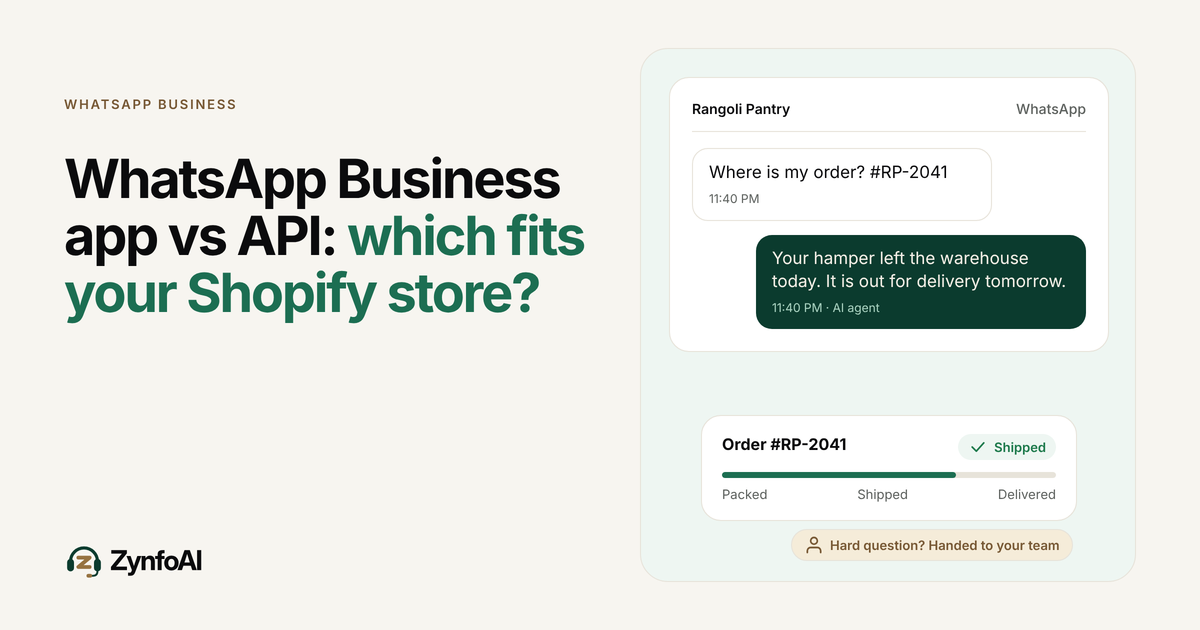
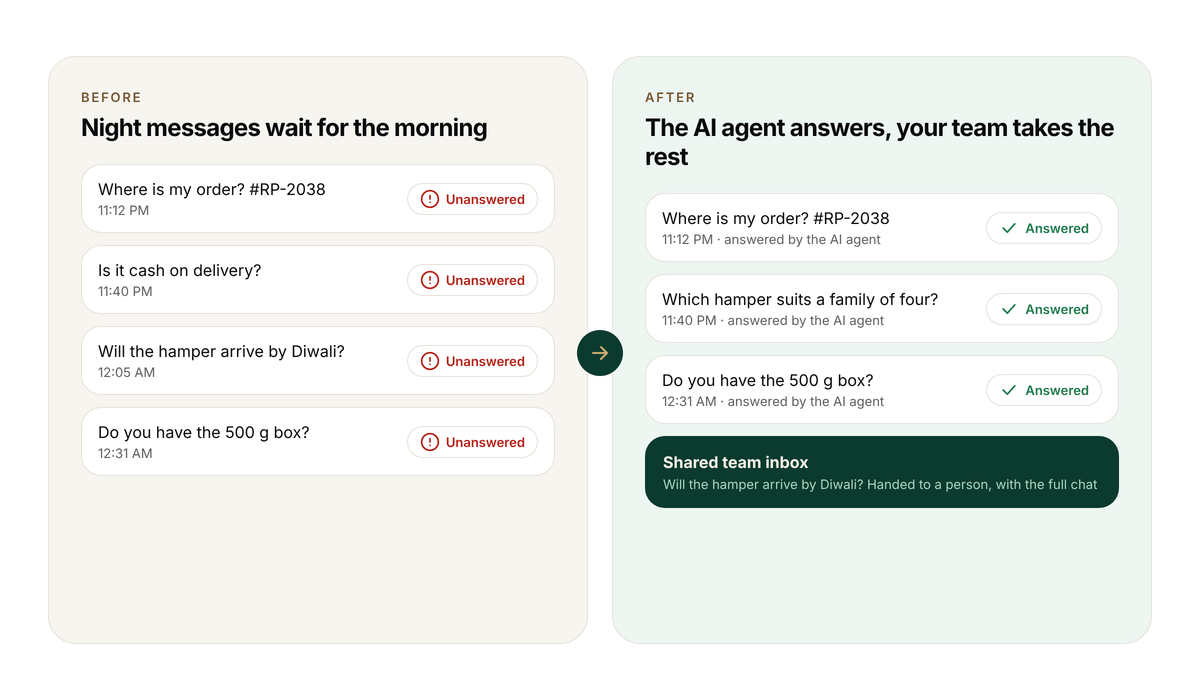
A Shopify store needs the API when the same questions repeat, more than one person must answer, or you want the AI to reply while the team sleeps. At 600 orders a month, Rangoli Pantry sees “where is my order?”, “is it cash on delivery?” and “when will it arrive?” again and again, often after 10 PM.
Signs it is time to move:
- The same questions repeat. If five questions make up most of your chats, an AI agent can answer them from your store. Order tracking covers the biggest one.
- More than one person answers. A shared inbox shows who has taken a chat, so two people do not reply to the same customer. See the team inbox.
- Messages arrive when nobody is awake. An agent answers at 11:40 PM, and a person picks up the hard ones in the morning.
- A sale is coming. Chats can multiply during festive weeks. Read the Diwali sale WhatsApp support checklist before the rush.
- You want to message customers first. Messages outside the 24-hour window must be approved templates, which the API supports.
Two or more of these usually means the app has stopped being the right tool.
How does the 24-hour window affect your replies?
When a customer messages you, WhatsApp opens a 24-hour customer service window. Inside it you can send free-form replies, and Meta does not bill them. After it closes, you can only send an approved template message, and Meta bills each delivered template. This rule is the same for every tool on the API.
Meta’s pricing documentation says a user message “opens a 24 hour customer service window”, that non-template messages can only be sent inside it, and that Meta has charged per message since 1 July 2025. Meta’s Cloud API overview adds that template messages generally need approval and that you must get the customer’s opt-in before sending one.
For Rangoli Pantry, a customer who writes at 11:40 PM on Tuesday can be answered with a normal message until 11:40 PM on Wednesday. A shipping update sent on Thursday, with no recent message from the customer, has to be a template.
What does the API cost for an Indian Shopify store?
You pay for three separate things: the tool’s monthly fee, Meta’s charge per template message, and sometimes a usage fee on the AI. Free-form replies inside the 24-hour window carry no Meta charge. The tool fee is the part you can compare directly between vendors.
| Cost line | Who charges it | How it grows |
|---|---|---|
| Tool subscription | The partner tool | Fixed, or by seat |
| Template messages (order updates, campaigns) | Meta, per message delivered | With the number of templates you send |
| AI usage | Some tools, per AI message or per resolution | With every question the AI answers |
The third line decides how a sale feels. If the AI is billed per resolution, a busy festive week raises the bill in step with your orders. ZynfoAI has no per-resolution fees, so the price, from $39/month, does not rise with each answer the AI gives. Meta’s template charges are separate with ZynfoAI, as with any provider. For the full logic, read flat rate vs per-resolution pricing and WhatsApp Business API pricing in 2026.
To estimate Meta’s side, use the WhatsApp pricing calculator.
How do you get the WhatsApp Business API for a Shopify store?
You get the API in one of two ways. Meta says you can “pick a partner and onboard through their embedded signup”, and the partner handles the technical setup. Or you can connect directly if you have developers. Meta also says you must have a business portfolio to use the platform.
Small Shopify teams without developers usually pick the partner route. ZynfoAI connects to WhatsApp Business through the official API. The WhatsApp Business API integration guide walks through the steps in more detail.
What does an AI agent add on top of the API?
The API gives you the pipe. An AI agent decides what goes through it. ZynfoAI learns from your website, your documents and your Shopify catalog, so it answers from your own content. It tracks orders, helps customers find products and captures leads. WhatsApp broadcast campaigns are on the Pro plan.
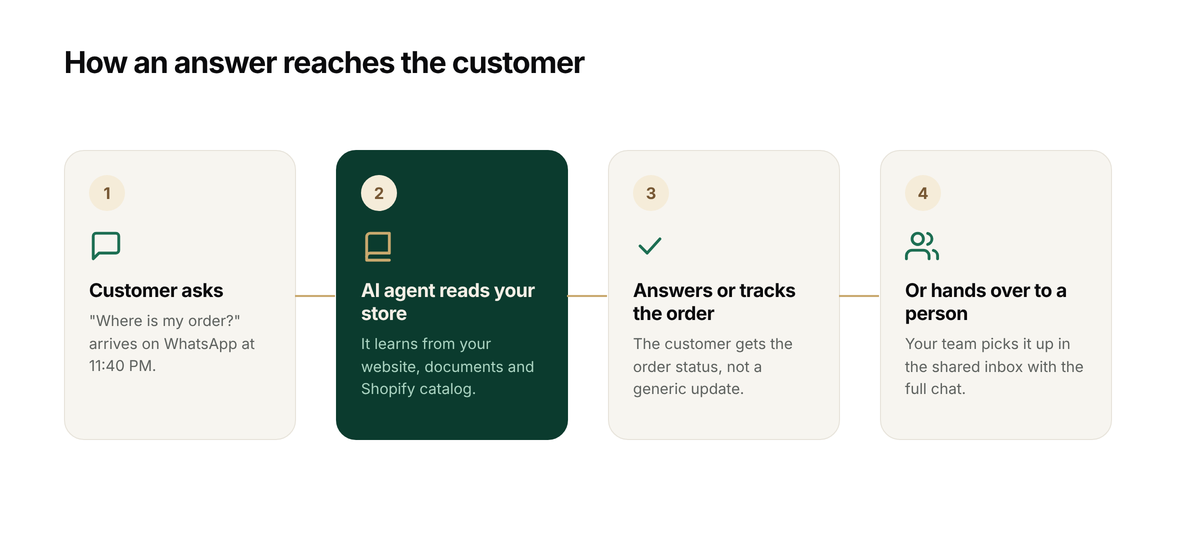
When the agent cannot answer, the question becomes a help-desk ticket for your team. Live chat handoff is on the Pro plan; read how human handoff works, and the guide on cutting “where is my order?” tickets.
Shopify already sends shipping confirmation, shipping update, out for delivery and delivered notifications. Its help page adds that “tracking event sources, accuracy, and timing vary by carrier”. A customer who is worried about a delayed parcel still wants an answer about their own order, and that is the message an agent answers.
ZynfoAI is not the right pick for everyone. It is built for small Shopify teams that want an AI agent on WhatsApp and website chat at one flat price. It is not for large enterprises that need a full ticketing suite.
What should you ask before you move from the app to the API?
Ask what happens to your number, your chat history and your costs before you change anything. These eight questions work for any partner tool, ZynfoAI included. Ask for the answers in writing, because a migration mistake during a sale is expensive.
- Can I keep my current WhatsApp number, and what happens to the app on that number? We have not verified how this works for every setup, so ask each vendor.
- What do I pay in total each month: subscription, AI usage and Meta’s template charges?
- Is the AI part of the plan, or a separate product with its own usage fee?
- How many team members can use the inbox, and does each seat cost extra?
- Can the AI answer from my own website and Shopify catalog, or only from flows I build?
- Does it answer order-status questions from the real order?
- When the AI cannot answer, does my team get a ticket with the whole chat?
- What is the cancellation and refund policy? ZynfoAI has a 15-day money-back guarantee on the paid plan.
How do you move before a festive sale without risk?
Move early, test on real questions, and keep the old setup until the new one has answered a full week. Diwali’s main day, Lakshmi Puja, falls on 8 November 2026 (Wikipedia), so a store that wants to be ready has about three weeks.
A simple plan for Rangoli Pantry:
- This week: list the 20 questions customers asked most in the last month, including order status, delivery date and cash on delivery.
- This week: start the 7-day free trial, which has full access and needs no card, and train the agent on the website and Shopify catalog.
- Next week: ask the agent your 20 questions and score each answer as correct, wrong or turned into a ticket. A ticket is a good result when the agent should not guess.
- Next week: ask three questions it should not answer, such as an angry complaint, and check that a person receives the chat.
- Before the sale: decide, and compare the flat price with what you pay now. See the pricing page.
- During the sale: keep one person watching the help-desk tickets.
If you are also reviewing another WhatsApp tool, the Interakt alternative checklist and the ZynfoAI vs WATI comparison show how to check a vendor’s own pricing page.
Which should you choose: the app or the API?
Choose the app if one person answers every chat and the questions vary. Choose the API through a partner if questions repeat, several people answer, or you want an AI agent working at night. Some stores move to the API before their first big sale.
| Your situation | Likely fit |
|---|---|
| Under a few dozen orders a month, one person answers | WhatsApp Business app |
| Hundreds of orders, the same five questions repeat | API with an AI agent |
| Two or more people share WhatsApp support | API with a shared inbox |
| You want WhatsApp and website chat in one inbox | ZynfoAI’s team inbox |
| You send messages first, such as campaigns | API with approved templates |
| You need a full ticketing suite across many channels | A larger helpdesk |
FAQ
What is the difference between the WhatsApp Business app and the API?
The app is built for the small business owner to chat by hand, with a profile, greeting and away messages. The API, which Meta calls the WhatsApp Business Platform, supports automated conversation flows and is reached through a partner or built directly. Stores that want an AI agent use the API.
Do I need the WhatsApp Business API for my Shopify store?
You need it if you want an AI agent, a shared team inbox or approved message templates. If one person can answer every chat and the questions rarely repeat, the app is enough. Stores often move once order questions start to repeat or a sale approaches.
How much does the WhatsApp Business API cost?
Meta charges per message since 1 July 2025. Free-form messages inside the 24-hour customer service window are not billed, and template messages are billed on delivery. Your tool adds its own fee. ZynfoAI costs from $39/month, and WhatsApp message fees are billed by Meta. See the pricing page.
Can I use the WhatsApp Business API without coding?
Meta says you can pick a partner and onboard through their embedded signup, and the partner handles the technical setup. ZynfoAI connects to WhatsApp Business through the official API.
Does ZynfoAI work with the WhatsApp Business app?
ZynfoAI works on WhatsApp Business through the official API. We have not verified how a number that is already on the app moves across, so ask us before you plan the switch. We will not guess in a blog post.
How do I try ZynfoAI before my next sale?
Start the 7-day free trial at zynfo.ai. It has full access and needs no card. Cancel anytime, and the paid plan has a 15-day money-back guarantee.
Tools and guides
Put this into practice
AI WhatsApp Reply Generator
Generate high-converting, professional WhatsApp sales and support replies with AI.
SolutionWhatsApp AI Chatbot Platform
Automate customer support and sales over official WhatsApp Business API.
Free ToolWhatsApp Chat Widget Generator
Build a custom floating WhatsApp button to embed on WordPress or Shopify.
FeatureAI with Human Handoff
Escalate complex chats to live agents with complete conversation context.