Shopify 11 min read
Shopify Inbox Alternative: AI Agent Options Compared
Last updated: 23 October 2026.
A Shopify Inbox alternative is worth looking at when your store outgrows one chat window on your storefront. The usual triggers are customers writing on WhatsApp, a team that needs one place for the questions the AI cannot answer, and an AI that answers order questions without a per-resolution bill landing in November. This post compares five tools on those points, using each tool’s own pricing page read on 21 October 2026.
ZynfoAI is an AI customer service agent for Shopify stores that answers customers on WhatsApp Business and website chat. It costs from $39 a month, with no per-resolution or per-seat fees, and a 7-day free trial with no card.
The example store in this post is made up. Harbor & Pine sells hand-poured candles to the US and UK, with about 1,500 support conversations in a normal month. Black Friday week roughly doubles that. The owner, Dana, answers most of it herself, plus one part-time helper. Her worry is the one many owners have: what does the AI cost in a month when everyone writes in at once?
What is Shopify Inbox, and where does it stop?
Shopify Inbox is Shopify’s own chat app for your online store. Its Shopify App Store listing shows the price as free, says it puts an AI-powered sales associate on your storefront, and lists two integrations: Shopify Admin and Online Store. For a small store with one chat window, that is a sensible start.
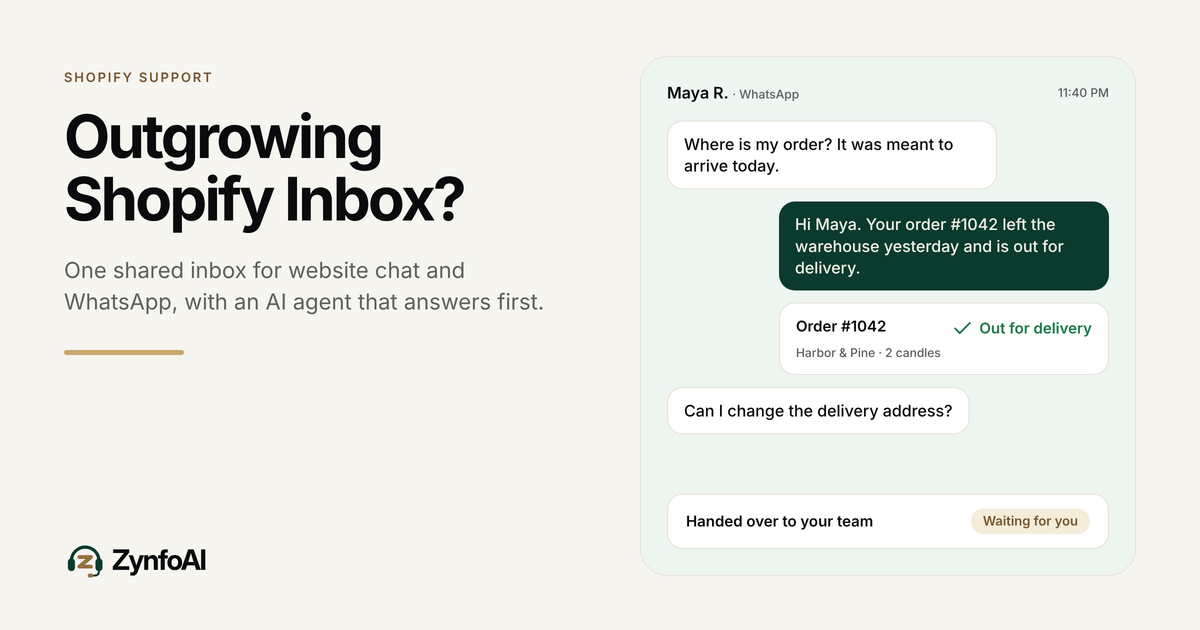
The limit shows up when support leaves the storefront. The listing names the online store as the place it works. It does not list WhatsApp. If your customers write to you on WhatsApp, or you want website chat and WhatsApp answered by one AI agent, you need a tool built for both.
When should you look for a Shopify Inbox alternative?
Look for an alternative when one of three things is true. Customers message you on WhatsApp and you answer from a phone. Two or more people share the replies and need to see who has what. Or you want an AI that answers order questions from your own catalog and store, and you want to know what it costs at peak volume before you switch it on.
A quick test: open last month’s chats. Count the ones that started somewhere other than your storefront. Count the “where is my order?” questions. If either number worries you, keep reading.
What should an AI agent for a Shopify store do?
An AI agent for a Shopify store should answer from the store’s own content, check an order when asked, help a customer find a product, and pass the chat to a person when it cannot answer. That is the short list. Everything else on a feature page is optional until those four work.
For ZynfoAI, that list means:
- It learns from your website, your documents and your Shopify catalog.
- It answers customer questions and tracks orders for online stores.
- It helps customers find products in your catalog.
- It turns questions it cannot answer into help-desk tickets for your team, or hands the chat to a person.
If you want a longer buyer’s checklist, read the guide on how to evaluate AI customer support for Shopify.
Which Shopify Inbox alternatives support WhatsApp and AI?
Five tools are compared below, with ZynfoAI as one row. Every competitor figure comes from the vendor’s own page, read on 21 October 2026. Prices change, so check the linked page before you decide. If a page did not state something, the table says so.
| Tool | Best for | Not for | Channels (from its own page) | AI pricing model | Human handoff |
|---|---|---|---|---|---|
| Shopify Inbox | Stores that want a free chat window on the storefront | Stores that need WhatsApp or a shared inbox across channels | Shopify Admin and Online Store | Free listing | Not stated on the listing |
| ZynfoAI | Small Shopify teams that want flat pricing on website chat and WhatsApp | Large enterprises that need a full ticketing suite | Website chat, WhatsApp Business | From $39/month, no per-resolution fees | Questions it cannot answer become help-desk tickets; live chat handoff on the Pro plan |
| Gorgias | Established stores that already live in a ticket helpdesk | Teams that want WhatsApp from the pricing page, or no per-resolution charge | Email, live chat, SMS, voice, social (WhatsApp not mentioned on the pricing page) | Plans by ticket volume, plus $0.90 to $1.00 per automated interaction | Agents work in the helpdesk |
| Tidio | Small stores that want chat, WhatsApp and a lower entry price | Teams that need a published per-conversation overage rate | WhatsApp, Instagram, Messenger, email | Lyro AI from $32.50 a month for 50 conversations; Premium is pay-per-resolution | Human replies count as billable conversations |
| Zipchat | Stores that want AI on many channels, billed by reply volume | Teams that want one price that does not change with reply volume | Website chat, WhatsApp, Instagram, Messenger, email | From $64 a month (billed annually) for 750 replies; extra replies $49 per 250 | Not stated on the pricing page |
| Re:amaze | Teams that want a per-seat helpdesk with AI resolutions included per user | Teams that want AI cost to stay flat as volume grows | Email and social on all plans; SMS and voice on Pro and Plus | Per user from $29 a month; $0.85 per extra AI resolution | Agents work in the helpdesk |
Sources: Shopify Inbox listing, Gorgias pricing, Tidio pricing, Zipchat pricing and Re:amaze pricing. For ZynfoAI’s own comparison pages, see ZynfoAI vs Gorgias, ZynfoAI vs Tidio and ZynfoAI vs Zipchat.
One thing the Gorgias page makes clear: its pricing page describes an automated interaction as a request resolved without a human agent, and says it counts as one ticket as well. Read that before you estimate a month.
How much does AI support cost in a Black Friday month?
AI support costs depend on how the tool bills. A flat plan costs the same in a quiet month and in November. A per-resolution or per-reply plan grows with your volume. The worked example below uses Harbor & Pine’s made-up November: 3,000 conversations, with the AI answering 1,000 of them. I picked 1,000 only to show the arithmetic. It is not a result.
| Billing model | How the 1,000 AI answers are charged | Extra AI cost in that month |
|---|---|---|
| Gorgias, per automated interaction | $0.90 on an annual contract or $1.00 on monthly, per the pricing page | $900 to $1,000, on top of the ticket plan |
| Re:amaze, per extra resolution | $0.85 each beyond the included resolutions (5 per user on Basic). With 2 users, 10 are included | 990 x $0.85 = $841.50, on top of $29 per user |
| ZynfoAI, flat | Included in the plan’s monthly AI reply allowance, no per-resolution fees | $0 extra on top of the flat plan price |
A per-reply model works the same way. Zipchat’s pricing page gives its Starter plan 750 replies a month, about 300 conversations. At that ratio 3,000 conversations is roughly 7,500 replies, which sits past its 6,000-reply Scale plan ($480 a month billed annually) and needs a larger tier or extra reply packs. Tidio’s page lists Lyro from $32.50 a month for 50 conversations and does not publish an overage rate, so ask them for November numbers.
None of this says the other tools are a poor choice. If your AI volume is small, a per-resolution plan can cost less than a flat plan. The point is to do the sum with your own November number before the sale starts. For a deeper look at the two billing models, read flat rate vs per-resolution AI pricing, and the Black Friday support guide for Shopify.
Support that scales. Your bill doesn’t. That is the idea behind a flat plan, and you can read ZynfoAI’s pricing page in plain text.
How do you answer WhatsApp and website chat with one AI agent?
One AI agent answers both channels from the same sources. The AI answers first. When it cannot, the question becomes a help-desk ticket for your team with the history attached, so the customer does not repeat themselves. Live chat handoff, where a person takes over the chat, is on the Pro plan.
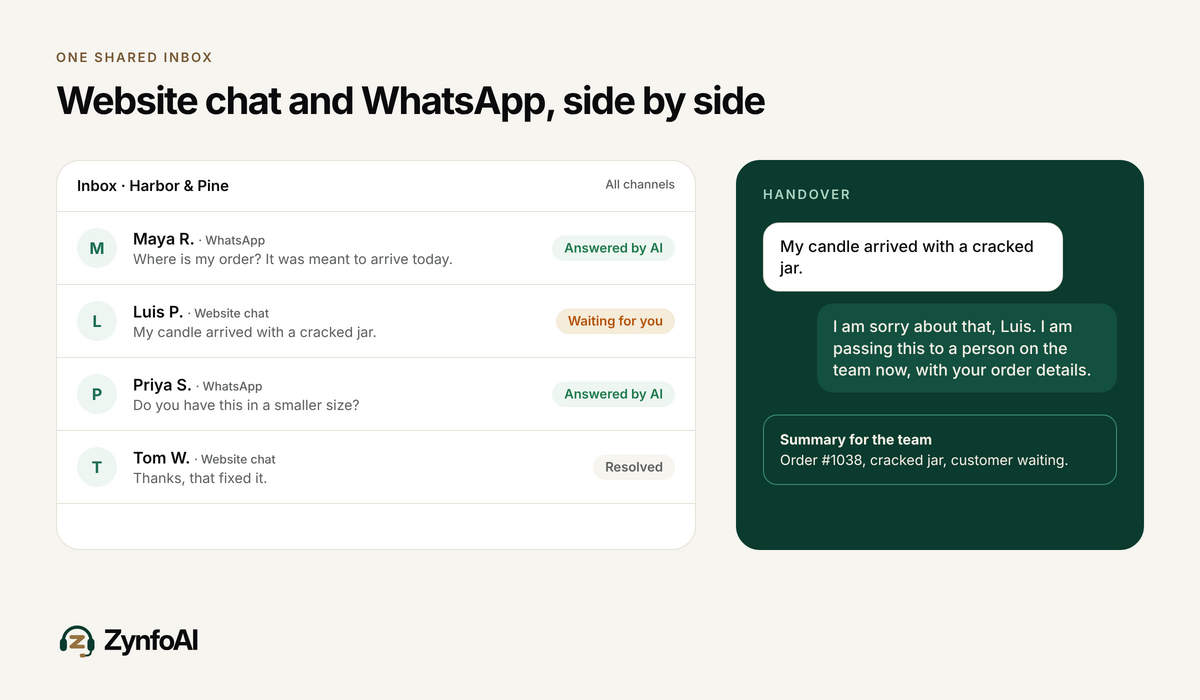
Here is how that flow works in ZynfoAI for Harbor & Pine:
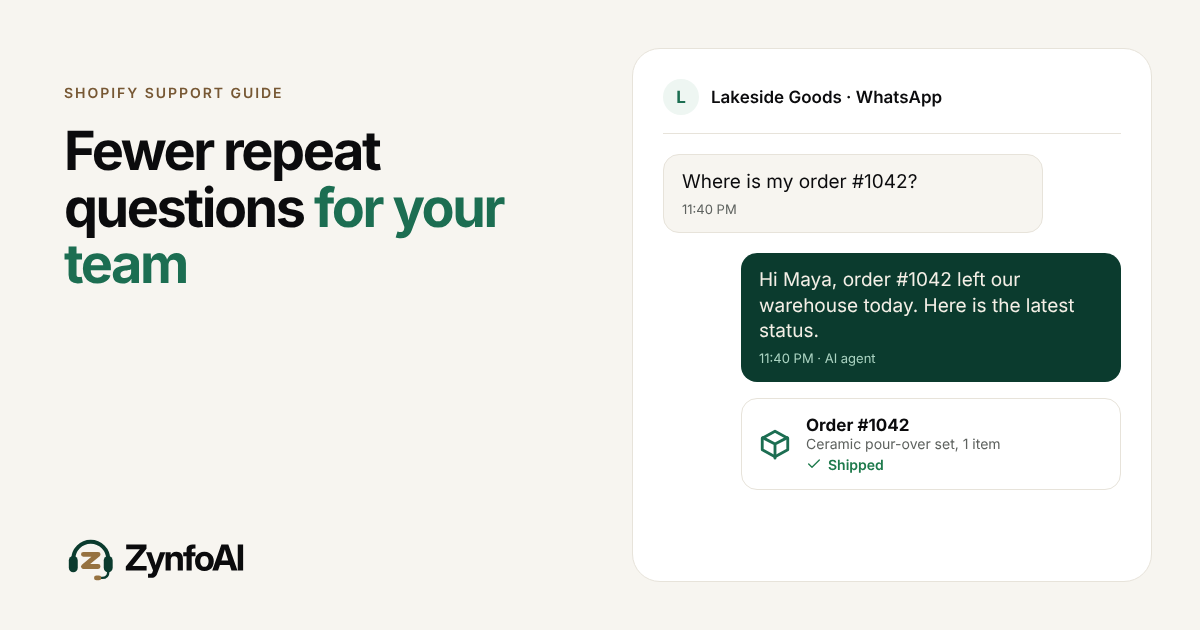
- A customer asks “Where is my order?” on WhatsApp at 11:40 PM.
- The AI agent reads the store’s order data and answers with the status.
- If the customer asks something the agent has no answer for, such as a damaged-box complaint, the agent turns it into a help-desk ticket.
- Dana or her helper opens the ticket in the morning and sees the full chat.
For a closer look at handover, read the guide on WhatsApp chatbot human agent takeover.
What should you check before you switch from Shopify Inbox?
Check six things before you move. Each one is a question you can answer in a trial.
- Which channels do your customers actually use? Count last month’s chats by channel.
- Does the AI read your catalog and your orders, or only a help page?
- What happens when the AI cannot answer? Find out where the chat goes.
- What is the bill at twice your normal volume?
- How many people can use the inbox, and is each seat charged?
- What is the trial, and what is the refund policy if it does not fit?
ZynfoAI’s answers: it works on website chat and WhatsApp Business, it learns from your website, documents and Shopify catalog, it turns questions it cannot answer into help-desk tickets (live chat handoff is on the Pro plan), pricing is from $39 a month with no per-resolution fees, and there is a 7-day free trial with full access, no card, and a 15-day money-back guarantee.
When is Shopify Inbox enough?
Shopify Inbox is enough when your customers write only on your storefront, one person answers, and you do not need WhatsApp. It is free, it lives inside Shopify, and moving costs time. Many stores stay on it for a long time, and that is a fine choice.
You do not need to switch in October. If you do plan a change, do it before the sale and not during it, because the first week of a new tool is when you find the gaps.
FAQ
What is the best Shopify Inbox alternative with AI?
It depends on your channels and your volume. For small Shopify teams that want website chat and WhatsApp with one flat price, ZynfoAI is built for that. For an established ticket helpdesk, Gorgias is common. Use the table above and test with your own questions.
Does Shopify Inbox support WhatsApp?
Shopify’s listing for Inbox names two integrations, Shopify Admin and Online Store, and does not list WhatsApp. If WhatsApp matters to you, check the current listing and pick a tool that names it.
Is there an AI customer support tool with no per-resolution fees?
Yes. ZynfoAI costs from $39 a month, with no per-resolution or per-seat fees. Other tools bill per resolution or per reply, as the table shows, so compare them with your own monthly volume.
Can ZynfoAI hand a chat to a person?
Yes, on the Pro plan: live chat handoff passes the conversation to your team. On every plan, a question the AI agent cannot answer becomes a help-desk ticket with the history attached.
How do I try ZynfoAI before Black Friday?
Start the 7-day free trial at zynfo.ai. It has full access and needs no card. Cancel anytime, and the paid plan has a 15-day money-back guarantee.
Topics
Tools and guides
Put this into practice
AI Chatbot for E-commerce
Recover abandoned carts, automate order tracking, and boost online store sales.
Free ToolChatbot ROI Calculator
Calculate your projected cost savings, ticket deflection rate, and revenue impact.
Free ToolAI WhatsApp Reply Generator
Generate high-converting, professional WhatsApp sales and support replies with AI.
FeatureAI with Human Handoff
Escalate complex chats to live agents with complete conversation context.