Shopify 13 min read
Black Friday Customer Support for Shopify: A 6-Week Plan
Last updated: 23 October 2026.
Black Friday customer support is mostly one job: answer the same few questions fast while orders arrive faster than usual. In 2026, Black Friday is on 27 November and Cyber Monday on 30 November (Klaviyo). That leaves about six weeks. This plan walks a Shopify store owner through the forecast, the shifts, the hand-over rules and the tests, in the order you need them.
ZynfoAI is an AI customer service agent for Shopify stores that answers customers on WhatsApp Business and website chat. It costs from $39 a month, with no per-resolution or per-seat fees, and a 7-day free trial with no card.
What questions does Black Friday customer support have to cover?
Most messages are the same six questions: where is my order, when will it arrive, can I change the address, is this in stock, does this fit or work for me, and what is your returns policy. They repeat all weekend. Plan for these first, because each one has an answer already sitting in your store.
In the words a customer types:
- “Where is my order?” The most common message in any sale. The order is paid, the parcel is quiet.
- “Will it arrive before the 25th?” A delivery date question. The honest answer depends on the carrier and the address.
- “Can I change the address?” Often a gift going to someone else.
- “Is this back in stock?” A product question asked mid-decision.
- “Which one should I get?” A buying question. The answer lives in your catalog.
- “What if it doesn’t fit?” A policy question. The answer lives on your returns page.
An AI agent that learns from your website, documents and Shopify catalog can answer the ones with a source. A person should answer the rest. The skill is knowing which is which before the rush starts, not during it.
How many tickets should you plan for?
Plan from your own history, using a contact ratio: conversations per 100 orders. Count last year’s Black Friday weekend conversations, divide by orders, then multiply by the orders you expect this year. No industry average replaces your own count, and a borrowed number gives false comfort.
Here is the method:
- Open your inbox and count conversations from Black Friday to Cyber Monday last year.
- Open Shopify and count orders for the same days.
- Divide conversations by orders and multiply by 100. That is your contact ratio.
- Multiply the ratio by your target orders for this year’s weekend.
- Split the result across four days and add a margin for the first hours, when sales peak.
For scale, Shopify reported that its merchants sold $14.6 billion over Black Friday to Cyber Monday in 2025, up 27% on the year before, with over 81 million customers buying (Shopify). That is the crowd your customers are part of. It says nothing about your own volume, so use your own count.
A made-up example. Northfield Coffee Gear is a small Shopify store. Last year it took 600 orders over the weekend and handled 90 conversations, a ratio of 15 per 100 orders. This year it aims for 900 orders. At 15 per 100, that is about 135 conversations, plus a margin for Friday morning. The owner plans for 180. That number decides how many people sit on the inbox and when.
What does a 6-week Black Friday support plan look like?
Spend the first two weeks on facts and the middle two on setup. Keep the last two for testing and for freezing changes. Six weeks from 17 October lands on the Friday of the sale, so each week has one clear job and nothing is left for the night before.
| Week | Dates | Job |
|---|---|---|
| 1 | 17 to 23 Oct | Count last year’s conversations, work out your contact ratio, set the forecast |
| 2 | 24 to 30 Oct | Fix the pages customers ask about: shipping, delivery cut-off dates, returns policy |
| 3 | 31 Oct to 6 Nov | Connect your store and site to the AI agent so it learns your own pages and catalog |
| 4 | 7 to 13 Nov | Write the hand-over list and test twenty real questions |
| 5 | 14 to 20 Nov | Build the shift rota and lock the plan, so nobody learns a new tool in the sale week |
| 6 | 21 to 26 Nov | Final test, post the cut-off dates on product pages, check the inbox notifications |
The reason for locking the plan in week 5 is practical. Anything you change in the sale week has no time to be tested. Every fix after 20 November is a risk.
How do you cut “where is my order?” before customers ask?
Make sure customers get a tracking link when the parcel leaves. Shopify sends a shipping confirmation when you fulfil an order, and later notifications such as “out for delivery” and “delivered” depend on carrier tracking events. Shopify notes that tracking event sources, accuracy and timing vary by carrier (Shopify Help Center).
Three habits matter in a sale week:
- Fulfil in Shopify the day the parcel leaves. The confirmation is triggered by fulfilment, not by a courier scan. Fulfil a day late and the customer waits a day longer for the link.
- Put the cut-off date on the product page. “Order by 20 December for delivery before the 25th” removes a whole class of messages. State only a date you can keep.
- Answer from the order record, not from memory. A reply with the real status and the tracking link ends the thread. A vague reply starts a second one.
For the questions that still arrive, an AI agent that tracks orders reads the order and replies with the status. Our WISMO guide for Shopify lists the fixes in the order a customer meets them, and the order tracking page shows how ZynfoAI handles the chat lookup. Order tracking applies to online stores.
What should the AI agent answer, and what should a person handle?
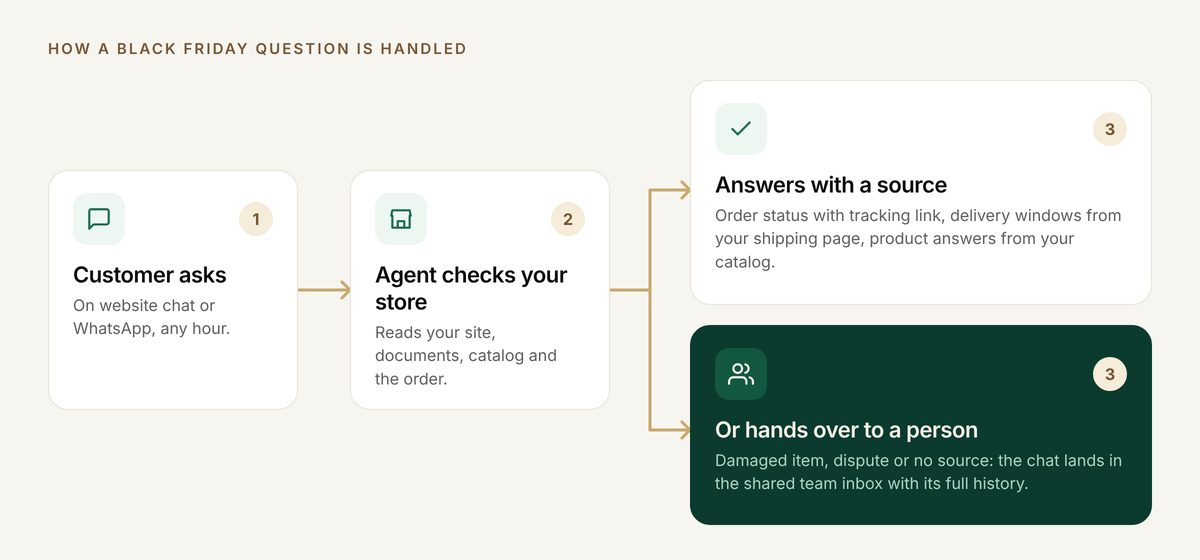
Let the AI agent answer what it can source, and send everything that needs judgement to a person. Order status, delivery windows stated on your site and product questions have sources. A damaged item, an angry customer or a dispute does not, and those should reach your team with the full chat.
| Question | Who answers first | Why |
|---|---|---|
| Where is my order? | AI agent | The answer is in the order record |
| Delivery date | AI agent, if your shipping page states it | It needs a source you control |
| Is this in stock? Which one suits me? | AI agent | It reads your Shopify catalog |
| What is your returns policy? | AI agent, from your policy page | It quotes your own text |
| Damaged or wrong item | Person | Needs a decision |
| Angry customer or dispute | Person | Needs ownership and tone |
| Address change on a shipped order | Person | Needs the carrier and your rules |
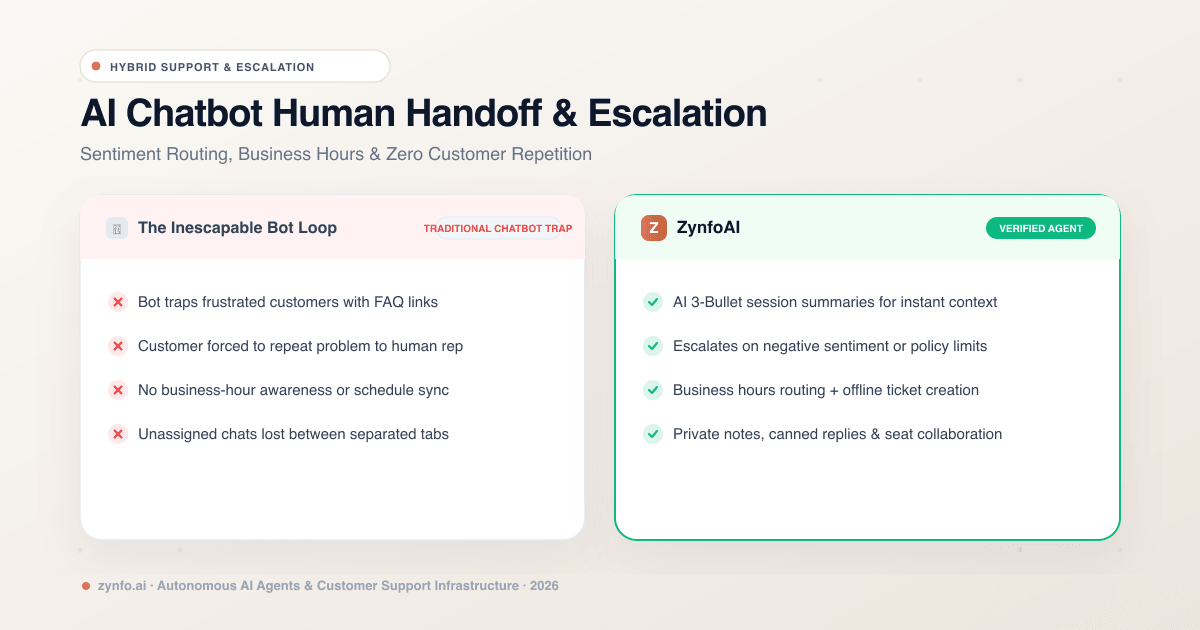
In ZynfoAI, a question the AI agent cannot answer becomes a help-desk ticket for your team, with the chat history. Live chat handoff, where a person takes over the conversation itself, is on the Pro plan; the human handoff page shows how it works. For the questions to ask any vendor about escalation, read our handoff and escalation guide.
Why does per-resolution AI pricing worry stores before Black Friday?
Because the bill grows with your success. Some AI support tools charge for each conversation the AI resolves, so the busiest week is also the most expensive week. A store that plans well, and has the AI resolve more chats, pays more. That makes the cost hard to forecast.
ZynfoAI costs from $39 a month, with no per-resolution fees. The AI’s success doesn’t cost you more.
A worked example with an assumed rate. This is not any vendor’s price, so swap in the rate you have been quoted. Say a store’s AI resolves 3,000 conversations in November and a tool charges $1 per resolution. That is $3,000 for the month, and the number is only known after the sale. On a flat plan, the bill is known before the sale starts. Check your forecast against the plan’s AI reply allowance too: Starter includes 1,000 AI replies a month, and larger volumes need a bigger plan.
Our post on flat rate versus per-resolution fees shows how to compare plans line by line, and the pricing page lists exactly what the plan includes. Support that scales. Your bill doesn’t.
How do website chat and WhatsApp fit into one inbox?
Put both channels behind one AI agent, so your team works from one list of tickets instead of two tools. ZynfoAI answers customers on website chat and on WhatsApp Business, using the official API, and questions it cannot answer on either channel become help-desk tickets for your team.
If your customers use WhatsApp, one rule from Meta matters in a sale. A customer message opens a 24-hour customer service window. Inside it you can send non-template replies at no charge, and after it closes only template messages can reach the customer (Meta). A fast first reply keeps you inside the window. Our guide to WhatsApp Business API pricing in 2026 covers the charges. Meta’s charges are separate from any tool you use.
WhatsApp broadcast campaigns are on the Pro plan. Campaigns bring replies, so set up the support side first. The WhatsApp campaigns page has the details. For the wider picture, see our post on one inbox for website chat and WhatsApp.
A worked example: a made-up coffee gear store
Take Northfield Coffee Gear, a made-up Shopify store selling grinders and brewers. It has two people on support and expects 900 orders over the weekend. The owner follows the plan above.
In week 2 the owner adds the shipping page: carrier, cut-off dates and delivery windows. In week 3 the owner connects the website and Shopify catalog so the AI agent learns the store’s own pages and products. In week 4 the owner writes the hand-over list and tests twenty questions, including three the pages cannot answer, to see whether the AI hands over instead of guessing. In week 5 the owner puts both support people on a rota: one on the ticket queue from 6 AM to 2 PM, one from 2 PM to 10 PM, for the four days.
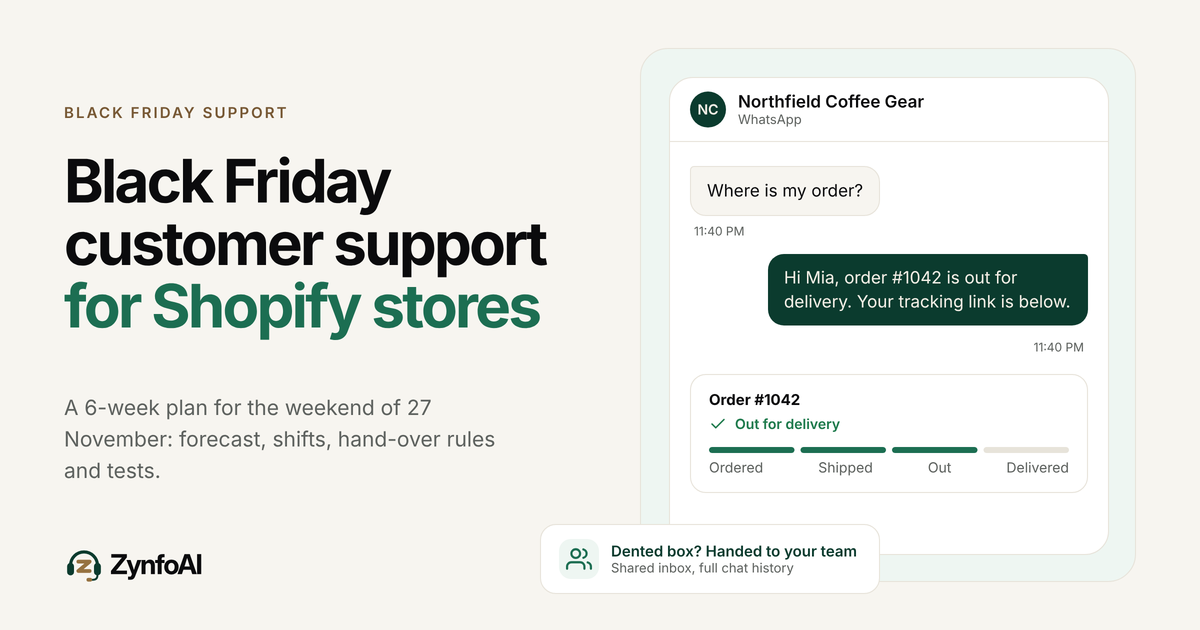
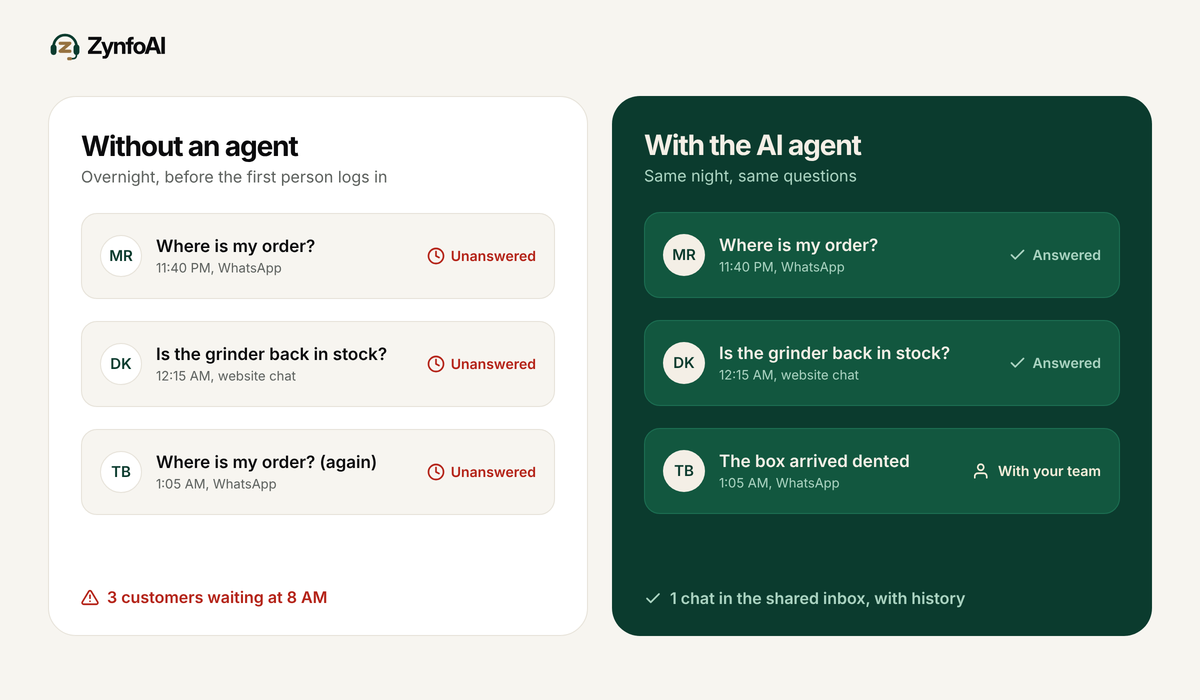
On Black Friday at 11:40 PM, a customer asks where her grinder is. The AI agent reads the order, replies with the status and the tracking link, and she goes to sleep. A second customer writes that the box arrived dented. That question becomes a help-desk ticket with the full history, and the morning person picks it up with the context already in front of them.
How do you test the AI agent before the sale?
Test it with real questions, including the ones it should not answer. A good test shows the agent answering from your pages and handing over when it has no source. Run it in week 4 and again in week 6, so you can fix gaps with time to spare.
- Ask “Where is my order?” with a real order number.
- Ask for a delivery date on a product your shipping page covers.
- Ask a product question that your catalog answers.
- Ask for a recommendation between two products. See product recommendations.
- Ask about your returns policy and check the answer against your page.
- Ask something your site never mentions and check that the agent hands over.
- Say “I want to talk to a person” and check that a help-desk ticket is created.
- Open the ticket as a team member and confirm you can read the full history.
If you are still choosing a tool, our guide to evaluating Shopify AI support and the comparison of AI support software for ecommerce give longer checklists.
Checklist: Black Friday customer support
- I counted last year’s Black Friday weekend conversations and orders.
- I know my contact ratio and my forecast for 27 to 30 November.
- My shipping page states carrier, cut-off dates and delivery windows.
- I fulfil orders in Shopify the day the parcel leaves.
- The AI agent learns from my website, documents and Shopify catalog.
- I wrote the hand-over list and shared it with my team.
- Someone is on the ticket queue every shift from 27 to 30 November.
- I tested eight real questions, including one the AI cannot answer.
- I locked the plan by 20 November.
- I know the price, the trial and the money-back terms before I commit.
FAQ
When is Black Friday 2026?
Black Friday is on Friday 27 November 2026, and Cyber Monday is on Monday 30 November 2026, according to Klaviyo. Many stores start sales earlier, so plan support from the day your first offer goes live.
How do I forecast Black Friday support volume?
Use your contact ratio: last year’s conversations per 100 orders, multiplied by this year’s expected orders. Add a margin for the first hours of the sale. If you have no history, start the count now and review it daily during the sale.
Can an AI agent handle Black Friday customer support?
An AI agent can answer the questions that have a source, such as order status, delivery windows on your site and product questions. A person should handle damaged items, disputes and anything it cannot source. ZynfoAI turns those into help-desk tickets for your team.
What does ZynfoAI cost during Black Friday?
ZynfoAI costs from $39 a month, with no per-resolution fees. A busy week does not raise the bill. See the pricing page for what the plan includes.
Does ZynfoAI work on WhatsApp and website chat?
Yes. ZynfoAI answers customers on WhatsApp Business, using the official API, and on website chat, with one AI agent for both. Meta’s WhatsApp message charges are separate.
How do I try it before Black Friday?
Start the 7-day free trial at zynfo.ai, with no card. Train the agent on your store and run the eight test questions. There is also a 15-day money-back guarantee.
Topics
Tools and guides
Put this into practice
AI Chatbot for E-commerce
Recover abandoned carts, automate order tracking, and boost online store sales.
Free ToolChatbot ROI Calculator
Calculate your projected cost savings, ticket deflection rate, and revenue impact.
Free ToolAI WhatsApp Reply Generator
Generate high-converting, professional WhatsApp sales and support replies with AI.
FeatureAI with Human Handoff
Escalate complex chats to live agents with complete conversation context.