Shopify 15 min read
Switch WhatsApp API Provider: A Shopify Store Guide
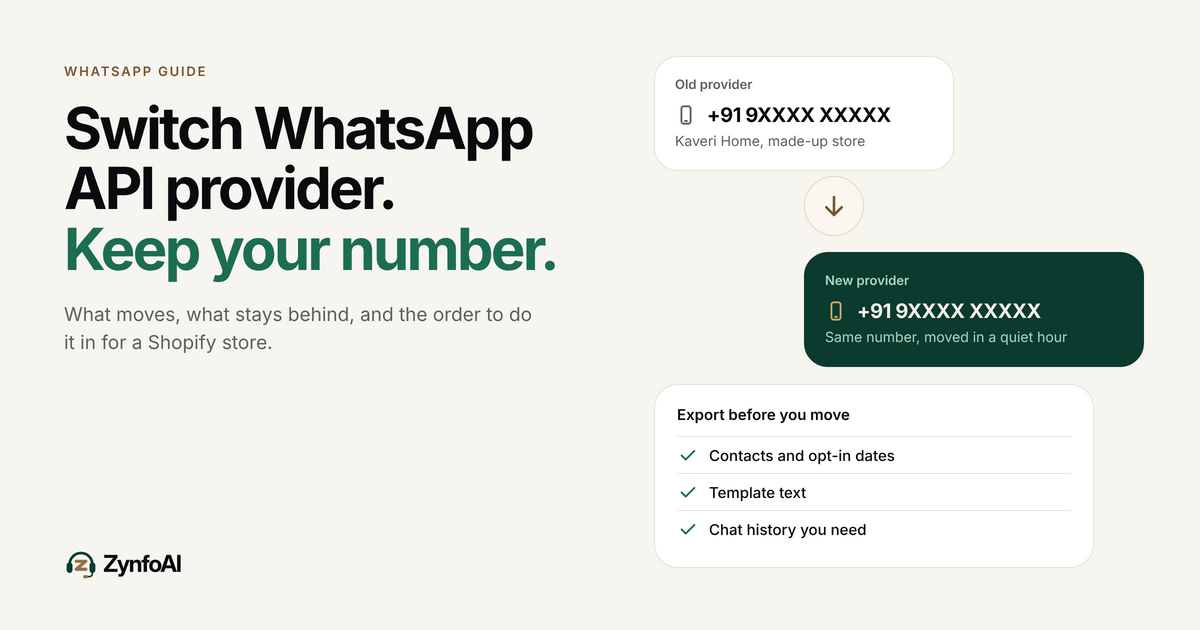
You can switch WhatsApp API provider and keep the same business number, but you cannot take your chat history, bots or integrations with you. Meta’s own migration flow moves the number and, in some cases, your approved templates. Everything else is yours to export and rebuild. This guide gives a Shopify store owner the exact steps, a dated plan around Diwali, and the questions to ask before you move.
Last updated: 25 October 2026.
ZynfoAI is an AI customer service agent for Shopify stores that answers customers on WhatsApp Business and website chat. ZynfoAI Starter costs $39 a month, or $390 a year, with 1,000 AI replies a month and 3 team seats, no per-resolution or per-seat fees, and a 7-day free trial with no card.
This guide is for the founder of an Indian D2C brand on Shopify with one to six people on support. Maybe your WhatsApp tool renews soon, or you pay for a tool and a separate bot, or a festive sale is two weeks away and the inbox is already behind. Switching sounds risky because your customers already have your number saved. The risk is real but small if you do the steps in order.
Can you switch WhatsApp API provider and keep your number?
Yes. Meta’s documentation describes moving a business’s WhatsApp account to a new provider through Embedded Signup. The customer enters the existing business phone number, and the new provider does not register the number again. Both providers’ apps must sit in the same Meta business portfolio, and the new setup must be active.
Meta’s migration guide for solution providers describes the flow from the provider’s side. Your side is simpler: you own the Meta business portfolio, you approve the move, and you make sure you can receive the one-time code on that number. A provider that cannot tell you in writing how it handles this step is not ready to take your number.
What moves with you and what stays behind?
The number, the approved display name and your good templates usually move. Chat history, contact tags, bots, campaigns and integrations do not. Plan for each row in the table below before you cancel anything.
| What you have | Moves automatically? | What to do |
|---|---|---|
| Business phone number | Yes, in Meta’s migration flow | Confirm you can receive the one-time code |
| Display name and quality rating | Providers usually keep them, but it is not guaranteed | Ask your new provider to confirm it in writing |
| Approved templates | Only some: Meta says only approved templates with a GREEN quality score are eligible | Copy the text of every template now |
| Rejected, pending or low-quality templates | No | Rewrite and resubmit in the new tool |
| Chat history | No | Export before you leave, or keep read-only access |
| Contacts, tags and consent records | No | Export a CSV with the opt-in date |
| Bots, flows and AI agent setup | No | Screenshot every flow, rebuild in the new tool |
| Shopify, CRM and webhook links | No | Reconnect and test each one |
| Plan balance and credits | No | Check what the old provider refunds, if anything |
Two sources back the table. Meta’s guide says templates “are not duplicated automatically in this flow”, that duplicated templates can be checked again and rejected if miscategorized, and that quality ratings are not copied. YCloud’s migration guide says historical chat records are not migrated in its flow, and warns that you “should not assume that every template, message, or workflow will transfer.” YCloud is itself a provider, so use it as a checklist, not as a promise from your own vendor.
When does it make sense to switch?
Switch when the cost or the missing feature hurts every week, not when a sale email from a rival arrives. Four triggers come up most for Indian Shopify stores.
- The renewal date is near. Annual plans are cheapest, so the renewal is the natural exit. Decide 30 days before it, not on the day.
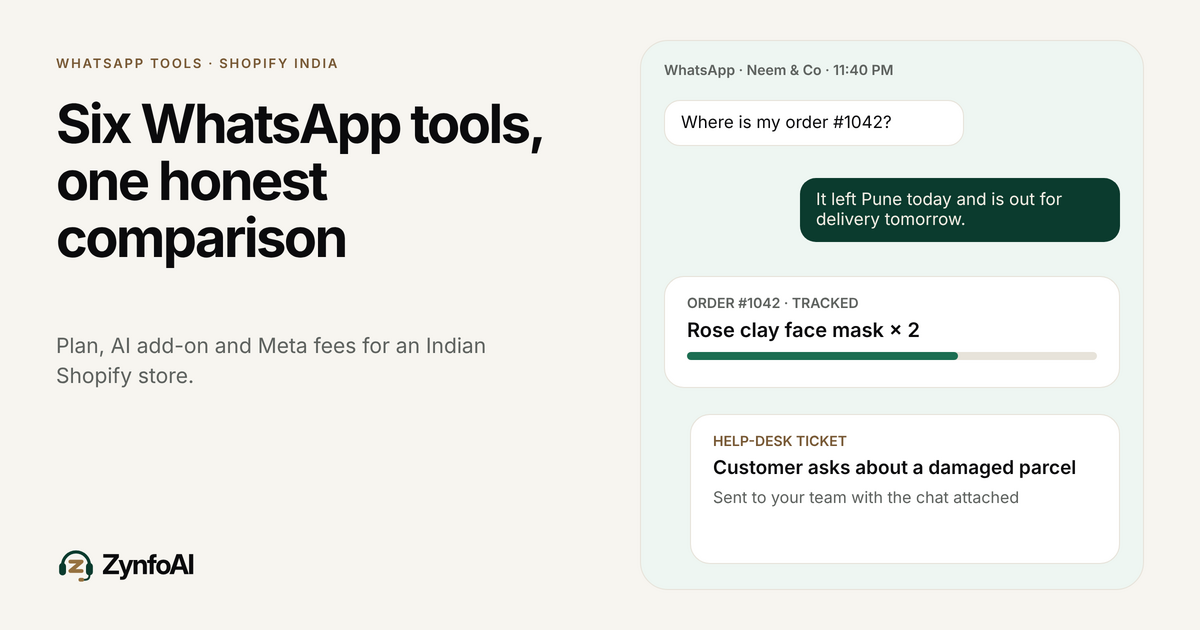
- You pay for a tool and a separate bot. Two bills and two inboxes. Our comparison of WhatsApp tools for Shopify stores in India shows how each vendor bills for AI.
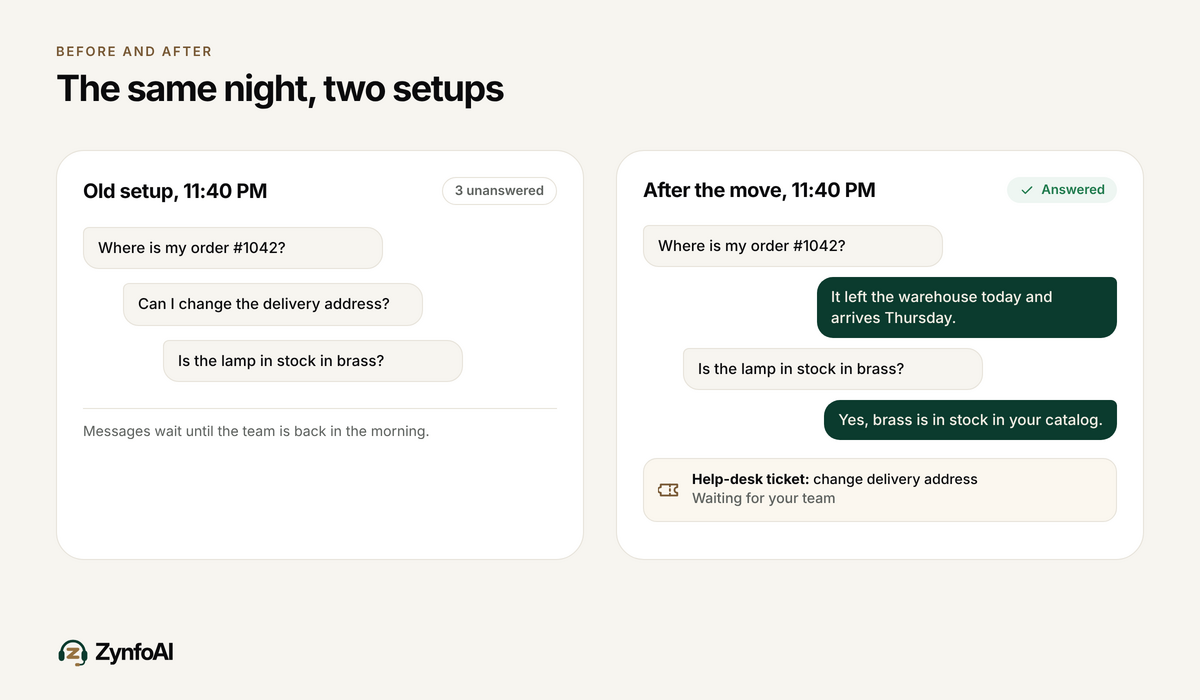
- Your customers ask “where is my order?” at night and nobody is awake to answer. Order tracking inside the AI agent, reading the live Shopify order, fixes that. See WhatsApp order tracking for Shopify.
- A Meta billing change touches you. Meta’s pricing page says Indian Messaging accounts must move to INR billing by 31 December 2026, or Meta stops delivering their messages on 1 January 2027. A provider change is a good moment to fix billing at the same time.
Do not switch just before your biggest week unless the old tool is failing you. A failed cutover on Dhanteras is hard to undo while orders are arriving.
How do you switch WhatsApp API provider step by step?
Work in this order: back up, prepare the new tool, move the number, test, then cancel the old plan last. Allow about a week end to end for a small store, longer if you have many templates and flows. These ten steps follow the order YCloud and Meta describe.
- Write down what you have. List your WhatsApp Business account ID, Meta business portfolio, number, display name, templates, flows and every integration that sends or receives messages.
- Check you control the Meta business portfolio. If a freelancer or the old provider created it, get admin access first. This one check blocks more moves than any other.
- Make sure you can get the one-time code. The number must be able to receive an SMS or voice call. If it routes to a landline or IVR, test that today.
- Export your data. Contacts with tags, consent dates, template text, and the chat history you want to keep. The next section lists it all.
- Set up the new tool alongside the old one. Connect your Shopify store, add your website and policy documents, and invite your team. Keep the number on the old tool.
- Test the AI agent on website chat first. Ask it 20 real questions from your last month of chats. Your WhatsApp number is still on the old tool, so no customer sees a half-built setup.
- Turn off two-step verification close to the move. Providers ask for this because it blocks the transfer. YCloud advises doing it near the change window and switching it on again after you validate.
- Move the number in a quiet window. Pick a low-traffic hour. Pause campaigns for that night.
- Test in layers. Send a test message in and out, check the display name, send each template once, run one order-status question, and confirm your webhook or Shopify link still works.
- Cancel the old plan last. Wait until the new setup has handled real customers for a few days. Read the old contract for notice periods before you assume you can leave.
How much downtime should you expect?
Plan for a short gap and do not assume zero. YCloud’s guide says some providers describe no interruption while others allow a brief one, so messages can be delayed or fail until you have validated the new setup. The safest plan has three parts.
Move the number late at night when your WhatsApp volume is lowest. Set a pinned reply or an away message on your website chat that says WhatsApp may be slow for an hour. Keep someone on the old tool’s inbox, with read-only access if the plan allows, until the first real customer messages arrive on the new one.
What should you export before you leave?
Export everything that took you months to build, because none of it moves on its own. Use this list.
- Contacts with name, phone number, tags and the date each person opted in. Consent dates matter if you send marketing messages later.
- Template text and categories for every template, including rejected ones, so you can resubmit the same wording.
- Chat history for your top customers and open complaints. A CSV or PDF export is enough for most stores.
- Flow screenshots for auto-replies, menus and order-update messages. You will rebuild them, and a screenshot is faster than memory.
- Reports, such as delivery and read rates, so you can compare the new tool fairly.
- Integration keys and webhook URLs, noted somewhere safe. Rotate the keys after you leave.
What does a switch look like for a real store week?
Take Kaveri Home, a made-up home décor brand on Shopify with 1,800 orders a month and three people on support. Its tool renews on 30 November. Diwali falls on Sunday, 8 November 2026, according to SmartPuja’s festival calendar, with Dhanteras two days earlier.
Kaveri Home has two options. It can try to finish the switch before Dhanteras, which means exporting this week and moving the number around 29 October. Or it can run the new tool on website chat during the sale and move the WhatsApp number after Bhai Dooj on 10 November, still three weeks before the renewal.
The founder picks the second. The sale week already has enough risk. The new AI agent answers website chat during the sale, which also shows a real count of AI replies before any plan is chosen. After the sale the team exports contacts, resubmits templates, and moves the number on a quiet Tuesday night. The old plan is cancelled on 20 November, ten days before renewal.
If you want to see how a sale week looks on the support side, read our Diwali sale WhatsApp support guide.
What will Meta charge you during and after the switch?
Meta bills WhatsApp message fees directly, whichever provider you use, and the fees do not change when you switch. Meta charges per delivered message by category and country. Each business phone number gets 1,000 free service messages a month, with charges from the 1,001st, a rule Meta’s pricing page dates to 1 October 2026.
What does change is the provider’s own bill. Some providers charge a plan, some add AI as a separate line, and some charge for each AI resolution. Ask for the new provider’s price at your normal volume and at your sale-month volume. Our WhatsApp Business API pricing guide explains the Meta side, and our WhatsApp pricing by country page lists the rates.
What should you ask a new provider before you move?
Ask for answers in writing, because verbal promises disappear at the next renewal. This table works for any provider, ZynfoAI included.
| Question | Why it matters | A good answer |
|---|---|---|
| Can my current number move, and who handles it? | Prevents a stuck migration | A named process, with the steps listed |
| Which of my templates will carry over? | Rejected templates need rewriting | A clear rule, not “most of them” |
| What do you bill for AI replies? | AI fees are where bills grow | One stated unit: plan, seat, credit or resolution |
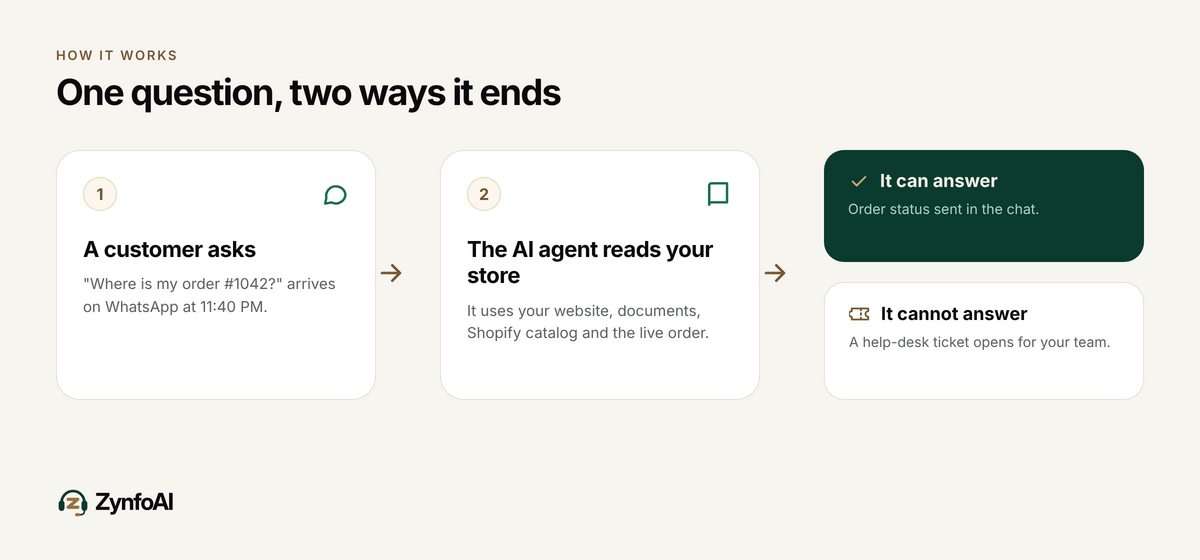
| What happens when the AI cannot answer? | Customers still need a person | A route to your team, and which plan includes it |
| Can I export my data if I leave? | You may switch again | Contacts and chats in a file you can open |
| What is the notice period? | Avoids paying twice | A date, not a phone call |
On ZynfoAI, one AI agent answers website chat and WhatsApp Business from your store’s own site, documents and Shopify catalog. Questions it cannot answer become help-desk tickets for your team on Starter, and live chat handoff to your team is on the Pro plan. See what happens when an AI agent cannot answer and the human handoff page. Before you move a number to any provider, ZynfoAI included, ask them to confirm the exact steps for your account.
When should you not switch?
Stay put if your current tool does what you need and the bill is fair. Switching is work, and a tool that sends your broadcasts well may be worth keeping. A few honest reasons to stay:
- Your main need is large broadcast campaigns, and your current tool does them well. ZynfoAI Starter is not built for that; broadcast campaigns are on the Pro plan.
- You need a full ticketing suite with many agents and reporting. Look at a helpdesk first.
- Your sale is under ten days away and the tool works. Wait for the quiet week after.
- You have not counted your monthly replies. Count first, then compare prices. Our guide on how many AI replies a Shopify store needs shows how.
If you only want to try an AI agent, you do not have to move your number. Run it on website chat first, and move WhatsApp only when the test passes. For a wider comparison, see the guides to Wati, AiSensy and Interakt alternatives.
Checklist before you switch
- You are admin on the Meta business portfolio that owns the number.
- You can receive the one-time code by SMS or voice on the number.
- You exported contacts with opt-in dates, template text and the chats you need.
- You screenshotted every flow and auto-reply.
- You tested the new AI agent with 20 real questions, including 3 it should not answer.
- You priced the new tool at normal and at sale-month volume.
- Your move is at least 10 days before or after your biggest sale.
- You know the old plan’s notice period and cancel only after real traffic works.
FAQ
Can I switch WhatsApp API provider without losing my number?
Yes. Meta’s migration flow keeps the business phone number: you enter it in Embedded Signup and the new provider does not register it again. Your chat history, bots and integrations do not move with it. Export them first and rebuild them in the new tool.
Do my approved WhatsApp templates move to the new provider?
Only some. Meta says only approved templates with a GREEN quality score are eligible, they are not duplicated automatically, and duplicates start with an unknown quality rating. Copy the text of every template before you start, and expect to resubmit the rest.
Will I lose my WhatsApp chat history if I switch?
Usually yes, in the new tool. YCloud’s guide says historical chat records are not migrated in its flow. Export the chats you need as CSV or PDF, or keep read-only access to the old inbox until your open conversations are closed.
How long does it take to switch WhatsApp API provider?
A small store can finish in about a week: two days to export and set up, a few days of testing, then a quiet-hour move. Allow longer if you have many templates, flows or a CRM link. Do not promise customers zero downtime.
Can I try ZynfoAI before moving my WhatsApp number?
Yes. Every new workspace gets a 7-day free trial with every Pro feature on, no credit card, and nothing charged automatically. You can answer real questions on website chat first. After the trial the workspace moves to the Free plan with 100 AI replies a month unless you choose a plan. Your data is kept.
How much does ZynfoAI cost?
ZynfoAI Starter costs $39 a month, or $390 a year, with 1,000 AI replies, 3 team seats and 50 knowledge sources. The Pro plan costs $99 a month, or $990 a year, with 5,000 AI replies and 11 seats. There are no per-resolution or per-seat fees, and Meta bills WhatsApp message fees separately. There is a 15-day money-back guarantee on both plans.
Topics
Tools and guides
Put this into practice
AI WhatsApp Reply Generator
Generate high-converting, professional WhatsApp sales and support replies with AI.
SolutionWhatsApp AI Chatbot Platform
Automate customer support and sales over official WhatsApp Business API.
Free ToolWhatsApp Chat Widget Generator
Build a custom floating WhatsApp button to embed on WordPress or Shopify.
FeatureAI with Human Handoff
Escalate complex chats to live agents with complete conversation context.