AI Chatbot Human Handoff: How Intelligent Escalation, Agent Inboxes & Sentiment Routing Work
Sachin
In this article
Share Knowledge
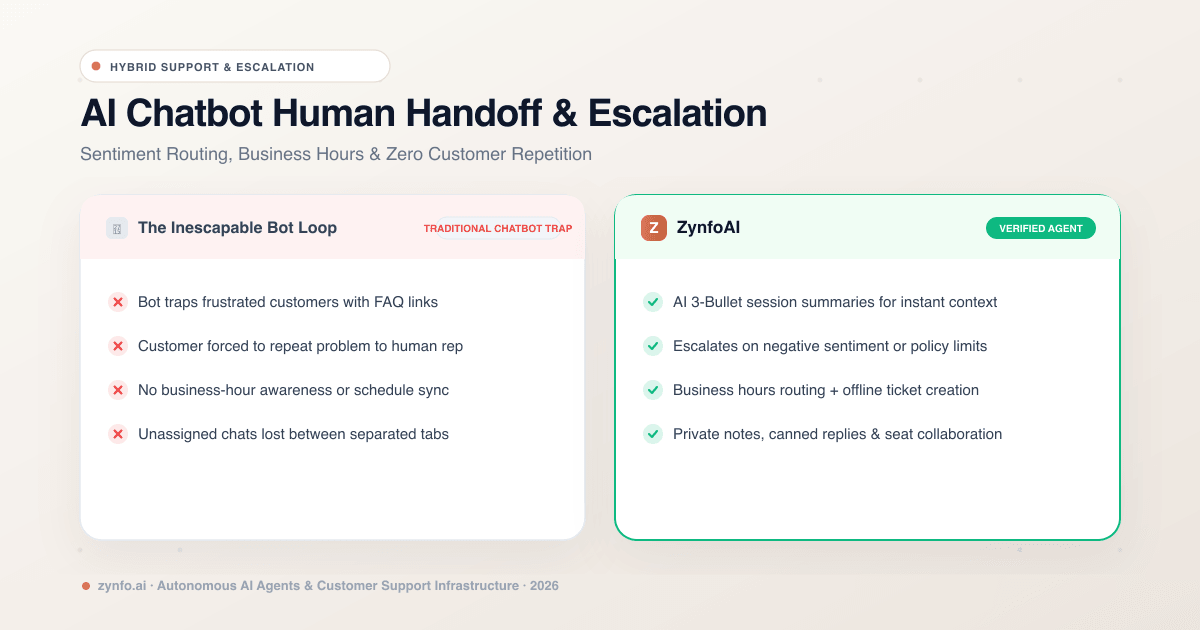
Nothing alienates a paying customer faster than being trapped in an inescapable chatbot loop:
Customer: “I need to speak to someone right now. Your system charged me twice.”
Dumb Bot: “I found this helpful article on billing: ‘How to update your credit card’!”
Customer: “AGENT. PERSON. HUMAN PLEASE.”
Dumb Bot: “Did that answer your question? Yes / No”
When companies research AI support agents, their most sensible fear is creating a frustrating wall between their brand and their customers. They ask:
“What actually happens when the AI chatbot doesn’t know the answer, when an edge case appears, or when an upset customer explicitly asks for a human?”
The secret to world-class customer support isn’t replacing humans entirely—it is seamless, intelligent human handoff. In this guide, we explore how modern hybrid AI platforms bridge automated self-service and human expertise without ever dropping context or forcing customers to repeat themselves.
The Hybrid Model: Automation First, Escalation Ready
Modern customer operations operate under a hybrid triage philosophy:
- 80% of routine inquiries (shipping questions, pricing tiers, return guidelines, product specs) are resolved instantaneously by the AI agent in seconds.
- 20% of high-complexity inquiries (billing discrepancies, enterprise negotiations, frustrated VIPs) are escalated smoothly to your human team.
| Feature | Zynfo AI | Dumb Chatbot Loops |
|---|---|---|
| Handoff Trigger | Multi-factor (sentiment, low confidence, intent) | Manual escalation button only |
| Context Preservation | Instant AI 3-bullet summary + chat history | Zero context (rep asks customer to repeat) |
| After-Hours Support | Business-hour schedule + auto-creates ticket | Traps customer in unmonitored loop |
| Omnichannel Inbox | Unified Web Widget + WhatsApp Meta API | Siloed separate apps & devices |
| Team Collaboration | Internal @notes, transfer & 11 seats included | Expensive per-seat penalties |
4 Triggers That Initiate an Instant Human Handoff
Rather than relying purely on a visitor clicking a manual button, modern platforms evaluate four continuous triggers:
1. Explicit Customer Request
When a user types phrases like “let me talk to an agent,” “human please,” or “customer service rep,” the AI immediately acknowledges the request with empathy and pauses automated answering.
2. Low Confidence & Knowledge Gaps
If a customer asks a proprietary question that does not exist in your indexed documentation, the AI avoids guessing. Instead of hallucinating, it states its boundary clearly: “I don’t have that information on file. Let me connect you directly with our support team.”
3. Sentiment & Frustration Detection
Modern AI continuously monitors conversation sentiment. If repeated negative cues, angry phrasing, or multiple exclamation points appear, the agent can trigger priority escalation before the customer’s frustration boils over.
4. Direct Workflow Rules
In your visual workflow builder, you can define explicit conditions that always route to a human—for example, when a high-value enterprise visitor clicks an “Enterprise Custom Contract” option.
Preserving Context: The Death of “Can You Repeat Your Problem?”
The single most infuriating part of traditional support handoffs is repeating yourself. You spend ten minutes explaining an issue to a bot, only for a human agent to join and ask: “Hi, how can I help you today?”
With an integrated system like ZynfoAI, context is seamlessly preserved across three layers:
1. Instant 3-Bullet AI Summary
The moment a human agent claims a session in the inbox, an automated AI summary generates at the top of the thread:
- Core Problem: What the customer is experiencing.
- Actions Attempted: What documentation or order lookups were already checked.
- Recommended Next Step: What the human rep should review or approve.
The human agent can scan the summary in 5 seconds and reply with complete situational awareness.
2. Comprehensive Customer Profile
Reps immediately see the customer’s verified name, email address, phone number, operating system, geolocation, tags, and previous conversation history alongside the active chat.
3. Internal Private Notes
Before transferring a customer to a specialist or another team member, agents can write @mentions and private internal notes directly into the conversation feed that only staff members can see.
Deliver Seamless Hybrid Human + AI Support
Automate 80% of support without losing the human touch. Equip your team with unified inboxes, business-hour scheduling, and AI-powered ticket summaries.
What Happens When Your Team Is Offline? (Business Hours Routing)
Customers shop and encounter issues at 2:00 AM on Sunday, but your team doesn’t work 24/7. How does handoff behave outside of operating hours?
Enterprise platforms feature granular Business Hours & Timezone Scheduling:
- You set your active support windows per day of the week (e.g., Monday–Friday, 9:00 AM – 6:00 PM EST).
- Within Hours: The chat alerts active agents via desktop notifications, sound alerts, and unassigned queue counters.
- Outside Hours: The AI politely informs the user:
“Our live team is currently offline (Operating Hours: Mon–Fri, 9am–6pm EST). I’ve noted your details and created ticket #5921. Our team will follow up via email first thing tomorrow morning.”
The session automatically converts into an open ticket in your connected helpdesk (Freshdesk or Zoho Desk), ensuring no customer falls through the cracks.
The Unified Inbox: Managing Web and WhatsApp Chats in One Screen
A major operational bottleneck for growing teams is toggling between four different browser tabs to answer website visitors, WhatsApp inquiries, and helpdesk tickets.
A modern team inbox unifies your omnichannel presence:
- Filtering: View Open, Resolved, Assigned to You, Automated, or Unassigned sessions across both Website Widget and WhatsApp Business (Meta Cloud API).
- Speed Tools: Use
/canned replies for fast answers to recurring questions. - Collaboration: Transfer active sessions between team members, assign priority tags, or convert tricky edge cases into permanent helpdesk tickets with one click.
- Included Team Seats: In ZynfoAI, up to 11 team members (1 owner + 10 agents/admins) can collaborate inside the inbox on the Pro plan without paying per-seat penalties.
Summary: Elevating Humans, Eliminating Busywork
The purpose of an AI chatbot is not to hide your human team from the world. Its purpose is to handle the millions of repetitive, mundane questions so your human team has the time, energy, and mental bandwidth to deliver white-glove empathy when it matters most.
With intelligent handoff triggers, instant 3-bullet session summaries, business-hour awareness, and a unified team inbox, you give your customers the speed of AI combined with the warmth of real human service.
Ready to see how intelligent handoff elevates your customer support? Sign up to ZynfoAI free today and configure your hybrid support team in minutes.
Related Keywords & Expertise
Recommended Resources & Tools
Put this into practice with our free tools & solutions
AI with Human Handoff
Escalate complex chats to live agents with complete conversation context.
Chatbot ROI Calculator
Calculate your projected cost savings, ticket deflection rate, and revenue impact.
Shared Team Inbox
Manage website chat, WhatsApp, and email conversations from a unified workspace.
AI FAQ Generator
Turn documents, manuals, and URLs into structured FAQs and schema markup.
You Might Also Like

Best AI Knowledge Base Tools & FAQ Software 2026 | ZynfoAI
Discover the best AI knowledge base tools for 2026. Learn how AI FAQ software automates customer support and internal company knowledge.
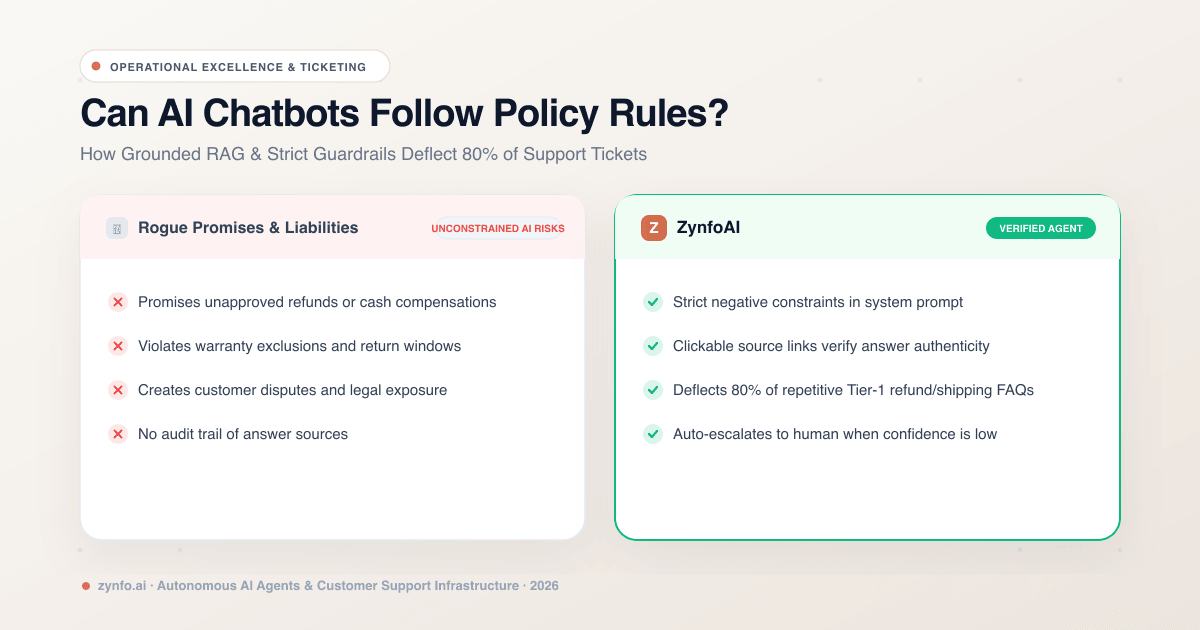
Can AI Chatbots Follow Strict Company Policy Rules? How to Reduce Support Tickets by 80%
Discover how AI chatbots enforce strict business policy rules, eliminate guesswork, and safely deflect up to 80% of customer support tickets.
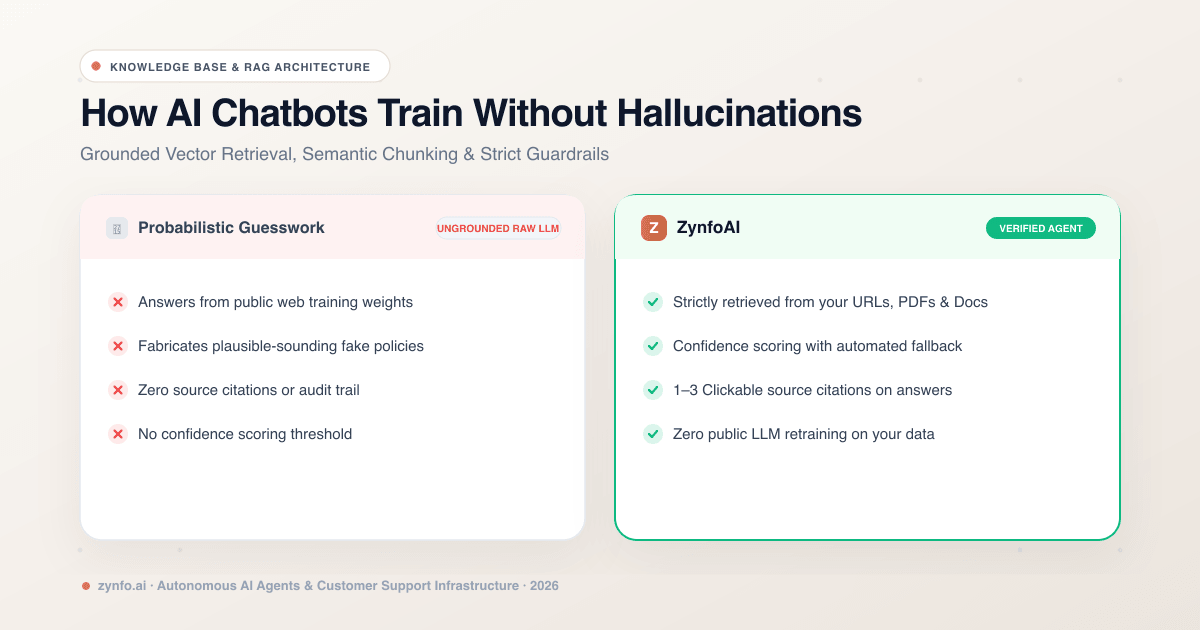
How AI Chatbots Train on Business Data Without Hallucinations: Grounded RAG Explained
Discover how modern AI chatbots ingest business data, websites, and PDFs using Grounded RAG, semantic chunking, and confidence thresholds to eliminate hallucinations.
Want to learn more?
Explore our entire library of insights on AI automation, lead generation, and scaling customer support.
Read blogs nowAutomate your support with AI
Deploy an AI agent in 2 minutes. Deflect 70%+ of customer tickets.