How AI Chatbots Train on Business Data Without Hallucinations: Grounded RAG Explained
Sachin
In this article
Share Knowledge
When business owners and support directors evaluate an AI customer support chatbot, one urgent question dominates the conversation:
“If we feed our company documents into an AI chatbot, how can we be 100% certain it won’t invent fake refund policies, hallucinate non-existent discounts, or give wrong technical answers to our customers?”
It is a valid concern. Anyone who has interacted with raw consumer AI models (like base ChatGPT or Gemini) knows that large language models are trained to be creative and helpful—which, in a customer service context, can lead to costly fabrications if left unconstrained.
In this guide, we break down the engineering architecture behind modern enterprise AI agents, explaining exactly how Grounded Retrieval-Augmented Generation (RAG), semantic chunking, confidence scoring, and strict guardrails ensure your AI answers exclusively from your verified business truth.
Why Foundation Models Hallucinate (And Why Raw LLMs Fail in Support)
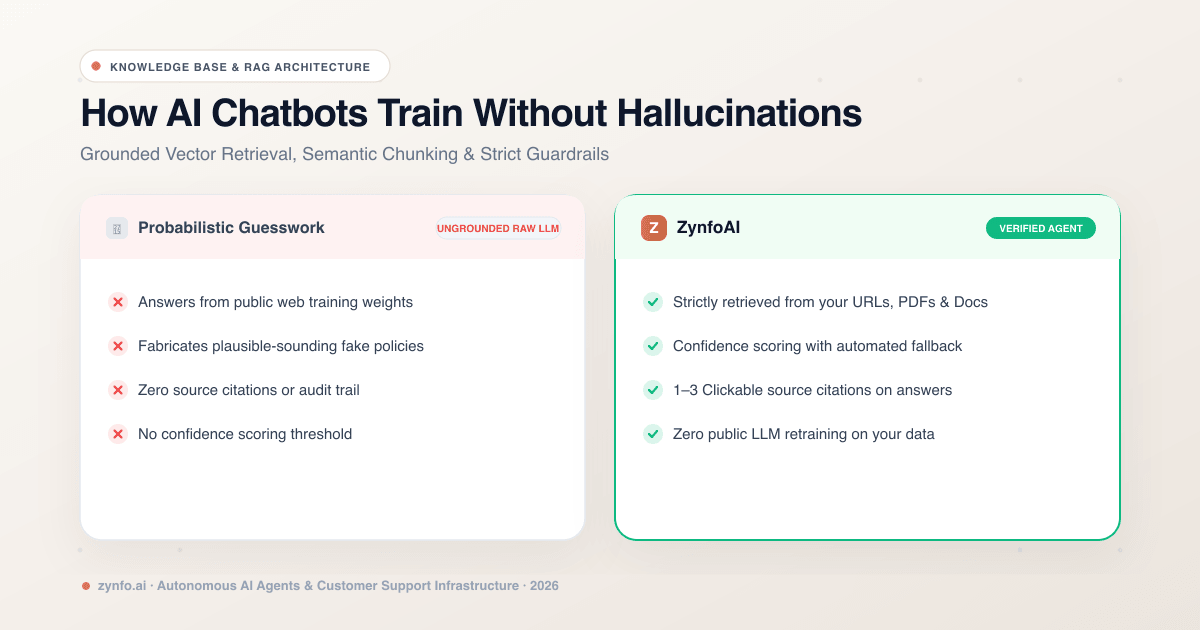
Base large language models operate by predicting the statistically most probable next word based on billions of public internet parameters. When an ungrounded model encounters a question about your specific product, it doesn’t “know” your internal policies. Instead, it generates a response that sounds plausible based on similar companies it saw during training:
| Feature | Zynfo AI | Raw Foundation LLMs |
|---|---|---|
| Knowledge Origin | Your verified URLs, PDFs, sheets & catalogs | Public web training data (pre-trained weights) |
| Response Anchor | Strict mathematical retrieval from your docs | Statistical probability & creative guessing |
| Source Citations | 1–3 explicit clickable source references | None (black-box generation) |
| Unknown Inquiries | Structured fallback or human handoff | Fabricates plausible-sounding false answers |
| Data Privacy | Strict tenant isolation; zero LLM retraining | Risk of entering public training pools |
To eliminate hallucinations, enterprise systems decouple the reasoning engine from the knowledge storage. The AI model is strictly treated as an analytical processor, while your documentation serves as the only permissible textbook it is allowed to open.
The 5-Step Ingestion & Grounding Pipeline
How does your messy website or 40-page PDF policy turn into rock-solid, hallucination-resistant customer answers? The process follows a five-stage grounded pipeline:
- Data Ingestion: Multi-source ingestion across website URLs (up to 500), technical PDFs, Google Drive workspaces, and live Shopify catalogs.
- PII Cleaning: Automated sanitization scrubbing tracking scripts, cookie policies, and sensitive personally identifiable information.
- Semantic Chunking: Slicing documents into structured context blocks and generating dense mathematical vector embeddings.
- Hybrid Retrieval: Matching the user query against the top 3–5 highest-confidence knowledge chunks in milliseconds.
- Grounded Answer: Synthesizing the final answer strictly from verified chunks, accompanied by 1–3 clickable source links.
1. Controlled Knowledge Ingestion
Rather than dumping uncurated web data into a bot, modern platforms allow granular control over exactly which assets form the knowledge base:
- Website Crawling: Automatic sitemap discovery with deep link following up to 500 URLs on the Pro plan, respecting your
robots.txtdirectives. - Structured File Ingestion: Uploading PDFs, Word documents (
.doc,.docx), and spreadsheets (.xls,.xlsx) up to 5MB per file. - Cloud Document Sync: Selecting specific Google Docs and Google Sheets from your connected Google Drive workspace.
- E-Commerce Catalogs: Directly syncing your live Shopify product catalog into structured vector embeddings.
2. Automatic PII Redaction & Cleaning
Before any text is indexed, automated sanitization strips out tracking code, cookie banners, navigation menus, and sensitive personally identifiable information (PII). This ensures clean, high-signal knowledge density.
3. Semantic Chunking
Raw documents cannot simply be handed to an AI in one giant lump. The ingestion engine slices documents into discrete semantic chunks (typically 300 to 800 words), preserving contextual headings, tables, and parent-child relationships.
Each chunk is passed through a dense embedding model that converts sentences into multidimensional mathematical vectors representing the underlying meaning of the text rather than mere keyword matches.
4. Hybrid Semantic Retrieval (RAG)
When a customer asks a question—such as “What is the exchange window for opened electronics?”—the system performs a hybrid semantic search:
- It calculates the vector distance between the customer query and millions of indexed chunks.
- It retrieves only the top 3–5 most relevant, high-confidence chunks containing your exact refund and exchange policy.
- Irrelevant company data is completely filtered out of the prompt.
5. Strict Guardrail Grounding
The retrieved chunks are injected into a secure system prompt instructing the language model with strict operational guardrails:
SYSTEM DIRECTIVE:
You are an autonomous customer support agent for [Company Name].
Answer the user's question using EXCLUSIVELY the verified context provided below.
If the answer cannot be directly deduced from the context, DO NOT guess or infer.
Immediately state: "I don't have enough information on that. Let me connect you with our team."
Include citations pointing to the source document for every verified claim.
Because the LLM is restricted to the provided context and mathematically evaluated against it, hallucination rates drop near zero.
Build a Hallucination-Free AI Knowledge Base
Connect your website URLs, PDFs, and Google Drive docs to ZynfoAI in under 5 minutes. Experience grounded, accurate answers with zero guesswork.
Confidence Thresholds: What Happens When the AI Doesn’t Know?
A critical question prospective users ask is: What happens when a customer asks a completely unanticipated question that isn’t in our documentation?
In poorly designed chatbots, the bot attempts to guess or gives a generic apology. In an enterprise agent like ZynfoAI, the answer lies in mathematical confidence thresholds:
- High Confidence (Match > 82%): The AI generates a fluent, authoritative response and displays 1 to 3 clickable source links directly beneath the answer so the user can verify the original policy page.
- Low Confidence or Unknown Subject: Rather than hallucinating, the agent executes your configured fallback workflow:
- Displays a customized fallback message explaining the limitation.
- Offers to transfer the visitor directly to your human support inbox during working hours.
- Logs the question in your analytics dashboard under Unanswered Questions, highlighting content gaps you can address in your next knowledge base update.
Keeping Knowledge Fresh: Manual Resync vs Outdated Answers
An AI knowledge base is only as accurate as its underlying data. When your shipping rates change, product specs update, or return windows alter for the holidays, your AI must reflect those updates immediately.
Modern AI platforms provide per-source manual resync controls:
- With one click, your agent crawls the updated live URL or pulls the revised Google Doc.
- Outdated vector chunks are purged from memory and replaced with the new policy.
- You can inspect, edit, or delete individual knowledge chunks directly from the administrative portal to verify exact wording before publishing.
Best Practices for Structuring Business Data for AI Training
If you are preparing your company knowledge base for an AI rollout, following these structural best practices ensures the highest possible retrieval accuracy:
- Use Explicit Headings: Structure documentation with clear, descriptive H2 and H3 tags (e.g., Shipping to Canada & International Destinations rather than just Global).
- Consolidate Conflicting Policies: If an older blog post mentions a 14-day return policy but your current terms state 30 days, update or un-index the outdated URL to avoid conflicting retrieval chunks.
- Format Tables Clearly: When presenting shipping tiers, pricing brackets, or sizing guides, use clear markdown tables or structured spreadsheets (
.xlsx). AI embeddings parse tabular data with high precision when column headers are explicitly named. - Define Acronyms and Internal Jargon: If your business uses internal SKU codes or acronyms, include a brief definition in your primary onboarding doc so the semantic search engine maps colloquial customer queries to your internal terminology.
Summary: Control, Accuracy & Peace of Mind
An enterprise AI customer service agent does not replace human oversight—it scales your verified documentation into an instant, 24/7 conversational responder.
By utilizing Grounded RAG architecture, multi-source ingestion (crawling, files, Google Drive, and Shopify), transparent source citations, and automated fallback when confidence dips, your business can automate up to 85% of incoming inquiries without ever compromising accuracy or customer trust.
Ready to see how grounded AI handles your business documentation? Sign up to ZynfoAI free today and test your documents in our live sandbox in minutes.
Related Keywords & Expertise
Recommended Resources & Tools
Put this into practice with our free tools & solutions
AI with Human Handoff
Escalate complex chats to live agents with complete conversation context.
Chatbot ROI Calculator
Calculate your projected cost savings, ticket deflection rate, and revenue impact.
Shared Team Inbox
Manage website chat, WhatsApp, and email conversations from a unified workspace.
AI FAQ Generator
Turn documents, manuals, and URLs into structured FAQs and schema markup.
You Might Also Like
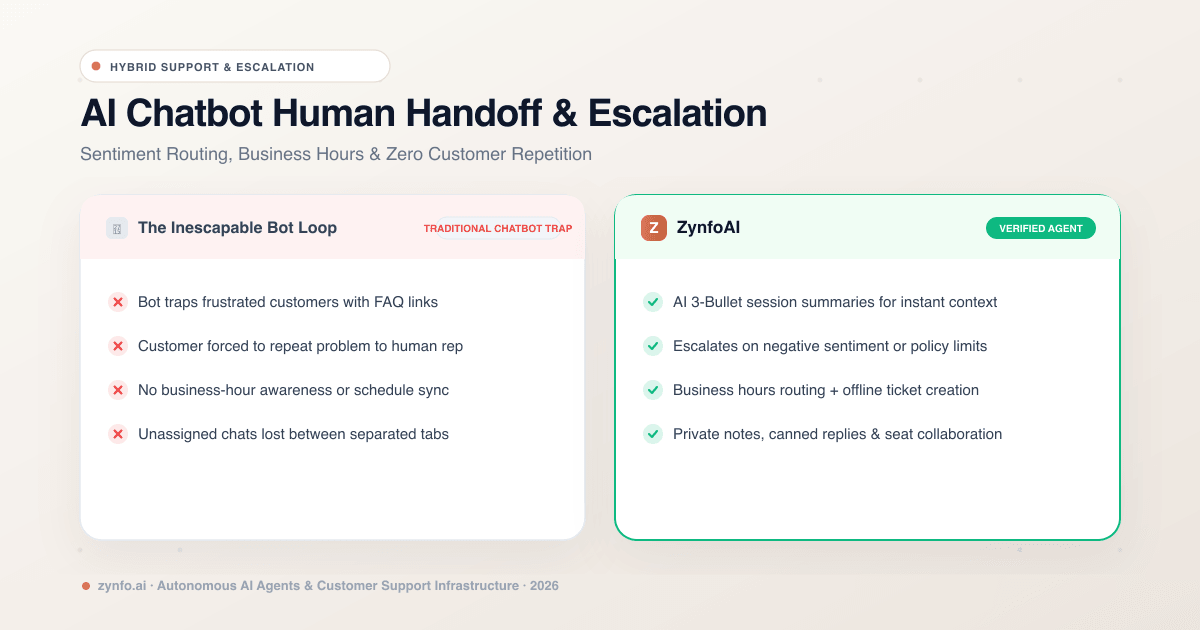
AI Chatbot Human Handoff: How Intelligent Escalation, Agent Inboxes & Sentiment Routing Work
Discover how human handoff works in AI chatbots. Learn how sentiment routing, business hour schedules, unified inboxes, and AI session summaries streamline escalation.

Best AI Knowledge Base Tools & FAQ Software 2026 | ZynfoAI
Discover the best AI knowledge base tools for 2026. Learn how AI FAQ software automates customer support and internal company knowledge.
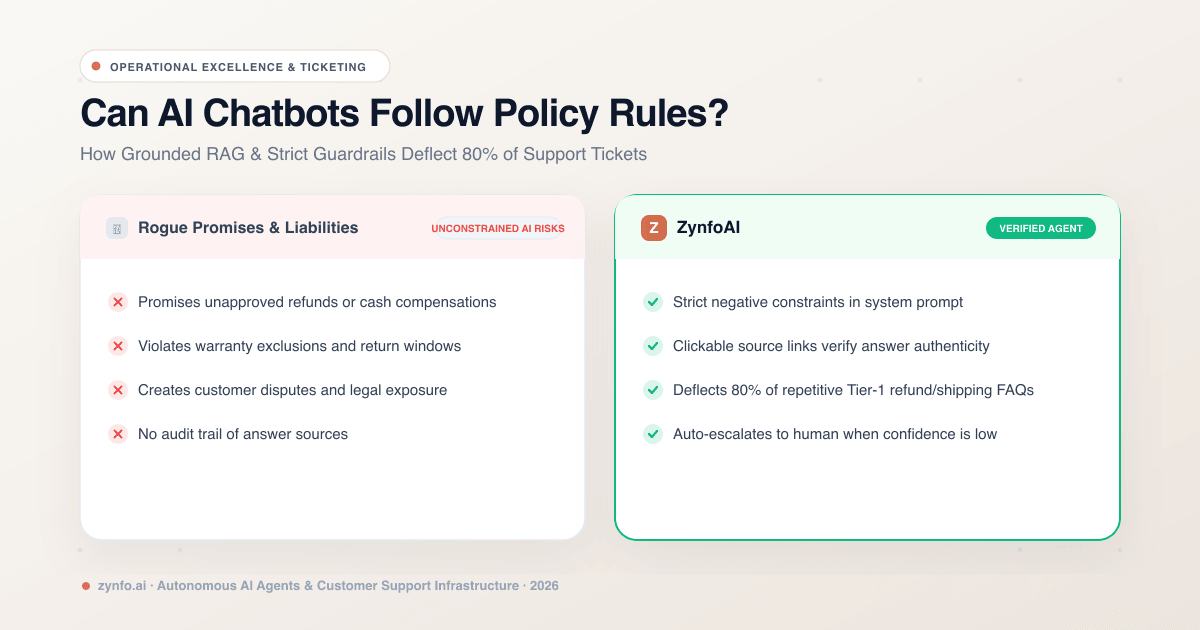
Can AI Chatbots Follow Strict Company Policy Rules? How to Reduce Support Tickets by 80%
Discover how AI chatbots enforce strict business policy rules, eliminate guesswork, and safely deflect up to 80% of customer support tickets.
Want to learn more?
Explore our entire library of insights on AI automation, lead generation, and scaling customer support.
Read blogs nowAutomate your support with AI
Deploy an AI agent in 2 minutes. Deflect 70%+ of customer tickets.