Shopify 16 min read
AI Knowledge Base for Shopify: What to Write First
Last updated: 26 October 2026.
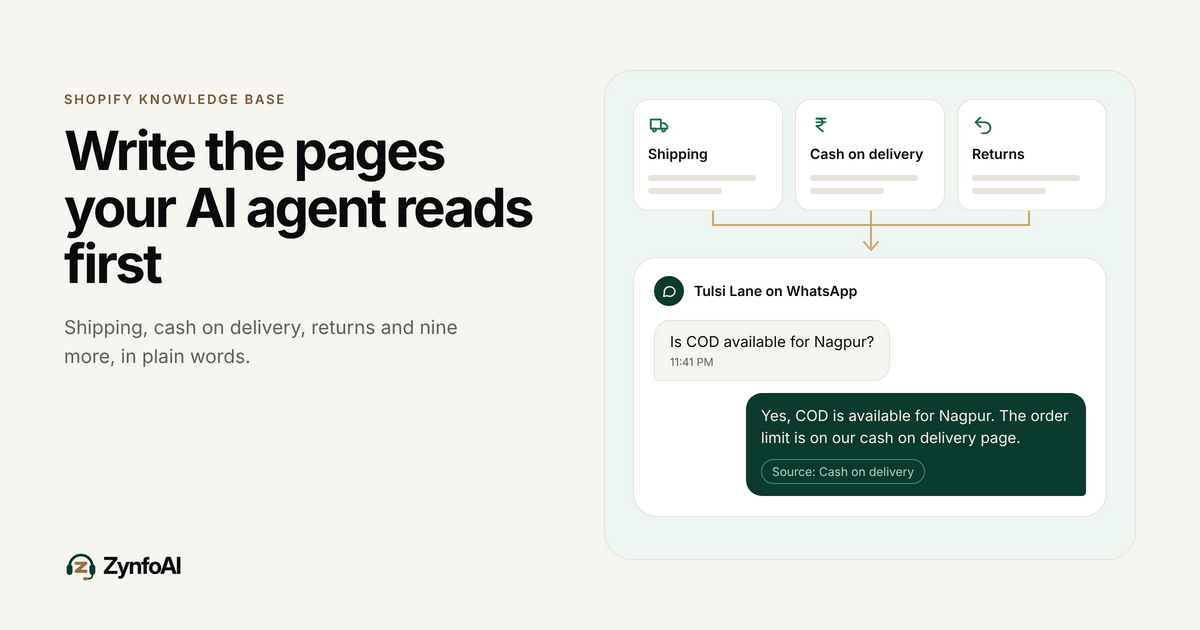
An AI knowledge base for Shopify is the set of pages and files your AI agent reads before it answers a customer. For an Indian D2C store, the first twelve are policy pages: shipping, cash on delivery, returns, refunds, cancellations, payments, offers, gifting, contact hours and a few more. If they are missing or vague, the agent has nothing true to say on WhatsApp at 11 PM.
ZynfoAI is an AI customer service agent for Shopify stores that answers customers on WhatsApp Business and website chat. ZynfoAI Starter costs $39 a month, or $390 a year, with 1,000 AI replies a month and 3 team seats, no per-resolution or per-seat fees, and a 7-day free trial with no card.
This guide is for the founder of an Indian D2C brand on Shopify, in beauty, fashion, food or home, who is about to switch on an AI agent and wants it to answer correctly. It lists the twelve pages to write first, how to word them so a machine reads them the way a customer would, where ZynfoAI can read them from, and a test to run before any customer sees an answer. The store in the examples, Tulsi Lane, is made up. Its numbers are assumptions you should replace with your own.
What is an AI knowledge base for a Shopify store?
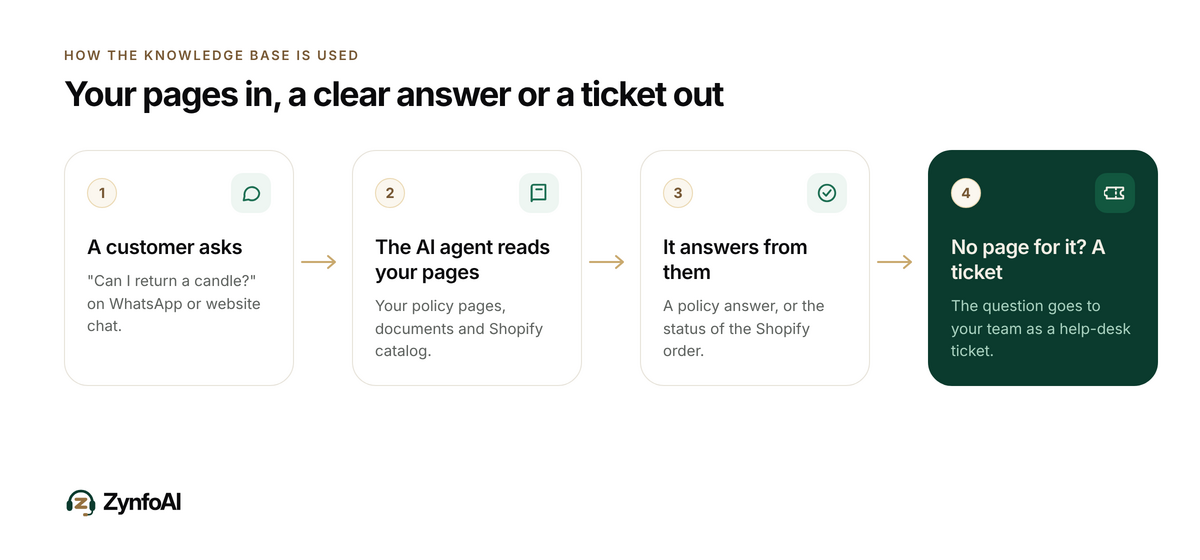
It is the material your AI agent answers from: your website pages, uploaded documents and your Shopify product catalog. The agent does not know your cash on delivery rules or your festive sale terms until you write them down. Better source pages give better answers, and gaps are the usual cause of wrong ones.
ZynfoAI learns from your website, your documents and your Shopify catalog. On the Starter plan you can add up to 50 knowledge sources. That is plenty for a store that keeps its policies tidy: twelve policy pages, a few product-care documents and the catalog take a fraction of it.
Two things are already in your store. The catalog holds product names, prices and descriptions. Shopify orders hold what has been shipped and where it is. For online stores, ZynfoAI reads both, so “where is my order?” does not need a page. Everything else a customer asks is a policy question, and policies live only where you write them.
Which 12 pages should an Indian D2C store write first?
Write one page per topic, starting with the questions your WhatsApp inbox repeats: shipping time, cash on delivery, returns, refund timing and cancellations. These five cover most repeat messages. The other seven cover payments, offers, gifts, care, contact hours, legal details and anything special to your category.
| # | Page | Questions it answers | Include these facts |
|---|---|---|---|
| 1 | Shipping and delivery | ”When will it reach Pune?” “Do you ship to my pincode?” | Dispatch time, delivery time by region, courier names, areas you do not serve |
| 2 | Cash on delivery | ”Is COD available?” “Is there a COD fee?” | Where COD is offered, order value limits, any fee, what happens if the parcel is refused |
| 3 | Returns and exchanges | ”Can I return this?” “How long do I have?” | Return window in days, which products are excluded, condition required, who pays for return shipping |
| 4 | Refunds | ”When will my money come back?” | Refund modes, timeline after the parcel is received, how COD orders are refunded |
| 5 | Cancellations | ”Can I cancel my order?” | Until which stage an order can be cancelled, any charge, how to ask |
| 6 | Payments | ”Can I pay by UPI?” “Do you take cards?” | Accepted methods, what to do if a payment failed but money was deducted |
| 7 | Offers and festive sales | ”Does the Diwali code work on sale items?” | Dates, which products qualify, whether offers combine, last order date for festival delivery |
| 8 | Gifting and bulk orders | ”Can I add a card?” “Do you do corporate gifts?” | What you offer, lead time, minimum quantity, who to contact |
| 9 | Product care and use | ”How do I wash this?” “How long does it last?” | Care steps, shelf life, size guide, in plain statements for each product type |
| 10 | Order tracking help | ”I got a tracking link but it shows nothing” | Where customers find their link, how long a courier takes to update |
| 11 | Contact and hours | ”Can I speak to someone?” | When your team replies, how to reach it, what happens to questions at night |
| 12 | Legal and grievance details | ”Who do I complain to?” | Business name, address, grievance officer’s name and contact, warranty terms if any |
Page 12 is not only for customers. India’s Consumer Protection (E-Commerce) Rules, 2020, notified on 23 July 2020, tell online sellers to display accurate information on return, refund, exchange, warranty, delivery and shipment, and to show the name, contact details and designation of a grievance officer on their website (Mondaq summary of the Rules). That summary is not the gazette text and is not legal advice, so check the notification or ask an adviser for your own case. The practical point stands: pages 1, 3, 4, 5 and 12 probably have to exist on your site anyway.
Does Shopify already give me these pages?
Partly. Shopify lets you add refund, shipping, privacy and terms policies, and for supported policies it can generate them from your store settings. Those policies are linked in the checkout footer and sit at addresses such as /policies/shipping-policy (Shopify Help Center: store policies). Generated text is a start. It rarely covers your COD limits or festival cut-off dates.
Check what Shopify wrote for you against the table above. Most stores find three gaps:
- The shipping policy states a general promise but not delivery time by region.
- The returns policy has no list of products that cannot be returned.
- Nothing mentions cash on delivery at all, because it is not a Shopify setting.
Fix those on the policy page itself, so your customers and your AI agent read the same text. Two versions of the truth, one on the page and one in a document, is how an agent ends up contradicting your website.
How is this different from Shopify’s own Knowledge Base app?
Shopify’s Knowledge Base app shows and edits the FAQs that AI shopping agents use to answer questions about your store, based on your catalog and settings, and lets you add custom FAQs. It serves AI agents that shoppers use outside your store. A ZynfoAI knowledge base serves your own customers on your own WhatsApp number and website chat.
Shopify’s listing describes the app this way: it lets merchants “view Shopify-generated FAQs based on your store’s settings and policies” and “create custom FAQs to address a wider array of buyer questions” (Shopify App Store: Shopify Knowledge Base). The listing also carries reviews from merchants who report answers that did not match their real policies, which supports the same advice: write the real text yourself.
You do not have to choose. Clear policy pages help both. A page that says “COD is available on orders up to a limit you set, with a fee you state” is useful to Shopify’s tools, to Google and to your own AI agent.
How should you write each page so an AI agent answers correctly?
Write short pages with one topic, real numbers and the exceptions stated. Use the words customers use in their messages. Put the answer in the first sentence of each section. An AI agent can only repeat what the page says, so a vague page produces a vague reply, and a clear one produces a clear reply.
Use these rules on every page:
- One topic per page. “Shipping” and “returns” on one long page make it harder to find the right passage. Split them.
- Numbers and dates, not adjectives. “Dispatched in 2 working days” answers a question. “Dispatched quickly” does not.
- State the exception next to the rule. “Returns within 7 days, except opened skincare and innerwear” belongs in one sentence.
- Mirror the customer’s question. Use headings such as “Can I pay cash on delivery?” and “When will my refund arrive?”.
- No “see above” or “as per our terms”. Each section must make sense alone.
- Date it. Add “Last updated” and your festival cut-off dates, and remove last year’s.
- Say what you do not do. If you do not ship to a region or offer gift wrap, say so. A silent page invites a guess.
If a rule has a condition that your team decides case by case, such as “damaged items are replaced after we see a photo”, write that sentence. The agent can then tell the customer what the process is, and the decision stays with your team.
Where can ZynfoAI read your policies from?
ZynfoAI reads your website pages, uploaded files and your Shopify catalog. It crawls your site by sitemap and by following links, lets you choose which URLs to import, and respects robots.txt. You can also upload PDF, Word and Excel files, and import chosen Google Docs and Sheets on the Starter plan and above.
The simplest setup for a Shopify store is a short list:
| Source | Best for | Notes |
|---|---|---|
| Your policy pages on the website | The twelve pages above | Pick the exact URLs so the agent does not read old blog posts instead |
| Shopify catalog | Product names, prices, descriptions | Synced through the ZynfoAI Shopify app |
| PDF or Word files | Size guides, care sheets, festive terms | Keep each file to one topic |
| Google Docs and Sheets you choose | Documents your team edits often | Import only the ones you pick |
Two practical limits matter. A resync is manual, so after you change a policy, resync that source. And if you keep FAQ answers in a loose list, put them on a web page or in a Word or PDF file so they can be imported.
For a longer look at how learning from your own content works, see how AI agents train on business data without making things up and the document sync feature page.
What does this look like for a Pune home decor store at night?
Tulsi Lane is a made-up Pune store selling candles and home decor. Assume 900 orders a month, two people on support and a Diwali rush in the first week of November. At 11:40 PM, a customer asks five questions on WhatsApp. Four have a page behind them. One needs a person.
| Time | Customer asks | Where the answer comes from | Result |
|---|---|---|---|
| 11:40 PM | ”Where is my order #1042?” | The Shopify order | Answered with the order status |
| 11:41 PM | ”Is COD available for Nagpur?” | Page 2, cash on delivery | Answered from the policy |
| 11:42 PM | ”Can I return a candle if the scent is too strong?” | Page 3, returns and exchanges | Answered, including the excluded items |
| 11:43 PM | ”Last day to order for Diwali delivery?” | Page 7, offers and festive sales | Answered from the dated cut-off |
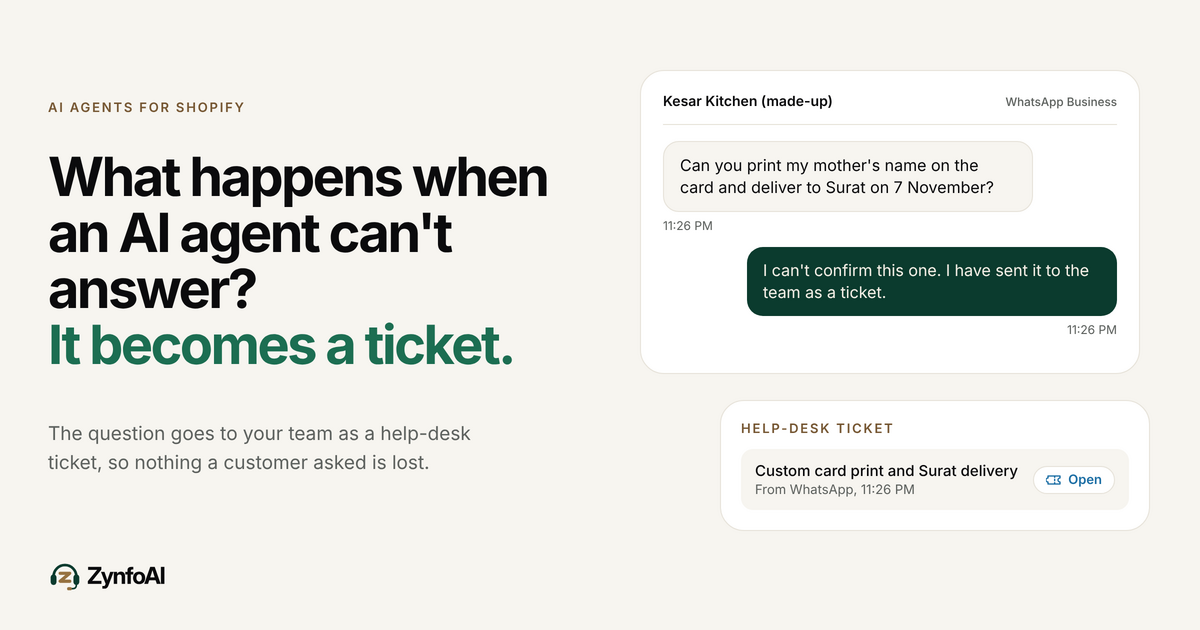
| 11:45 PM | ”Can you put my company logo on 40 jars?” | Nowhere. It needs a quote | Help-desk ticket for the team |
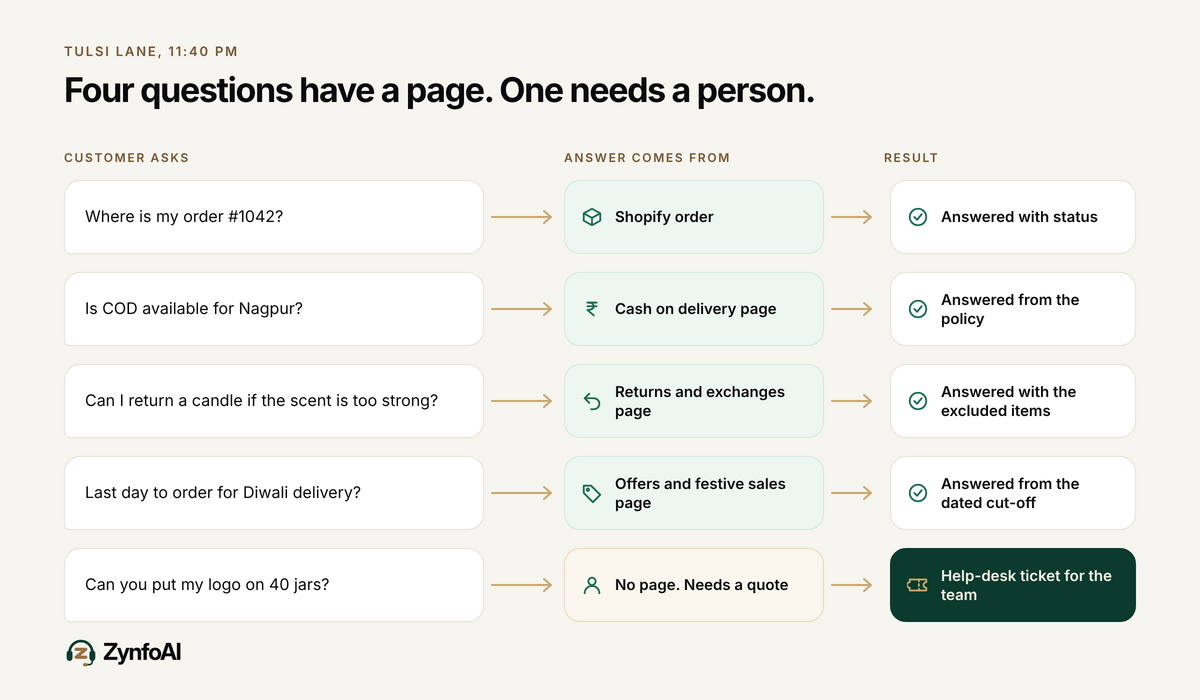
The fifth message is not lost. It becomes a help-desk ticket, and the owner sees it with the others in the morning. The post on what happens when an AI agent can’t answer walks through that flow.
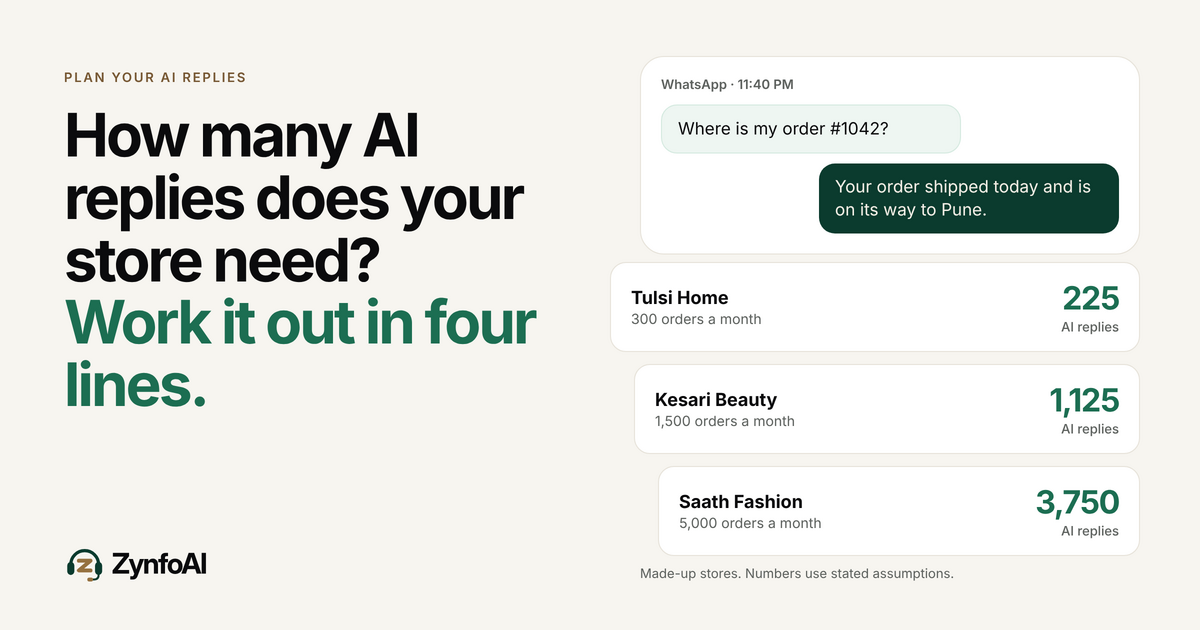
Now check the reply budget. Suppose Tulsi Lane has 300 support conversations a month and each takes three AI replies. That is 900 AI replies, inside the 1,000 that Starter includes. A festive month can push it over, so the guide on how many AI replies a Shopify store needs shows how to count your own.
How do you test the knowledge base before customers see it?
Ask the agent your real questions and read every reply. Take 20 questions from last month’s WhatsApp chats, ask them word for word, and mark each reply right, wrong or missing. Fix the page behind every wrong or missing one, resync it, and ask again. Go live when the repeat questions are right.
Run it like this:
- Collect 20 real questions. Use the messages your team typed the same answer to more than twice. Include five about COD and five about returns.
- Ask each one in the trial. Type them as customers did, with spelling slips and short forms.
- Mark the result. Correct, wrong or “I don’t know”.
- Trace each miss. Wrong means the page is unclear or out of date. Missing means there is no page.
- Edit, resync, ask again. Repeat until the 20 pass.
- Add five trick questions. Ask something your pages do not cover, such as a custom order. The right result is a help-desk ticket, not a guess.
The trial runs for 7 days with every Pro feature on and no card. After it, your workspace moves to the Free plan unless you choose a plan, and your data is kept.
Can a knowledge base fix everything customers ask?
No. A knowledge base answers questions that have the same answer every time. It cannot decide a custom order, a courier dispute or a one-off exception. Those need your judgement, and a good setup turns them into tickets for your team, not guesses.
This is why the pages in your knowledge base should describe your process and not promise outcomes. “Send a photo within 48 hours and we will review it” is a policy the agent can state. “We always replace damaged items” is a promise your team may have to break.
It is also why cash on delivery needs care. Customers ask many COD questions, and a clear page answers the rule-based ones. The playbook on cutting COD returns with WhatsApp covers the wider problem. ZynfoAI does not confirm COD orders, so confirmation stays with your own process.
What does it cost, and when is it not the right tool?
ZynfoAI Starter costs $39 a month, or $390 a year. It includes 1,000 AI replies a month, 3 team seats and 50 knowledge sources, with no per-resolution or per-seat fees. WhatsApp message fees are billed by Meta. The tagline holds: “Support that scales. Your bill doesn’t.”
There is a 15-day money-back guarantee on Starter and Pro. A live handoff of a chat to your team is on the Pro plan; on Starter, a question the agent cannot answer becomes a help-desk ticket. Check the pricing page for the current plans.
ZynfoAI is not the right tool for a large team that needs a full ticketing suite with many agents, or for a store that is not on Shopify, because order tracking and the catalog apply to online stores on Shopify. It is built for small Shopify teams of one to six people who want one flat price on WhatsApp and website chat.
What should you do this week?
Open your site and your WhatsApp inbox side by side. Count how many of the twelve pages exist and are specific. Write or fix pages 1 to 5 first, because they cover the most repeat messages. Then add the rest, import the pages, and run the 20-question test.
If you are heading into the festive season, do pages 2, 3 and 7 first and add your last-order date. The Diwali sale WhatsApp checklist lists what else to prepare, and the guide to WhatsApp order tracking for Shopify shows how the order half works. If you are still comparing tools, the guide to evaluating Shopify AI customer support gives the questions to ask.
FAQ
What is an AI knowledge base for Shopify?
It is the website pages, documents and product catalog an AI agent reads before it answers customers. For a Shopify store it holds your policies, such as shipping, returns and cash on delivery, plus your products. The agent can only answer well from what you give it.
Which policies should a Shopify store write first?
Start with shipping and delivery, cash on delivery, returns and exchanges, refunds, and cancellations. They cover the questions repeated most on WhatsApp. Then add payments, offers, gifting, product care, contact hours and legal details.
How many knowledge sources does ZynfoAI allow?
The Starter plan allows up to 50 knowledge sources and the Pro plan up to 500. The Free plan, which your workspace moves to after the trial unless you choose a plan, allows 15. A store’s twelve policy pages, a few documents and the Shopify catalog fit within Starter.
Does the AI agent update when I change a policy?
Not automatically. ZynfoAI resyncs a knowledge source when you ask it to, so after you change a policy page, resync that source. Test the agent with a question about the change to confirm it now gives the new answer.
What if a customer asks something not in the knowledge base?
The AI agent turns a question it cannot answer into a help-desk ticket for your team. Starter does not transfer a live chat to a person; that live handoff is on the Pro plan. Read the tickets, answer the customer and add the answer to a page.
How much does ZynfoAI cost?
ZynfoAI Starter costs $39 a month, or $390 a year, with 1,000 AI replies a month and 3 team seats. There are no per-resolution or per-seat fees. WhatsApp message fees are billed by Meta. The 7-day free trial needs no card, and a 15-day money-back guarantee applies.
Tools and guides
Put this into practice
AI Chatbot for E-commerce
Recover abandoned carts, automate order tracking, and boost online store sales.
Free ToolChatbot ROI Calculator
Calculate your projected cost savings, ticket deflection rate, and revenue impact.
Free ToolAI WhatsApp Reply Generator
Generate high-converting, professional WhatsApp sales and support replies with AI.
FeatureAI with Human Handoff
Escalate complex chats to live agents with complete conversation context.